AstrAI OTOs: Which Upgrades Are Worth It, By What You Plan To Sell

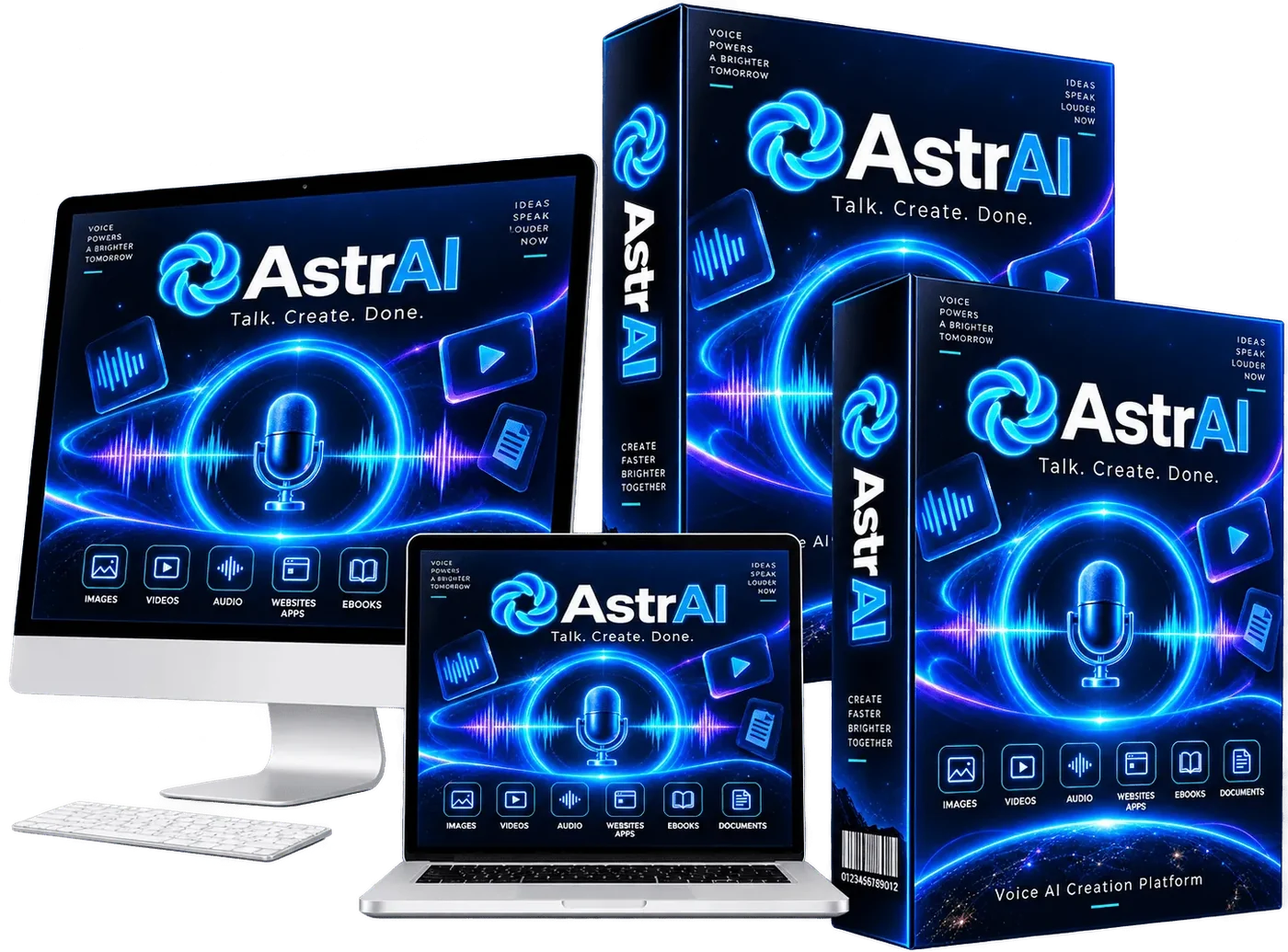
Every AstrAI OTO is optional. The vendor’s funnel and sales page present the $17 one-time front end as the whole app, and the ten upgrades after it as add-ons. So the real question is not whether you need an AstrAI OTO, but which one, if any, fits the work you actually plan to sell. This guide matches each upgrade to a use case, using the vendor’s own funnel. For the full product breakdown, read our AstrAI review.
One caution first. The sales page does not describe the upgrades. Names and prices come from the vendor’s funnel graphic in the JV doc, so every description below is our reading of the name and is marked “likely”. Read the checkout page before you pay for anything.
Describe what you want by voice and AstrAI writes the prompts, for a low one-time price with a 30-day refund.
Not sure yet? Read our honest AstrAI review first.
Short answer: buy the front end first
Try the $17 front end inside the vendor’s 30-day money-back guarantee. Add an AstrAI OTO only when you hit a real limit that ties to what you sell. We have not tested AstrAI hands-on, so we cannot tell you where those limits are.
Use the guarantee as your test bench. The vendor’s sales page offers a 30-day money-back guarantee by one email, and the JV doc does not add separate terms for the upgrades, so confirm the refund terms on each upgrade’s own checkout page before you pay. The simplest way to use it is to test, in week one, the exact service you plan to sell rather than the vendor’s demo. Decide whether any AstrAI OTO is worth buying only after that test.

What the AstrAI funnel looks like
The front end is $17 one-time. There is a $9 order bump, named the 2K/Day AI Client Kit in the JV doc and the Members Kit on the checkout, a mismatch the vendor has not explained. Then come ten OTOs. If you bought every one at the lower listed price, our arithmetic puts the total at $966, and at the higher listed prices $1,206. Compare that with the $17 you need to start.
The vendor sales page still showed $17 one-time when we re-read it on October 25, 2026, but the launch window ended on October 1 and the vendor says the price can change after launch, so confirm current prices at checkout.
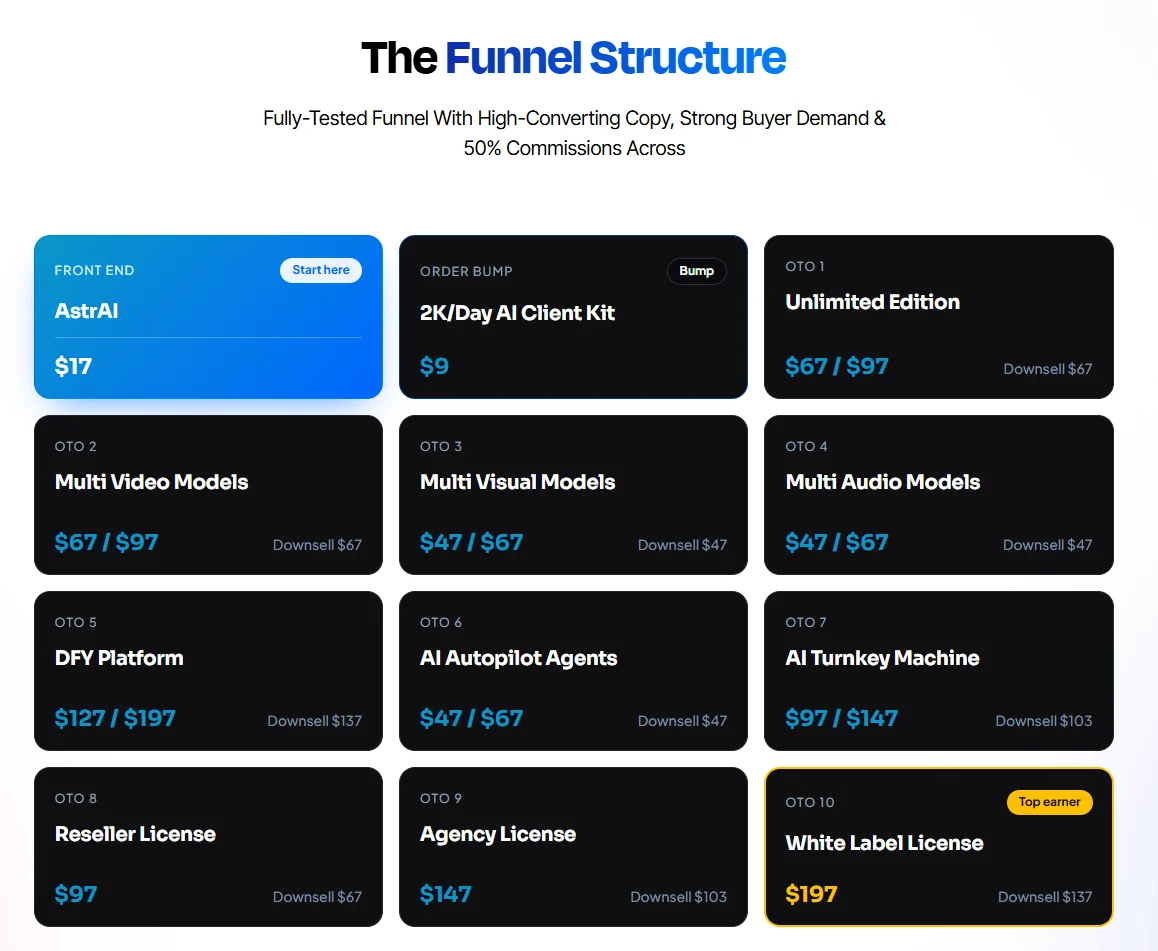
What every AstrAI OTO adds up to
Here is the arithmetic, from the vendor’s own listed prices in the JV doc. The $17 front end plus the $9 order bump come to $26. The ten upgrades add $940 if you take the lower price on each one, so the full funnel runs roughly $966 to $1,206 before coupons. That is our own sum, not a price the vendor quotes. The point is simple: each AstrAI OTO is a separate buying decision, and the total grows faster than most buyers expect.
Where the $9 order bump fits
The order bump sits between the front end and the first AstrAI OTO. The JV doc names it the 2K/Day AI Client Kit, while the checkout calls it the 2K/Day AI Members Kit and describes a done-for-you traffic system, which reads like copy carried over from another product. It costs $9, but it is not an upgrade and it is not required, so read the checkout box before you tick it.
Which AstrAI OTO fits what you sell

If you sell video ads
Look at Multi Video Models (listed $67, or $97 at the higher price). By name, it likely adds more video models to the voice-to-video tool. The vendor calls video the most requested creative format, which is its marketing claim, not a result. Skip it until the front end’s video output has been tried on a real job.
If you sell graphics, logos or product shots
Multi Visual Models ($47 / $67) likely adds more image models. It is the cheapest relevant AstrAI OTO for this group. Skip it if the front-end images already do the job.
If jingles, voiceovers or sound packs are part of your offer
Multi Audio Models ($47 / $67) likely adds more music, voice and sound-effect models. It only matters if audio is a service you charge for.
If you expect to hit usage limits
Unlimited Edition ($67 / $97) likely removes limits on the front end, going by the name. The front end’s exact limits are not published, so you cannot judge this in advance. Use the front end first and see whether you hit a limit at all.
If you want to rent AI agents to businesses
AI Autopilot Agents ($47 / $67) likely adds automated agents. The sales page already lists building AI agents among the front-end tools, so check what this upgrade adds beyond that before buying.
The AstrAI upgrades that need the most caution
DFY Platform ($127 / $197): the listed downsell is $137, which is higher than the $127 lower price. Check the checkout page. AI Turnkey Machine ($97 / $147): the name does not say what is inside, so confirm it on its own page. Reseller ($97), Agency ($147) and White Label ($197) licences only make sense if you plan to resell access, run an agency or sell your own branded version. If you only want to make assets, skip all three.
AstrAI OTO coupon codes: what to try first
The JV doc lists two codes: ASTRAIVIP30 for 30% off the full funnel and ASTRAI3OFF for $3 off. The second also appears on the sales page’s exit pop-up. We have not run a live checkout with either, and ASTRAIVIP30 comes from the launch period, so we cannot confirm it still works. A percentage code matters far more on the AstrAI OTO prices than on the $17 front end, so try ASTRAIVIP30 first and check the total before you confirm.
A five-question test before you buy any AstrAI OTO
- What one sentence describes the job this upgrade does for me?
- Did the front end hit a real limit on that job, or am I guessing?
- Does the checkout page describe the upgrade, or only name it?
- What is the refund term on this specific checkout?
- Would I still buy it at the higher price tier?
If you cannot answer all five, skip that AstrAI OTO for now. You can come back to the funnel later, and the vendor presents the front end as the complete app.
AstrAI OTO questions, answered
Are the upgrades required to use AstrAI?
No. The front end is sold as the complete app, and the OTOs are optional add-ons. Try the front end first and decide later.
Do I need to review what AstrAI creates before using it?
Yes. The vendor’s own sales page disclaimer says you are responsible for reviewing all generated content before publication and for the rights to anything you upload. Treat the output as a first draft.
Can one request make several assets?
The vendor says so. The sales page shows one spoken sentence producing a website, a video ad, ten graphics, a jingle, a voiceover, a support agent and an email. That is the vendor’s demonstration, and we have not tested it ourselves.
Is AstrAI only for freelancers and agencies?
No. The vendor says it can also be used for your own marketing, content, websites and products. Whether the output is good enough for your use is something only a trial inside the 30-day refund window can tell you.
Can I create a sample before contacting a prospect?
The vendor describes this as part of the Client Finder workflow: a mock-up site, ad or graphics set sent with the outreach message. Results depend on you, and the sales page’s own disclaimer says results are not typical.
Who should skip every AstrAI OTO
If you plan to use AstrAI for your own content, websites or marketing, which the vendor says it can also be used for, the front end is the whole product and every AstrAI OTO can wait. Skip the Reseller, Agency and White Label licences unless you will genuinely resell access or run an agency. Skip the model upgrades until the front end’s output on your real job shows you what is missing. And skip any AstrAI OTO whose checkout page only names it without saying what it contains. A short list of upgrades bought on purpose beats a long list bought on impulse.
Our take on the AstrAI upgrades
Ready when you are
Ready to try AstrAI?
- ✅ Describe what you want by voice and AstrAI writes the prompts
- ✅ Ten creation tools in one dashboard: images, video, music, code, websites and more
- ✅ Built-in Client Finder and a commercial license
Launch price in our review: $17 one-time · 30-day money-back guarantee
Prices can change after a launch, so the button takes you to the official page with today’s price.
Read our full AstrAI review: pros, cons, limits and every upgrade
Affiliate link: MMO Maker earns a commission if you buy, at no extra cost to you.
Start with the $17 front end and the 30-day refund. Add at most one upgrade, matched to the thing you actually sell, and only after the front end has hit a limit. This guide is built from the vendor’s materials and our reading of the funnel, not from hands-on use. If you decide to buy, our AstrAI review has the coupon notes and bonus details, and our guide to the best AI tools for making money online shows where AstrAI sits among similar tools.
MMO Maker is an affiliate for AstrAI and earns a commission on purchases through our links, at no extra cost to you, in line with the FTC’s endorsement guidance. That does not change what we write here. Everything about the product comes from the vendor’s own sales page, JV page and JV documentation, and we have not tested it hands-on.