A BookSeries AI KDP series plan works best when you plan the series on paper first and let the tool carry the grind. BookSeries AI is a web app that, per its vendor Justin Opay, takes one idea and a number of books and writes a connected series, with a series bible, matching covers, titles, blurbs, keywords and KDP-ready files. This post is a step-by-step plan for going from one idea to a three-book series you can honestly stand behind. Our BookSeries AI review has the price, the upgrades and the claims we could not verify.
MMO Maker is an affiliate for BookSeries AI and earns a commission on purchases through our links, at no extra cost to you, in line with the FTC’s endorsement guidelines. That does not change what we write here. Everything about the product comes from the vendor’s own sales page, JV page, JV documentation and checkout pages, and we have not tested it hands-on.
Why a series, and why plan it first
A single book on Amazon tends to sell once to each reader and then go quiet. A series gives a reader who finishes book one a reason to buy book two, and every new release points back at the earlier books. The catch is continuity: characters have to behave the same way across hundreds of pages, the timeline cannot contradict itself in book five, and every book needs an ending that makes the next one tempting. That continuity work is what makes people write one book and stop, and it is the part the vendor says the app is built to handle.
A tool can only continue a series that has a clear shape. So the plan starts before you open the app.
Step 1: pick a genre and a promise
Choose a genre you read, and write one sentence that tells a reader what they will feel. The vendor’s own sample is a cozy mystery set in a coastal town, which suits series because readers come back for the place and the people as much as the puzzle. Cozy mystery, romance, sci-fi and thrillers are listed for fiction, and how-to, self-help, devotional, business and health for non-fiction. Pick one lane. A series that jumps between lanes confuses readers and Amazon’s recommendations alike.
Step 2: decide how many books, and start with three
The vendor says there is no limit on books per series. That freedom is a trap if you use it on day one. Start with three books. It is long enough to test whether readers continue, and short enough to finish, check and publish without losing a month to a twelve-book plan. You can always extend a series that works.
Step 3: write your own mini series bible
The vendor says the app writes a series bible automatically, with characters, relationships, locations, timeline and open story threads, kept up to date as the series grows. Still write a short version yourself, because it forces you to decide what matters:
- The cast: three to five main characters, each with one trait readers will remember.
- The place: one setting with a few recurring locations.
- The rules: what is true in this world, such as tone, level of danger and what never happens.
- The thread: one question that runs across all three books and is answered in the last one.

Step 4: plan the arc and the endings
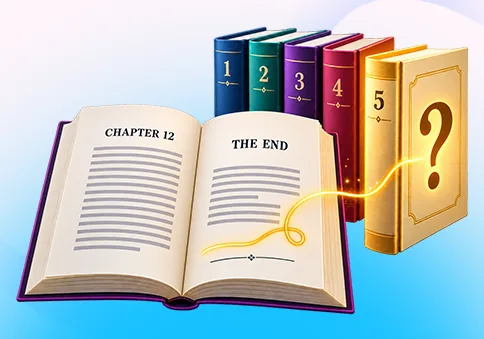
Each book should work alone and also pull the reader forward. A simple pattern: book one introduces the cast and solves its own case, but leaves one question open. Book two deepens a relationship and raises the stakes. Book three answers the running question. The vendor says each book ends on a question that points to the next. Read those endings yourself. A cliffhanger that feels like a trick will cost you reviews.
Step 5: make the covers look like a set
Readers decide fast, and a row of matching covers tells them these books belong together. The vendor says the app builds matching series covers with one consistent design look. In its own sample, six covers for a cozy mystery sit side by side as a set. Check yours the same way: put them next to each other at small size and ask whether a stranger would guess they are a series.
Step 6: titles, blurbs and keywords
The vendor says the app writes the title, blurb, keywords and categories for every book. Treat those as a first draft. Make sure each title says the genre clearly, each blurb opens with a hook and names the stakes, and each keyword matches something a reader would actually type. Keep the blurbs honest: do not promise what the book does not deliver.
Step 7: the editing pass you should not skip
The vendor describes the books as full length with real chapters, and says the output is fully editable. We have not read the output, so we cannot say how good it is. Plan for your own pass on every book:
- Read it start to finish. Do names, places and dates stay the same?
- Cut anything repetitive, and fix anything that sounds like a template.
- Check facts, especially for non-fiction. A tool can sound sure and be wrong.
- Make sure the ending of each book does its job.
- Ask one person who is not you to read at least book one.
Step 8: set up KDP and check the rules
The vendor says the app exports KDP-ready files with margins, a table of contents, chapter breaks and front and back matter, plus a “read the next book” page at the end of each book. Its steps say you send the books to Amazon, while the sales page also says to add them and group them as a series yourself. Plan to do the KDP setup by hand and use KDP’s series tools to link the books.
Before you upload anything, read Amazon’s current KDP content guidelines, including what they say about AI-generated content and how to disclose it. The rules can change, and breaking them can put your account at risk. Our post on BookSeries AI, pen names, AI disclosure and rights covers what to check.
Step 9: launch in order, and measure honestly
Publish book one first, then book two and book three on a schedule you can keep. The vendor lists an Auto-Publish Scheduler for lining up releases, and notes our caution above, so verify how it works in practice before you depend on it. After launch, look at three things: do readers of book one buy book two, what do reviews say about the story, and which book has the weakest start. Fix the weakest and learn from it before you plan a second series.
What this does not promise
It does not promise sales, royalties or a business. The vendor says you keep 100% of the royalties Amazon pays you, and it is careful to say results depend on niche, effort and readers. We agree with that last part. A series gives you a better chance than a single book, not a guarantee.
The cost and the refund
Per the vendor, the front end is $17 one-time, with a $9 order bump and ten optional upgrades after it. Coupon codes listed in the JV documentation are BOOKSAI3OFF for $3 off and BOOKSAIVIP30 for 30% off. The vendor states a 30-day refund requested by a single email, so make your first three-book test inside that window and decide with the books in front of you. Our BookSeries AI review lists every upgrade, and our guide to the best AI tools for affiliate marketing has other options worth comparing.
A checklist to copy
- Pick one genre and write the promise in one sentence.
- Plan three books, not twelve.
- Write a mini series bible: cast, place, rules, running question.
- Plan the arc and the ending of each book.
- Check the covers side by side as a set.
- Edit every book yourself and ask one outside reader.
- Read Amazon’s current AI content rules and set up KDP by hand.
- Publish in order, measure, and fix the weakest book first.
BookSeries AI KDP series plan: frequently asked questions
Does BookSeries AI publish to Amazon for me?
The vendor’s steps say you send the finished books to Amazon KDP, while the sales page also says to add them to Amazon and group them as a series yourself. Plan to do the KDP setup by hand, and check how the Auto-Publish Scheduler works before you rely on it.
How many books can one series have?
The vendor says unlimited books per series, so you choose. For a first series, three books is a sensible size because it is enough to test whether readers continue.
Do I still need to edit the books?
Yes. The vendor says the output is fully editable, and we recommend an editing pass whatever the tool does. A person should read every book before it goes live.
What does Amazon say about AI-generated content?
Amazon KDP has content guidelines that cover AI-generated content and disclosure. Read the current KDP content guidelines before you publish, because rules change. Our post on BookSeries AI, pen names and AI disclosure goes into this.
Can BookSeries AI guarantee sales?
No. The vendor’s pages talk about royalties, but sales depend on your niche, covers, blurbs, reviews and readers. Results are never guaranteed.
Is the $17 price the whole cost?
$17 is the one-time front end per the vendor, with a $9 order bump and ten optional upgrades after it. None of the upgrades are required, and the vendor states a 30-day refund requested by one email.