
To test an unlimited AI claim properly you need a plan, a notebook and a calendar, not one excited afternoon. GeminiPrime AI, per its vendor, offers unlimited Gemini use with no credit counters, and the sales page does not say how that is supported at a one-time $17. That is not a reason to call it a scam. It is a reason to test it. This guide gives you a simple, fair, 30-day method that works for any tool that promises no limits, and it is written around the vendor’s 30-day money-back guarantee. For the full product picture, read our GeminiPrime AI review.
MMO Maker is an affiliate for GeminiPrime AI and earns a commission on purchases through our links, at no extra cost to you, in line with the FTC’s endorsement guidelines. That does not change what we write here. Everything about the product comes from the vendor’s own sales page, JV page, JV documentation and checkout pages, and we have not tested it hands-on.
What to test when a product says unlimited
“Unlimited” can fail in five different ways, and only one of them is a hard cap. A fair test looks for all five:
- A hard cap: the app stops after a number of uses.
- A soft cap: the app slows down or queues you after heavy use.
- A quality drop: output gets worse when you push volume or length.
- A feature wall: some tools are unlimited, others quietly are not.
- A terms clause: fair-use wording that defines unlimited more narrowly than the headline.


Why bother? Because a low price makes people skip the checking. It is easy to think “it is only $17, who cares” and then discover three weeks later that the one tool you needed does not do what you hoped. The 30-day window is the vendor’s own promise, so using it is not rude and not unusual. It is the whole point of having one.
A good unlimited AI claim test is boring on purpose. You write down the promise, define what a pass looks like before you start, and let the numbers decide. That protects you from two traps: being wowed by a first impression, and being put off by one bad day.
Day 1: read the terms before you create anything
Log in and read every page of terms, help text and member notes you can find. You are looking for words like fair use, reasonable use, daily, monthly, queue, priority or throttle. Screenshot anything that defines how much you can use.
Write the vendor’s headline promise at the top of a document so you can compare the unlimited AI claim with what you find. If the terms are silent, write “silent”. That is also an answer.
Week 1: build a repeatable task list
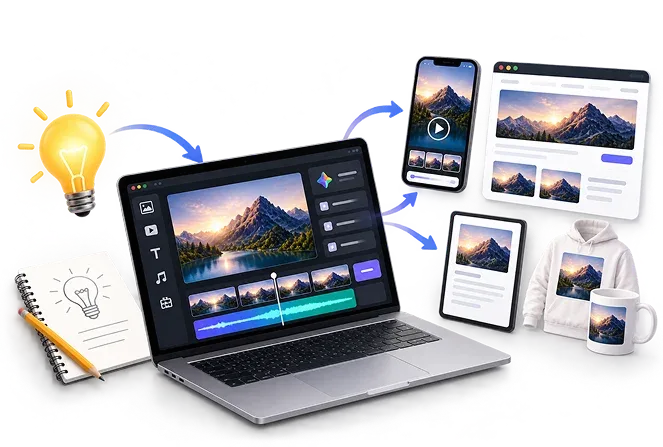
Pick eight to ten tasks that match your real work. If you build websites, one task is a landing page. If you write, one is a long article. The vendor names images with Nano Banana, video with Gemini Omni, music with Lyria, research with NotebookLM, code with Antigravity and Google app links, so cover each tool you plan to use.
- Use the same prompt wording each time you repeat a task, so results are comparable.
- Record the time it took, any error message, and whether the output was usable.
- Run each task on at least two different days, and once at a busy time of day.
- Keep a copy of the best and worst outputs for each task.

Week 2: push volume on purpose
Now go heavier, but stay honest and keep it to real work. Run a batch of similar tasks in one sitting, such as a set of twenty product descriptions or ten image variations. Watch for slowdowns, queues, errors and messages about usage.
If something stops, do not guess. Note the exact message, the count of tasks you had run, and the time. Then try again an hour later and again the next day. A reset after a day tells you a lot more than a single failure.
Week 3: compare models and quality
The vendor lists three bonus models from other companies’ families and does not say how they are provided. Run three of your best prompts through the main models and the bonus models side by side. Look at speed, length, accuracy and tone. If a bonus model behaves differently from what its name suggests, write that down.
Do the same quality check at the end of a heavy session. Output that is fine at the start of the day and thin after fifty tasks is a soft cap in disguise, even if no message ever appears.
Week 4: score the result and decide
Make a simple table to score the unlimited AI claim, with one row per task and four columns: worked, slow, failed, quality. Count the rows. If most tasks worked at a steady speed and the quality held, the unlimited claim passed for your use. If you hit repeated stops or slowdowns that the terms did not mention, you have your evidence.
- Compare your notes to the headline promise you wrote on day one.
- Check your cost: does the product replace a plan you pay for today? Our lifetime AI deal vs monthly subscription math shows how to count that.
- Decide: keep, or ask for the refund.
- If you want the refund, contact support in writing, quote the guarantee, attach your notes and keep the receipt.
- Do this before day 25, so a slow reply does not push you past the window.
How to ask for a refund without a fight
The vendor states a 30-day money-back guarantee, and the checkout page repeats a 30-day refund policy. Send a short, polite message. Give your order details, say you are using the guarantee, and give one sentence on why. Your notes are for you; you only need to share them if support asks.
Keep copies of every message. If you bought any upgrade, check whether the refund terms on that upgrade page are the same. They may not be.
Skipping the OTOs makes the whole test cleaner, since you are judging one product, not a stack. Our OTO guide explains why we would hold them back.
What a pass looks like, and what a fail looks like
Decide your pass line before you start, while you are calm, and write it down. Without a line, a disappointing week feels like a fail and an exciting day feels like a pass.
- Pass: the tasks you need ran at a steady pace for four weeks, the terms did not contradict the headline, and the output was good enough to use after your own edit.
- Partial: most worked, but one tool was slow or limited. Decide whether you need that tool. If not, keep it.
- Fail: repeated stops or slowdowns, terms that narrow the promise, or output you cannot use. Ask for the refund.
This unlimited AI claim method works for any tool that sells unlimited use, not just this one. If you want more on choosing tools, see our guide to the best AI tools for making money online.
Unlimited AI claim FAQ
What does unlimited mean for GeminiPrime AI?
The vendor says unlimited Gemini use with no credit counters. The sales page does not explain how that is supported at a one-time $17 or whether fair-use rules apply, so the meaning is for you to check in the members area.
How long should I test GeminiPrime AI before asking for a refund?
Start in the first week and finish well before day 30. The vendor states a 30-day guarantee, and support may take a few days to reply, so do not leave the request to the last weekend.
How do I contact GeminiPrime AI support?
The vendor’s JV documentation lists support through Bizomart, with a help center and a support email on the guarantee text. Use the contact details shown inside your purchase receipt and members area.
What counts as a fair test of an unlimited claim?
A repeatable set of real tasks across each tool, run on different days, with timing and error notes. One lucky afternoon proves nothing, and neither does one failure.
Can I test the bonus models the vendor names?
Yes, by running the same prompts through them and through the main models. The vendor does not explain how the bonus models are provided, so note the differences in speed and output.
What if the app slows down after heavy use?
That is the exact thing the test is for. Note when it happens, how many tasks you had run, and what support says. A slowdown is not proof of a limit, but a pattern is worth a refund request.
Our take
We have not tested GeminiPrime AI hands-on, and we are not saying the unlimited claim is false. We are saying the vendor does not explain it, which makes the 30-day window your lab. Test hard, take notes, and keep the product only if it earns its place. For the rating, pros, cons and bonuses, read our GeminiPrime AI review.