
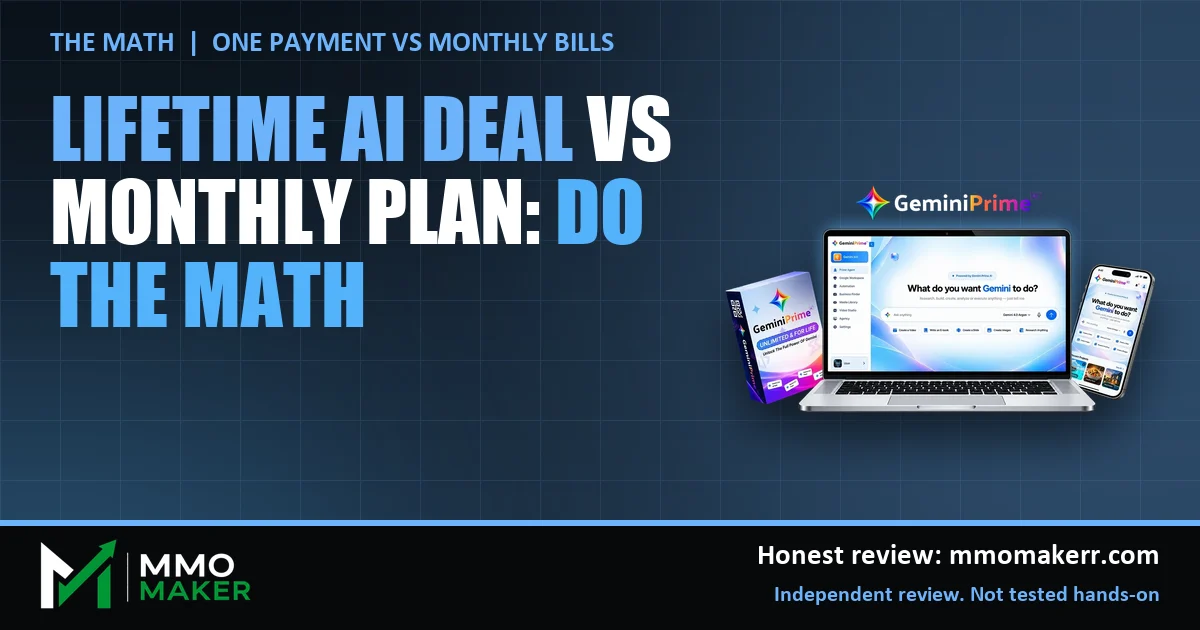
A lifetime AI deal looks like an easy win on paper: pay once, skip the monthly bills. The real question is whether the maths holds for your own use, and a launch price is the wrong place to guess. GeminiPrime AI, per the vendor, offers lifetime access to Gemini models and a set of creation tools for a single $17 at its launch checkout. This post shows how to do the comparison with your own numbers, which costs the vendor’s pitch hides, and when a monthly plan is still the better call. For the full product picture, read our GeminiPrime AI review.
MMO Maker is an affiliate for GeminiPrime AI and earns a commission on purchases through our links, at no extra cost to you, in line with the FTC’s endorsement guidelines. That does not change what we write here. Everything about the product comes from the vendor’s own sales page, JV page, JV documentation and checkout pages, and we have not tested it hands-on.
The lifetime AI deal question in one line
A lifetime deal wins when three things are true: you will use it for longer than the break-even point, it replaces something you really pay for today, and it can do the jobs you actually do. Miss any one of those and the low price stops being a saving.
We have not tested GeminiPrime AI hands-on, so everything about the product below is what the vendor says. The arithmetic is ours, and the example numbers are placeholders, so replace them with your own bills.

Step 1: list what you really pay for
Open your bank or card statement for the last three months and list every AI tool. Do not trust memory. Most people find a plan they forgot, a trial that rolled into a paid month, or two tools that overlap.
- Write the tool, the monthly price and the date it renews.
- Mark each one: used weekly, used monthly, or rarely used.
- Add up only the ones you would keep paying for if the price stayed the same.
That final total is your real monthly AI spend. It is the number a lifetime deal has to beat, not the biggest number you can find.
Step 2: calculate the break-even point
The formula is simple: one-time price divided by the monthly cost of what it replaces. Here is an example with made-up numbers. Do not treat these as real prices.
- Example only: you pay for three AI tools at $20 a month each, so $60 a month.
- Example only: the one-time purchase is $17. If it fully replaced all three, break-even is $17 divided by $60, so under 10 days.
- Example only: if it replaced just one $20 plan, break-even is $17 divided by $20, which is about 26 days.
- Example only: if it replaced nothing and you kept every plan, the $17 is simply extra spend, and break-even never arrives.
The last line is the one people skip. A lifetime deal only saves money if you cancel something.
Step 3: check what it can and cannot replace
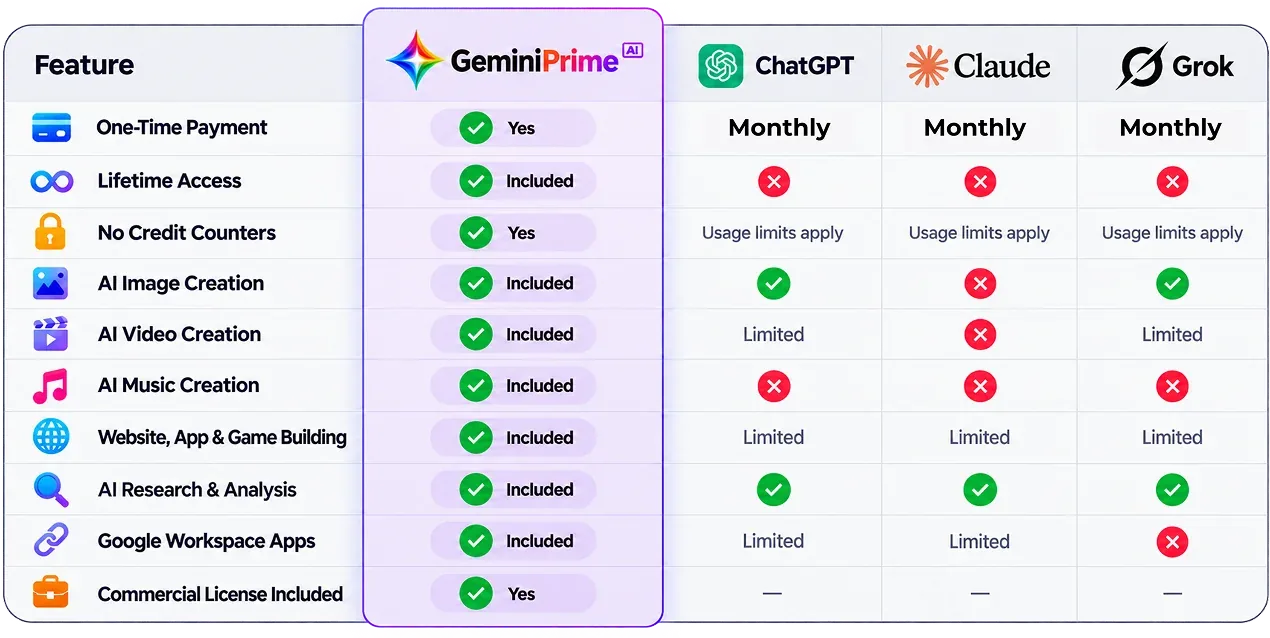
The vendor lists Gemini models, Nano Banana for images, Gemini Omni for video, Lyria for music, NotebookLM for research, Antigravity for code and links to Google apps. It also names three bonus models from other companies. If your work depends on one specific product, such as an official team plan with admin controls, a lifetime deal from a third party may not replace it.
The vendor’s comparison table puts GeminiPrime AI against ChatGPT, Claude and Grok on payment, limits and features. It is the vendor’s view. Those products change their plans often, and we cannot vouch for how the bonus models are provided. So do not cancel anything on the strength of a table. Cancel after you have used the new tool on real work.
Step 4: count the costs the headline price hides
The $17 at the launch checkout was made of $14.30 plus a $1.00 delivery charge and a $1.70 service charge. That is normal for the marketplace, but it is a reminder to read the total, not the headline.
Then there is the funnel. After the front end, the vendor shows a checkout add-on and eight OTOs priced from $37 to $297. Adding everything would total roughly $964 to $984 (our arithmetic from the vendor’s own sources). If a single “yes” turns your $17 deal into a $100 purchase, your break-even moves a long way out. Our OTO guide covers which upgrades to look at and which to skip.
Step 5: price the risk side
Lifetime does not mean forever. It means as long as the vendor keeps the product running. Three risks are worth naming:
- Terms can change. Read any fair-use wording in the members area. The vendor says unlimited, but does not explain how unlimited is supported at this price.
- Support can fade. A small vendor can lose interest. Check how fast support replies while you are still inside the refund window.
- Quality is unverified. We have not used the app, so output quality is unknown to us. Judge it on your own tasks.
The upside of a small price is that the loss is small if it goes wrong. The vendor states a 30-day money-back guarantee, which caps the downside further if you act in time.


A worked example you can copy
Here is a table you can rebuild in any spreadsheet, with example numbers only. Put each plan in a row, then add three columns: monthly cost, how many days a month you really use it, and whether the new tool did the same job in your test.
If a $20 plan is used on two days a month and the new tool handled both days of work, cancelling that plan saves $240 over a year in this example. If a $30 plan is used daily for a feature the new tool could not match, keep it. The point of the table is to make the choice about evidence, not about the excitement of a launch.
Use real formulas in your sheet, such as a sum for the yearly saving, so the figures update when you change a price. That keeps the decision honest when a plan changes its price.
Step 6: run both for a few weeks, then decide
- Keep your current plans for now.
- Use the new tool for every task you would normally do for two weeks, and note the tasks it handled and the ones it did not.
- For each task, mark: as good, worse, or better.
- Cancel only the plans where “as good or better” held up across several tasks.
- Write down the monthly saving and the date. That is your proof, not the sales page.
If the saving does not show up in your own notes, use the refund. That is the point of a guarantee. You can read how to run that test properly in our guide to testing an unlimited AI claim in a 30-day refund window.
When a monthly plan still wins
- You need an official account from a specific provider for work, compliance or a team.
- You use the tool a few times a year. A monthly plan you pause is cheaper than a purchase you forget.
- You need guaranteed speed, uptime or support terms in writing.
- You are tempted by the deal only because the price is low, not because you have a use for it.
Comparing more options? See our guide to the best AI tools for making money online.
Lifetime AI deal FAQ
Is a lifetime AI deal always cheaper than a monthly subscription?
No. It is cheaper only if you keep using it for longer than your break-even point and it covers what you actually need. A deal you stop using is more expensive than a plan you cancel.
How do I work out the break-even point?
Divide the one-time price by the monthly cost of what it replaces. Example only: a $17 purchase replacing $20 a month of plans breaks even in under one month. Your own numbers will differ.
What does GeminiPrime AI cost for the front end?
The vendor’s LaunchPad checkout showed $17 in total on October 9, 2026 ($14.30 plus a $1.00 delivery charge and a $1.70 service charge). The launch cart closed on October 14, so check the live checkout for today’s price.
Does a lifetime deal include future models?
The vendor says all current and future releases are included. That is a promise about the future, so treat it as a vendor claim and look for support or update information inside the members area.
What risks come with a lifetime AI deal?
The vendor could change terms, slow down service or stop supporting the product. The vendor also does not explain how unlimited use is supported at this price. A small price limits the damage, and the refund window limits it further.
Should I cancel my subscriptions when I buy a lifetime deal?
Not on day one. Run the two side by side for a few weeks on real work. Cancel only the plans the new tool clearly replaces, and keep any plan you need for work or compliance reasons.
Our take
The lifetime AI deal idea is sound maths with one condition: you have to cancel something. A $17 test with a 30-day guarantee is a cheap way to find out, as long as you track your own tasks and keep the upsells out of the cart. For the full scoring, pros, cons and bonuses, read our GeminiPrime AI review.