
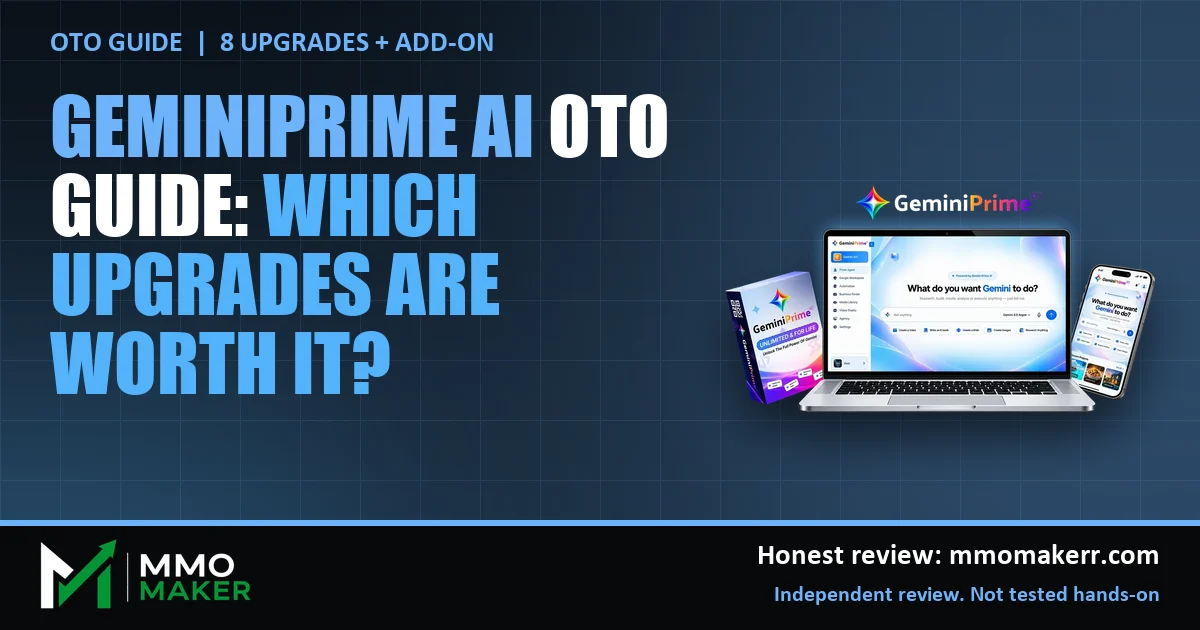
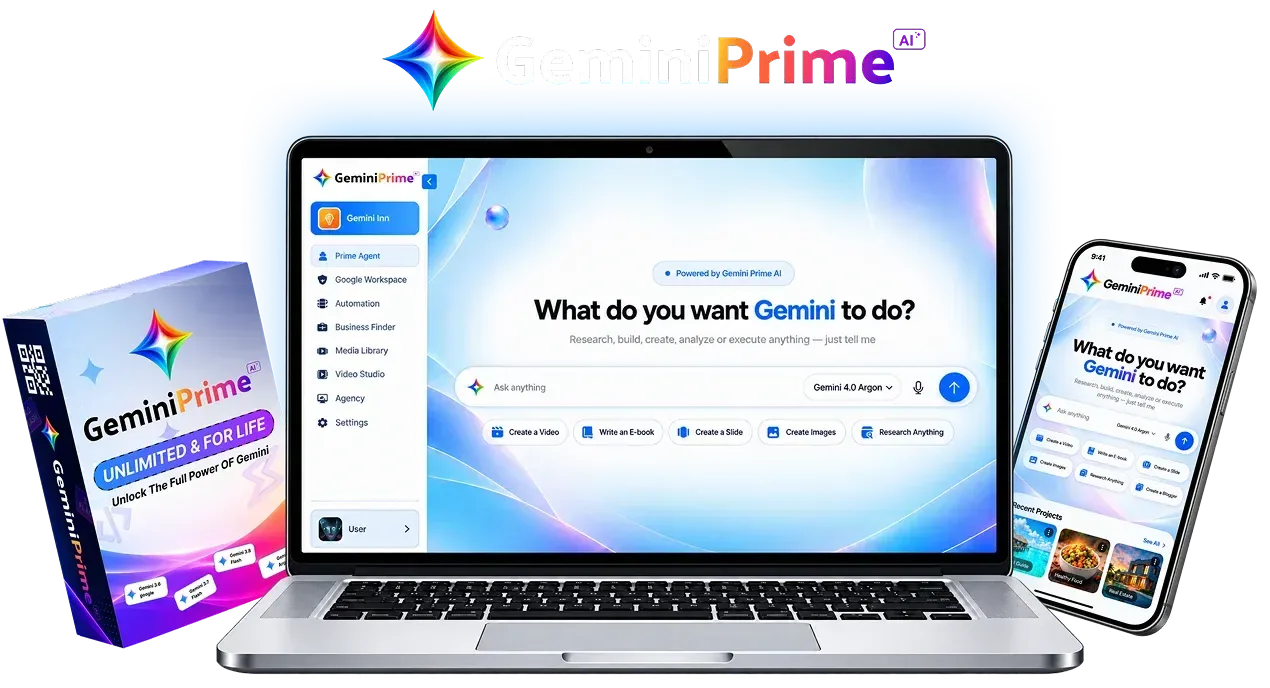
The GeminiPrime AI OTO list is longer than most buyers expect, and the choices come up fast once you pay the front end price. GeminiPrime AI is a web app from Pranshu Gupta (Bizomart) that, per the vendor, puts Gemini models, image, video, music, research and coding tools and Google app links in one dashboard for a single payment. This guide goes through the checkout add-on and all eight upgrades one at a time: what the vendor says, what it does not say, who might use each one, and who can skip it. For the full product picture, price and verdict, read our GeminiPrime AI review.
MMO Maker is an affiliate for GeminiPrime AI and earns a commission on purchases through our links, at no extra cost to you, in line with the FTC’s endorsement guidelines. That does not change what we write here. Everything about the product comes from the vendor’s own sales page, JV page, JV documentation and checkout pages, and we have not tested it hands-on.
The short answer on the GeminiPrime AI OTO list
Buy the front end, use it on one real project, and look at upgrades only after that. The vendor describes the front end as the complete core app, it carries a 30-day refund, and none of the upgrades are needed for it to work.
That order matters because upgrade pages are written to feel urgent. A calm week with the front end tells you which limit, if any, is really in your way. If you cannot name the limit, you do not need the upgrade.
One more honest point before the list. The vendor gives us the name and price of each OTO, but not a feature list. So every description below that starts with “likely” is our reading of the name, not a confirmed spec. We would rather say that than invent details.
What the front end already gives you
Before paying for more, be clear on what you already get. From the vendor’s own pages, the front end includes:
- Lifetime access to the Gemini models the vendor lists, with no monthly fee on the launch offer.
- Image creation with Nano Banana, video with Gemini Omni, music with Lyria, research with NotebookLM and coding help with Antigravity.
- Links to Gmail, Docs, Sheets, Slides, Calendar, Drive, YouTube and Blogger.
- Three bonus models the vendor names (Claude Opus 5.5, ClaudeFable 5.1 and GPT-6 Astra). We could not verify how they are provided.
- A commercial license, so you can create for clients, per the vendor.
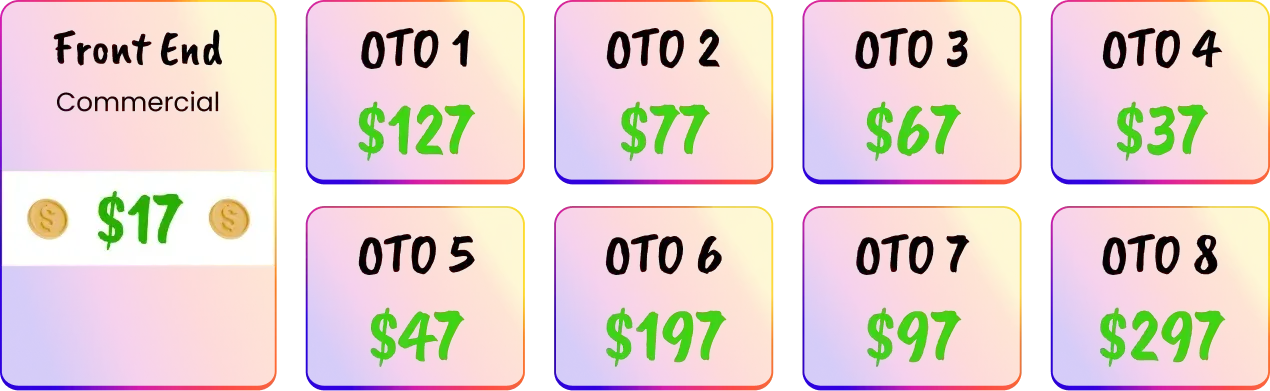

Seeing the whole funnel on one graphic is useful for one reason: it shows how much sits behind a $17 purchase. For scale only, the front end plus every OTO would come to roughly $964 to $984 depending on which source is right (our own arithmetic). Almost nobody needs everything.
The checkout add-on: VIP Client Pack
At checkout the vendor offers a small add-on, listed at $10 against a “regular” $97. The checkout page describes it as a pack for finding, winning and delivering AI client projects: a client discovery playbook, business audit templates, a client onboarding kit and a retention and upsell toolkit. The sales page offers a similar add-on called the Power Pack at $9.97, so the name and price do not match between the two pages.
Worth it if: you plan to sell AI services and want ready-made templates for that process. Skip it if: you just want to use the app for your own content. The “regular” price is a marketing anchor, and the only number that matters is what the checkout charges you.
The GeminiPrime AI OTOs, one by one
Names and prices come from the vendor’s JV documentation and the funnel graphic. Descriptions are hedged on purpose.
OTO 1: GeminiPrime AI Max ($127, JV doc range $67 to $127)
Likely an expanded version of the app. The vendor lists no features. Worth it if: the upgrade page names a limit you have already hit and shows how Max removes it. Skip it if: the page only says “more power” without saying what.
OTO 2: GeminiPrime AI DFY ($77 or $97)
Likely a done-for-you package of ready assets. The graphic says $77 and the JV document says $97, which is exactly the kind of gap to resolve on the checkout page. Worth it if: you want finished material handed to you and the page lists what is in it. Skip it if: you would rather learn to make the assets yourself.
OTO 3: GeminiPrime AI Automation ($67)
Likely automation for repeated tasks. Worth it if: you already have a task you repeat weekly and can describe the steps. Skip it if: you have not yet found a task worth automating, because you cannot automate a process you have not run by hand.
OTO 4: GeminiPrime AI Profit System ($37)
Likely training or a blueprint for turning output into income. It is the cheapest upgrade, which makes it the easiest to buy on impulse. Worth it if: you want a structured plan and accept that no plan guarantees results. Skip it if: you already have a way to find clients.
OTO 5: GeminiPrime AI Business Accelerator ($47)
Likely business-building resources for client work. Worth it if: you are starting a service business and want a head start on the business side. Skip it if: it overlaps with the VIP Client Pack you may already own.
OTO 6: GeminiPrime AI Agency ($197)
Likely an agency license for serving clients at scale. Worth it if: you already have paying clients and need the extra rights. Skip it if: you have zero clients today. The front end already carries a commercial license per the vendor, so ask what exactly the Agency upgrade adds.
OTO 7: GeminiPrime AI Reseller ($97, JV doc range $67 to $97)
Likely resale rights. Worth it if: you have an audience to sell to and the page spells out the terms. Skip it if: your plan is to use the app yourself.
OTO 8: GeminiPrime AI Whitelabel ($297)
Likely rights to rebrand the product as your own. At $297 it is the most expensive upgrade. Worth it if: you are ready to run your own branded product and support your own customers. Skip it if: you have not yet used the front end for a month.
Where the vendor’s pages disagree
This is the part most OTO lists leave out. The JV documentation shows OTO 1 as a $67 to $127 range and OTO 7 as $67 to $97. The graphic shows $127 and $97. OTO 2 is $97 in the document and $77 in the graphic. The add-on has two names and two prices between the sales page and the checkout. The guarantee text on the sales page also mentions a different product name, which looks like leftover copy.
None of these is a red flag alone. Together they say: do not trust a name or a price from a single page. Read each upgrade page inside the checkout, check the total before you click, and screenshot it. The cart closed on October 14, 2026, and we have not re-checked prices since, so confirm what you are charged today.
Which GeminiPrime AI OTO fits which person
- A beginner who wants to try it: front end only. Skip every OTO and decide inside the refund window.
- A freelancer with a few clients: front end first. Look at the VIP Client Pack only if you want templates for the sales process, and ask what the Agency upgrade adds beyond the commercial license.
- Someone with a repeated weekly task: front end first, then read the Automation page and ask whether it covers your task.
- An agency owner: front end, then the pages for Agency and Business Accelerator, checking for overlap before you pay twice for the same thing.
- A reseller or brand builder: use the front end for a month before you consider Reseller or Whitelabel. Selling a product you have not used is a trust problem waiting to happen.
A simple rule for deciding on any upgrade
- Write the limit you are hitting in one sentence. If you cannot, close the page.
- Find the line on the upgrade page that removes that exact limit. If it is not there, close the page.
- Work out the cost per month of the problem it solves. If the upgrade costs more than a few months of that problem, wait.
- Check the refund terms on that upgrade page, not just the front end.
- Buy one upgrade at a time and use it for a week before the next.
Comparing GeminiPrime AI with other ways to build online income? Our guide to the best AI tools for making money online puts the options side by side. If you are weighing the price against monthly plans, read our lifetime AI deal vs monthly subscription math.
GeminiPrime AI OTO FAQ
How many GeminiPrime AI OTOs are there?
Eight, per the vendor’s JV documentation and the funnel graphic: Max, DFY, Automation, Profit System, Business Accelerator, Agency, Reseller and Whitelabel. There is also a small add-on offered at checkout, so you may see nine offers in total before you finish buying.
Do I need any GeminiPrime AI OTO to use the app?
No. The vendor describes the front end as the product itself, with the Gemini models, the creation tools and the commercial license included. The OTOs are optional extras.
Which GeminiPrime AI OTO is the best one?
Nobody can say that honestly in advance, because the vendor lists names and prices but no feature lists for the upgrades. The best one is the one whose own page names a limit you already hit and a fix you can describe in one sentence.
Why do the OTO prices differ between pages?
The JV documentation shows OTO 1 as a range of $67 to $127 and OTO 7 as $67 to $97, while the funnel graphic shows $127 and $97. OTO 2 is $97 in the document and $77 in the graphic. Always trust the price on the live checkout page.
Is the GeminiPrime AI coupon valid on the OTOs?
The JV documentation lists GEMINI2 as $2 off the entire funnel. It is a small amount, and we could not confirm how it applies to each upgrade, so check your total before paying.
Can I buy an OTO later if I skip it now?
The vendor does not say. Upgrade offers in a launch funnel are often shown once, so assume you may not see the same price again, and do not let that push you into buying something you cannot describe.
What if I buy an OTO and regret it?
The vendor states a 30-day money-back guarantee on the sales page and the checkout page. Read the refund terms on each upgrade page, keep every receipt, and set a reminder well before day 30.
Our take
The GeminiPrime AI front end is the product, and the OTOs are a menu. With names and prices but no feature lists, the sensible move is to buy nothing extra until the app has earned it on a real project. If an upgrade page later shows a clear fix for a clear limit, that is a fair purchase. Otherwise the 30-day guarantee on the front end is the only safety net you need.
Ready for the rest? Read the full GeminiPrime AI review for the rating, pros, cons and bonuses.