The KidsVerse front end costs $17 one-time. After that comes an order bump and a funnel of 9 optional upgrades, called OTOs, plus one downsell, priced from $17 to $297 on the vendor’s JV page. If you are wondering whether any KidsVerse OTO is worth your money, this guide goes through every one of them, shows where each overlaps the front end, and gives you a way to decide. It is based on the vendor’s own sales page and JV page, and we have not tested the platform.
The short answer on KidsVerse OTOs
Start with the front end only. Use it to make one real piece, such as a coloring book or a worksheet pack, inside the 30-day refund window. Then buy a KidsVerse OTO only if you hit a specific wall that the upgrade clearly removes. Several upgrades sound like they overlap, so ask support before you pay.
For the full picture, including the price table and every flag we found, read our KidsVerse review. If you are thinking about selling kids’ printables, our 7-check checklist for kids’ printables is a useful companion.
What the $17 KidsVerse front end already includes
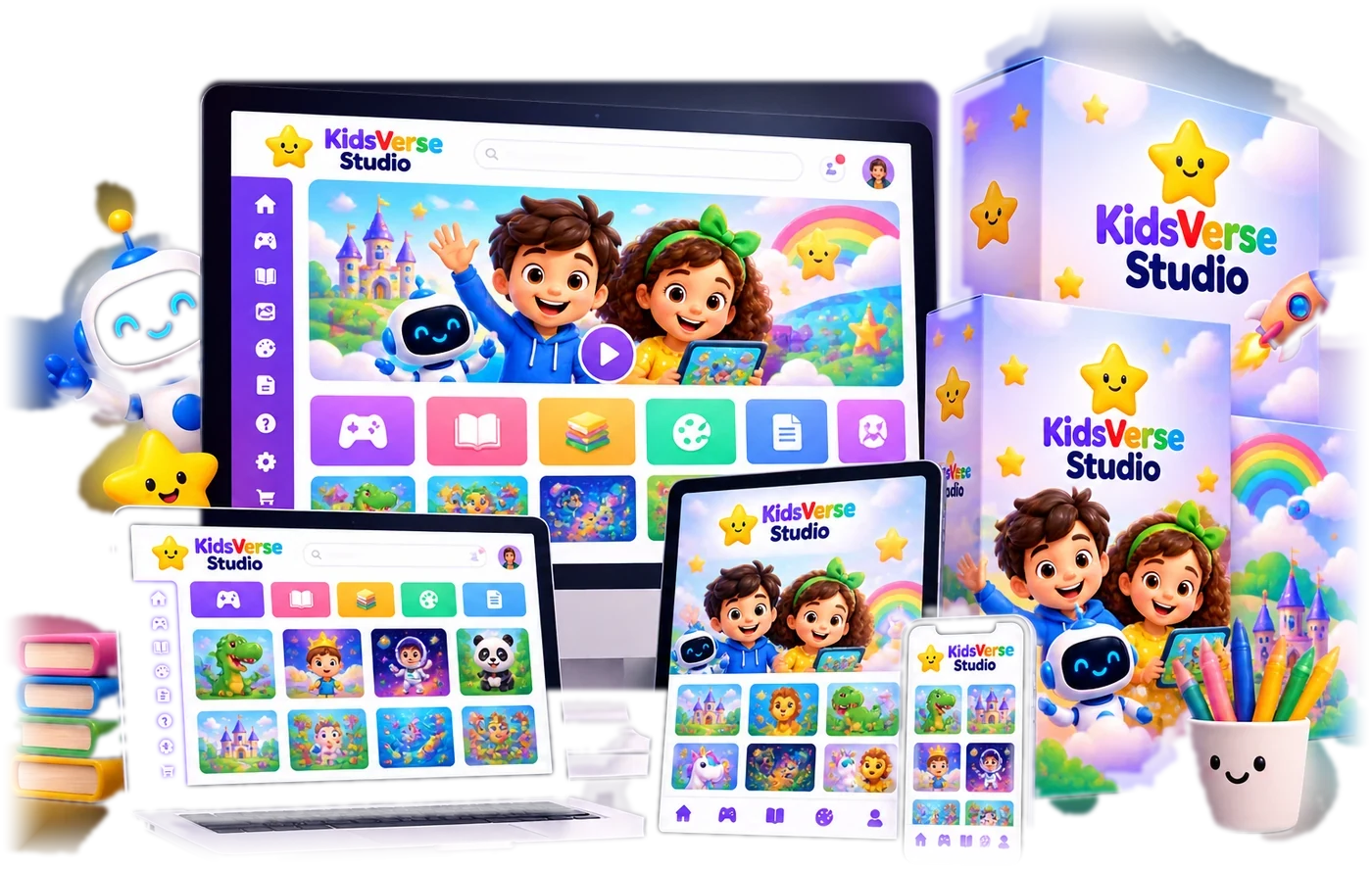
Per the vendor’s sales page, the front end includes eight content engines (eBooks, coloring books, worksheets and crafts, games, audiobooks, quizzes and a FlipBook reader), a branded Zone mini-site and store, and commercial and print-on-demand rights for KDP, Etsy and similar platforms. It also comes with five bonuses.

We could not confirm exactly where the front-end limits sit, because the vendor does not publish them in the pages we use. So the descriptions below are our reading of the JV table, marked as likely, not confirmed feature lists.
The KidsVerse order bump
The JV table lists a VIP Fast-Fix Pass at $12 as the order bump. It appears only in the JV table and not in the sales copy we could review, so check the name and price at checkout before you tick any box.
Every KidsVerse OTO, one by one
Prices are from the vendor’s JV page funnel table. Each entry notes what it likely adds and when it would be worth it.
OTO 1: Pro ($27)
Per the JV table, this likely adds 50x more output from every tool plus a 500,000-asset Kids Assets pack. The front end is sold with limits that the vendor’s pages do not spell out, so the first question for support is what those limits are.
Worth it if you plan to publish regularly and hit the front-end limits in your first weeks.
OTO 2: Unlimited ($67)
This likely removes the caps on how much you can create. It overlaps with OTO 1, so ask whether you need both.
Worth it for high-volume KDP or Etsy sellers running several niches at once, and only after you have seen the front-end limit.
OTO 3: DFY ($17)
Per the JV table, the vendor’s own team builds 10 pieces of each content type and drops them into your library. That is finished output you did not generate yourself.
Worth it if you want ready-made pieces to look at or sell, and the sample quality is clear before you pay.
OTO 4: Traffic Magnet ($17)
This likely adds AI-generated social posts, lead magnets, share-to-unlock content and QR flyers. It helps you market what you create, not make it.
Worth it if creating the product is not your bottleneck and getting it seen is.
OTO 5: Conversion Booster ($17)
This likely adds popups, coupons, countdown timers, order bumps and live-proof widgets for your own Zone storefront.
Worth it only if you sell through your own Zone site. If you sell on KDP or Etsy, it does not apply.
OTO 6: SEO Suite ($17)
Per the JV table, this adds server-side SEO, a sitemap, structured data and a Zone blog, so your storefront can be found in search.
Worth it if you plan to build traffic to your own Zone site and not rely only on marketplaces.
OTO 7: Agency ($127) and the Agency Lite downsell ($97)
This likely gives agency rights with 50 client accounts, each with its own limits. The downsell offers the same rights with 25 client accounts instead of 50.
Worth it only if you already produce kids’ content for several clients. Lite is the safer step if you are starting out.
OTO 8: Reseller ($97)
This likely gives the right to resell KidsVerse itself and keep the commission. That is a different business from creating kids’ content.
Worth it only if you want to build a reseller business and are ready to support your own customers.
OTO 9: White Label ($297)
Per the JV table, this rebrands the whole app on your own domain with up to 100 customer accounts, so you can run your own branded service.
Worth it only if you are building a software-style business on top of KidsVerse. Most buyers can skip it.
How much do all the KidsVerse OTOs cost?
The nine upgrade prices add up to $683 by our arithmetic, before the front end and the order bump. The JV page states a maximum funnel value of $606 per buyer, and we could not reproduce that figure from the listed prices, so do not use it as a budget. The vendor pays affiliates a flat 50% on every step, which means a long funnel is good for sellers. That is why we say plainly that you should not buy upgrades just because they are offered.
How to decide which KidsVerse OTO to buy, if any
- Buy the front end only and make one real product inside the 30-day refund window.
- Write down what actually blocked you. A limit, a missing format, no way to get traffic. Only look at upgrades that name that exact problem.
- Message support before paying and ask, in writing, what the upgrade adds beyond the front end.
- Check the refund terms for the upgrade itself, not just the front end.
- Skip the Agency, Reseller and White Label tiers unless you already have clients or customers waiting.

Questions to ask KidsVerse support before any upgrade
- What can I not do on the $17 front end that this upgrade lets me do?
- What are the limits on creations, exports and storefront use on the front end?
- Does this upgrade replace a front-end feature or add to it?
- Is it a one-time payment, and does it include updates?
- What are the refund terms for this upgrade?
Who needs which KidsVerse OTO
If you are a parent or teacher making a few worksheets, the front end is likely all you need. If you sell on KDP or Etsy every week, look at the volume and DFY upgrades after a real test. If you plan to sell through your own Zone storefront, the Conversion Booster and SEO Suite are the two to compare. The agency, reseller and white label tiers are for different businesses and are best left alone unless you already know you want them.
Frequently asked questions about KidsVerse OTOs
How many OTOs does KidsVerse have?
The vendor’s JV page lists 9 OTOs plus one downsell, with prices from $17 to $297, and an order bump called the VIP Fast-Fix Pass at $12.
Do I need any KidsVerse OTO to use it?
No. The $17 front end is the product, with eight content engines and a branded Zone storefront per the vendor. Every upgrade is optional.
How much do all the KidsVerse OTOs cost?
By our arithmetic the nine upgrade prices add up to $683. The JV page states a maximum funnel value of $606 per buyer, and we could not reconstruct that figure from the listed prices, so treat it with care.
Is there a coupon for KidsVerse?
A code, KV5OFF, appears in the vendor’s live sales page markup tied to a discount popup. We have not run it through a checkout, so check the total at checkout.
Can I get a refund on an upgrade?
The vendor states a 30-day money-back guarantee for the product. Ask support in writing whether each upgrade has its own refund terms before you buy it.
Final word on KidsVerse OTOs
KidsVerse sells a clear idea at a low entry price, and the funnel is published openly, which is more than many launches do. The honest way to handle it is to test the $17 product on real work first and treat every KidsVerse OTO as a decision you can make later. For more AI tools reviewed the same way, see our guides to the best AI tools for affiliate marketing and the best AI tools for making money online.
MMO Maker is an affiliate for KidsVerse and earns a commission on purchases through our links, at no extra cost to you, in line with the FTC’s endorsement guidelines. That does not change what we write here. Everything about the product comes from the vendor’s own sales page and JV page (there is no JV document for this launch), and we have not tested it hands-on.