

Every AI Video Editing Studio OTO page shows up right after you pay for the front end, one after another, and each one asks for a quick yes or no. That is the worst moment to make a buying decision.
This guide walks through all nine upgrades before you reach the checkout, using only what the vendor says on its sales page, JV page, JV doc and the upgrade pages themselves, so you already know which one, if any, fits the way you work. Prices are as listed on November 23, 2026. None of the upgrades is needed to start editing.
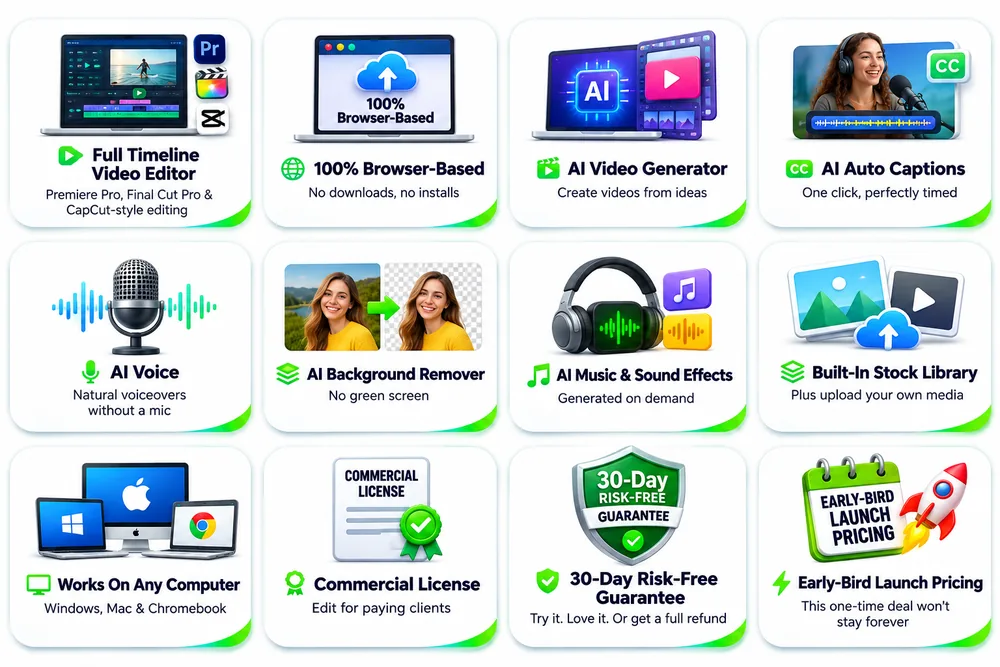
The full editor and all six AI tools are in the $14.44 front end. Upgrades are optional.
Check Today’s AI Video Editing Studio Price →
Not sure yet? Read our honest AI Video Editing Studio review first.
What the front end already gives you
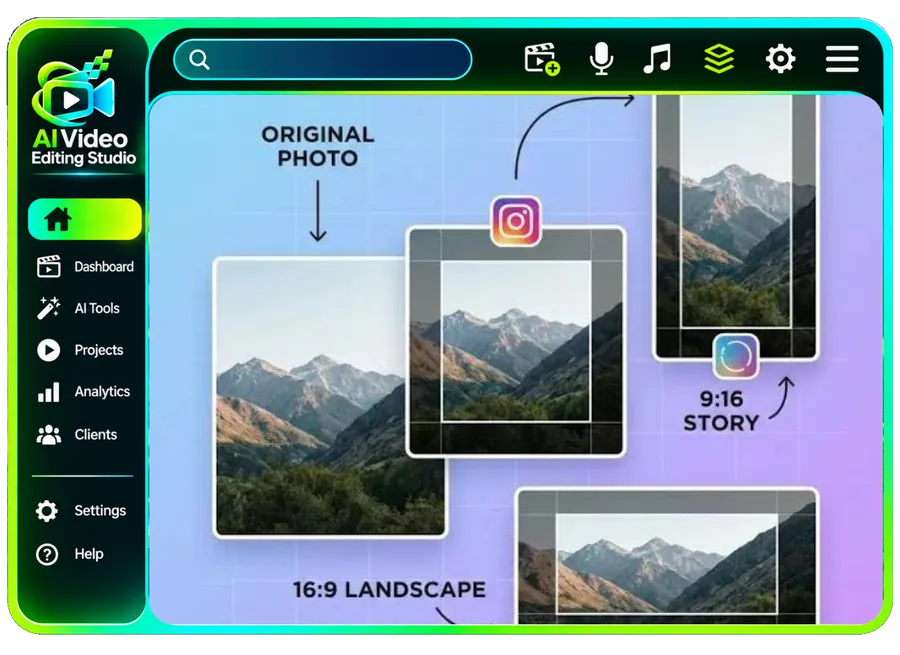
Before you look at a single upgrade, be clear on what the front end buys. AI Video Editing Studio is a browser-based video editor from Uddhab Pramanik of InSource Apps, sold on LaunchPad. It gives you a multi-track timeline for video, audio, text and images, so you can cut, trim, split, layer and arrange clips the way you would in a desktop editor, but inside a browser tab on Windows, Mac or a Chromebook.
Next to the timeline sit six AI tools: an AI video generator that turns a prompt into an editable video, AI auto captions, an AI voice that turns typed text into a voiceover, an AI background remover that works without a green screen, an AI music generator and an AI sound effects generator. You also get a built-in stock library of video, images and audio, uploads of your own media, titles and transitions, landscape, vertical and square formats, commercial use for client work and step-by-step training.
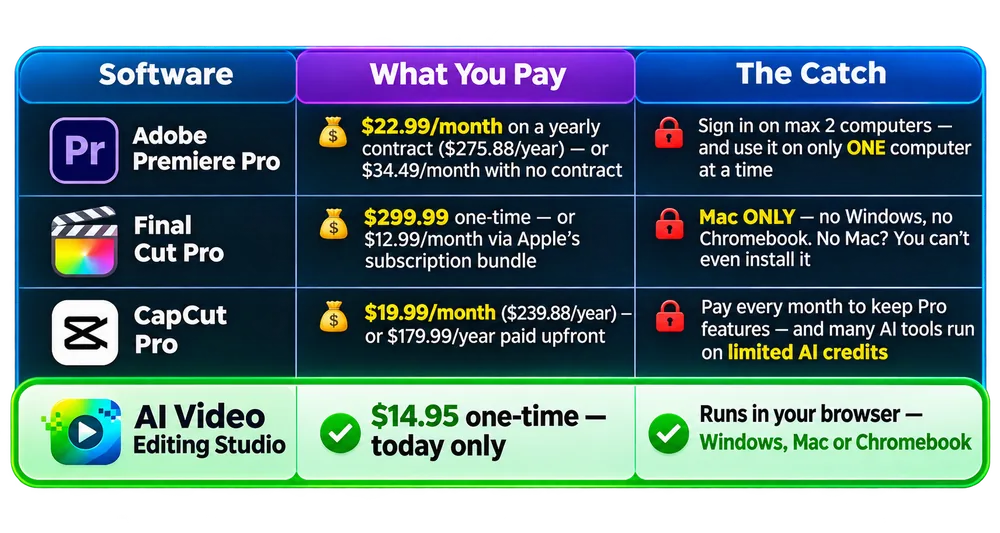
On November 23, 2026 the LaunchPad checkout showed $14.44 in total for the front end (the sales page lists $14.95), with a 30-day money-back guarantee. The vendor’s JV doc lists two coupon codes, VIDEDIT35 for 35% off and VIDEDIT5 for $5 off. In short, the whole editor and every AI tool are already in the front end. The upgrades remove limits, add advanced tools, add templates and automation, or let you run an agency or resell the software.
The one AI Video Editing Studio OTO you should understand first: the front-end limits
Here is the detail that matters most, and it is easy to miss on the sales page. The sales page marks every feature “unlimited”. The Unlimited upgrade page, however, says front-end accounts keep “their usage limits”, and it shows a “you’ve reached your monthly limit” message as the problem it solves. The exact front-end limits are not published anywhere in the vendor’s materials.
What that means for you: if you will make a handful of videos a month for your own channel, the front end may be all you need. If you plan to edit every day, or for clients, expect to hit a limit at some point, and treat the Unlimited upgrade as part of the real price. The safest approach is to make several real videos in your first week, see where the limits land for you, and decide while the 30-day refund window is still open.
AI Video Editing Studio OTO 1: Unlimited ($67 Silver, $147 Gold)
Unlimited removes the front-end limits. Silver unlocks unlimited video projects, unlimited HD exports, unlimited video length, unlimited uploads, unlimited stock library access, unlimited AI auto captions, unlimited AI background removal and unlimited client projects. Gold adds unlimited AI video generation, AI voiceovers, AI music tracks and AI sound effects, plus priority rendering.
Worth it if: you edit most days or for paying clients. Silver or Gold? If you lean on the AI voice, AI music and AI video generator, Silver leaves those capped, so Gold is the one that actually removes the counter.
AI Video Editing Studio OTO 2: PRO ($47 Silver, $67 Gold)
PRO adds the tools that make a video look finished rather than functional: 4K Ultra HD export, keyframe animation, green screen (chroma key), color grading with LUTs, speed ramping and smooth slow motion, a premium transitions and effects pack, premium animated titles and 100+ premium AI voices. Gold adds AI avatars (talking presenters), AI voice cloning, AI video translation and dubbing, and 4K at 60 FPS.
Worth it if: you sell edits at a higher price, or you want a more cinematic look for your own brand. Voice cloning and dubbing in Gold are useful if you publish in more than one language.
AI Video Editing Studio OTO 3: DFY ($67 Silver, $97 Gold)
DFY is a library of done-for-you templates that load straight onto your timeline: Shorts, Reels and TikTok templates, YouTube intros and outros, video ad templates for local businesses, promo and sales video templates, titles, lower-thirds and caption styles, transitions and effects packs, and music, sound effect, stock video and image vaults. Gold adds 1,000+ templates across 50+ niches, a Video Agency Client Kit with service descriptions, a price sheet, proposal template and outreach scripts, and monthly template drops.
Worth it if: a blank timeline slows you down and you would rather swap your text, logo and footage into a finished design.
AI Video Editing Studio OTO 4: Automation ($47 Silver, $67 Gold)
Automation takes the repetitive jobs off your plate: AI auto-edit from raw footage, a silence and filler-word remover, bad-take detection, 1-click long-to-short repurposing, an AI best-moment finder, auto-reframe to vertical, batch editing and export, bulk AI captions and saved presets. Gold adds auto-publishing to social platforms, a content scheduler, AI titles, descriptions and hashtags, and bulk video creation from a spreadsheet.
Worth it if: you turn long videos, podcasts or webinars into many short clips every week.
AI Video Editing Studio OTO 5: Traffic ($47 Silver, $67 Gold)
Traffic is about getting the videos watched: a video traffic masterclass, YouTube and Shorts growth and Reels and TikTok reach blueprints, an AI viral hook generator, an AI video SEO optimizer, an AI trending topic finder and free traffic checklists. Gold adds an AI thumbnail generator, video lead pages with email capture, ad campaign templates, a paid video ads playbook and a 30-day traffic plan.
Worth it if: you can already make decent videos but they are not getting views. Skip it if you mainly edit for clients, who bring their own audience.
AI Video Editing Studio OTO 6: Agency ($97 Silver, $197 Gold)
Agency turns the editor into a small studio for client work: client accounts, team member seats, a client review and approval portal with timestamped comments, a project management dashboard, secure client upload links, a done-for-you agency website template, service packages with a pricing guide, client contracts and onboarding templates, agency launch training and priority support. One thing to know: the comparison table on this upgrade page repeats the PRO feature list, so read exactly what each tier includes before you buy.
Worth it if: you already have editing clients, or you are actively finding them. It is the wrong first purchase if you have none yet.
AI Video Editing Studio OTO 7: White Label ($97 Silver, $197 Gold)
White Label lets you rebrand the studio as your own software, with your name, logo, colors, login page and domain, your own prices and payment gateway, a customer dashboard and branded emails. Silver covers up to 100 customer accounts and Gold up to 500, and Gold adds a done-for-you sales page and a marketing kit. The vendor says it handles hosting, servers, AI and updates.
Worth it if: you want to sell video editing software under your own brand and you have a way to reach buyers.
AI Video Editing Studio OTO 8: Enterprise (price not shown in the page text)
Enterprise is aimed at producing video at scale: brand kits to keep every video on-brand, large cloud storage, fast-lane rendering, team roles and permissions, and shared assets. When we checked on November 23, 2026 the price was not in the page text, so read it on the upgrade page before you decide.
Worth it if: you run video for several brands or a team.
AI Video Editing Studio OTO 9: VIP Edition ($297 Silver, $497 Gold)
The last page bundles all eight upgrades (Gold versions in VIP Gold), plus all future upgrades and early access to new features. VIP Gold adds a private community, monthly live coaching calls and a 1-on-1 strategy session.
Worth it if: you already know you want most of the upgrades. Bought one by one, the Silver tiers of the seven priced upgrades come to $469, so the $297 bundle is cheaper if you would buy four or more of them.
Which AI Video Editing Studio OTO should you buy?
Our take, based on the vendor’s own descriptions:
- Making videos for your own channel: start with the front end only. Add Unlimited if you hit a limit.
- Editing for clients: Unlimited Gold first, then PRO for the finish clients notice, then Agency once you have several clients.
- Repurposing long content into Shorts: Automation, plus Unlimited.
- Struggling with views: Traffic, before anything else.
- Selling software: White Label, and only if you have an audience to sell to.
Most upgrade pages also show a lower exit pop-up price if you try to leave, so read each page before you click. And remember that the front end is covered by a 30-day refund; buy the front end, use it for a week, and only then decide which limit actually gets in your way. Upgrades sold like this are a classic upselling funnel, and you never have to take all of them.
AI Video Editing Studio OTO FAQ
Do I need any AI Video Editing Studio OTO to use the editor?
No. The front end includes the full timeline editor and all six AI tools. The upgrades are optional.
Which upgrade removes the limits?
OTO1, Unlimited. Silver removes the editing and export limits; Gold also removes the limits on AI video, voice, music and sound effects.
Do the coupons work on the upgrades?
The JV doc lists VIDEDIT35 and VIDEDIT5. We have not confirmed which steps each code applies to, so try it and check the total before you pay.
Are the upgrades covered by the refund?
The upgrade pages we read mention a 30-day money-back guarantee as well. Keep your receipts and contact support early if something is not right.
Ready when you are
Get the AI Video Editing Studio front end, then decide on upgrades
- ✅ A full multi-track timeline editor in your browser, on Windows, Mac or Chromebook
- ✅ AI video generator, auto captions, AI voice, background remover, AI music and sound effects
- ✅ Built-in stock library, every aspect ratio and commercial use for client work
- ✅ Vendor bonuses plus MMO Maker’s own bonus pack when you buy through our links
- ✅ Coupon codes VIDEDIT35 and VIDEDIT5 listed in the vendor’s JV doc
$14.44 one time at launch (LaunchPad checkout, November 23, 2026) · 30-day money-back guarantee
The sales page says the price switches to a monthly subscription after the launch.
Get AI Video Editing Studio Now →
Read our full AI Video Editing Studio review: pros, cons, limits and every upgrade
Affiliate link: MMO Maker earns a commission if you buy, at no extra cost to you.
Read our full AI Video Editing Studio review
Browse more tools in our AI Video, Music & Image Tools category, see our guide to the best AI tools for making money online, or our guide to the best AI tools for affiliate marketing in 2026.
Disclosure: MMO Maker earns a commission if you buy AI Video Editing Studio through our links, at no extra cost to you.