AI Video Editing Studio Review 2026 + Bonuses + VIDEDIT35 Coupon + OTO Details – Can One Browser Tab Replace Your Video Editing Apps?

MMO Maker earns a commission if you buy AI Video Editing Studio through the links on this page, at no extra cost to you.
AI Video Editing Studio Review 2026: A Full Video Editor Plus 6 AI Tools In Your Browser, One Payment
An honest, detailed look at AI Video Editing Studio: the timeline editor, the AI captions, voice, background remover, music and sound effects, what the launch price really includes, all 9 upgrades, the bonuses, the VIDEDIT35 coupon and the things the sales page does not tell you.
MMO Maker Review Team · Updated November 23, 2026 · Built from the vendor’s sales page, JV page, JV doc, upgrade pages and the live checkout
Quick take
AI Video Editing Studio is a video editor that runs in your web browser: a multi-track timeline for cutting, trimming and layering clips, with AI built in for video generation, auto captions, voiceovers, background removal, music and sound effects, plus a stock library. It is built for creators, freelancers and small-business marketers who want more videos without paying for five separate apps or a powerful editing PC. It costs $14.44 one time at the launch checkout, with a 30-day money-back guarantee. We rate it 4.3 out of 5.
If captions, voiceovers and music are what slow you down, this puts all of them next to your timeline for less than one month of most big-name editors. Know going in: the front end comes with usage limits that the Unlimited upgrade removes, the ticking timers are marketing, and the client-fee figures on the sales page are the vendor’s, not a promise. At this price with a 30-day refund, the risk is small.
What’s covered in this review
- Quick Details
- AI Video Editing Studio Demo Video
- The Core Concept
- How It Works
- Everything You Need To Know
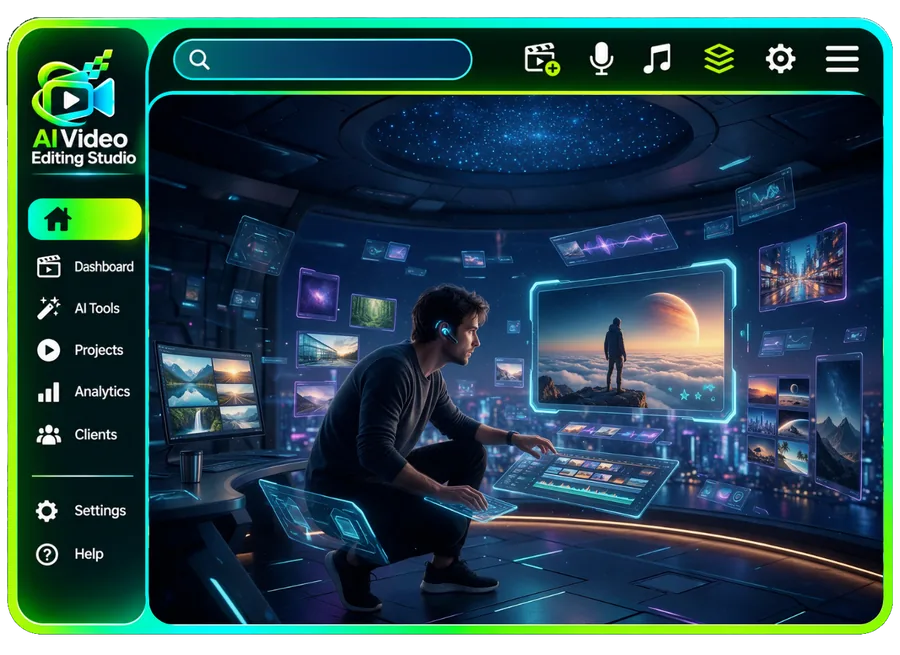
- The 6 AI Tools Inside
- What You Can Create
- Bonuses
- Who It Works For
- Step-By-Step Tutorial
- Why Start Now
- Pricing Breakdown
- Coupon Codes
- OTO Breakdown
- Is It Legit?
- Can You Earn With It?
- Who It’s Best For
- Guarantee And Refund
- Our Rating Breakdown
- Alternatives
- Pros And Cons
- Final Thoughts
- How We Review
- FAQ
- Who’s Behind It
AI Video Editing Studio Quick Details
AI Video Editing Studio Demo Video: See The Editor And The AI Tools In Action
This is the vendor’s own 3-minute AI Video Editing Studio demo, the one linked in the JV doc. Watch it before you buy: it is the fastest way to see the timeline and the AI tools and decide if the workflow suits you. It is the vendor’s recording, not ours.
AI Video Editing Studio Review 2026: The Core Concept Behind It

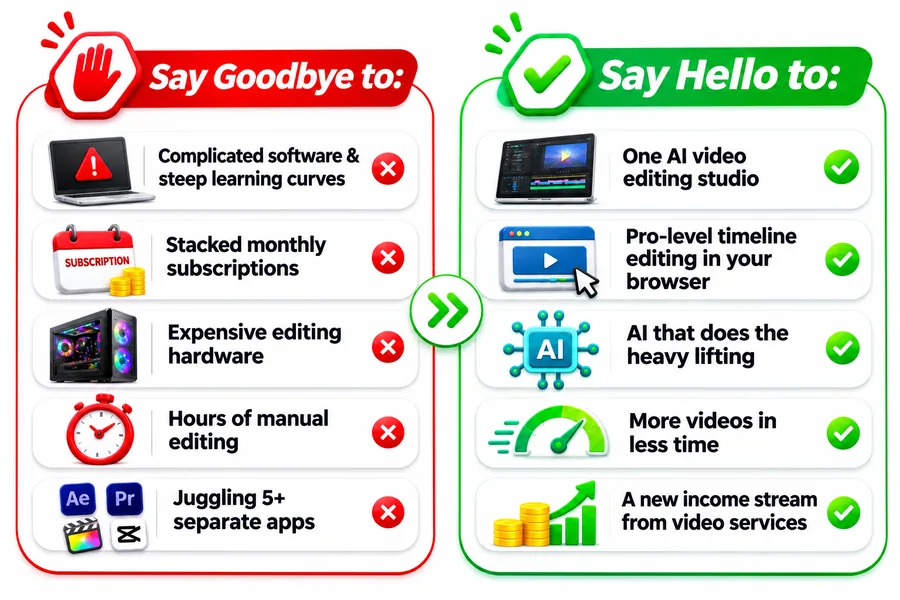
Count the apps it takes to make one decent short video today. One to edit. One for captions. One for the voiceover. One to remove the background. One for music, another for sound effects, another for stock footage. Most of them want a monthly payment, and the big editors want a powerful computer too. That is the problem the AI Video Editing Studio sales page opens with, and anyone who posts video regularly will recognise it.
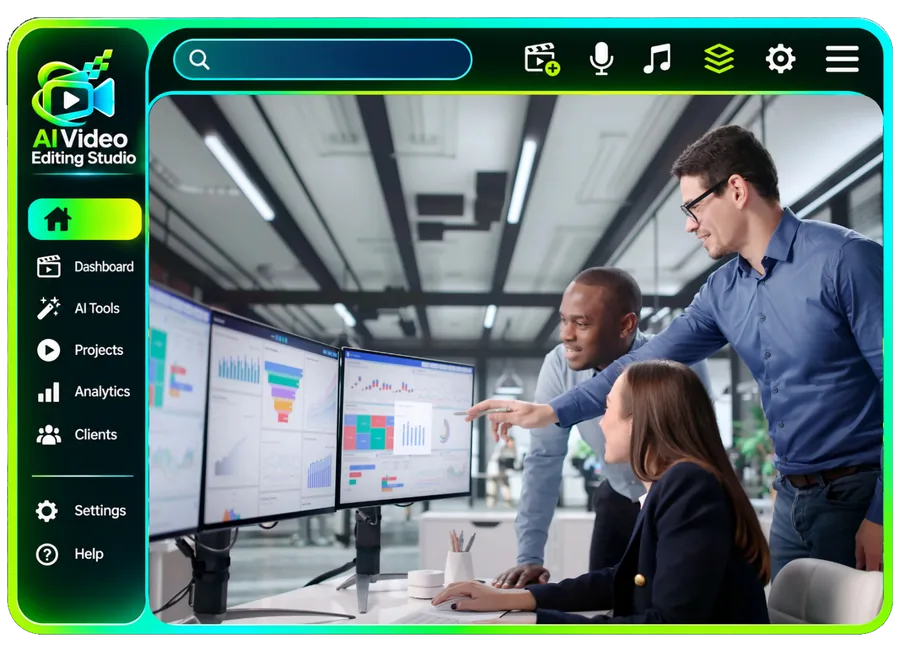
AI Video Editing Studio’s answer is one browser dashboard: a real multi-track timeline editor with the AI tools sitting right next to it, so you drop your clips in, click for captions, click for a voiceover, click for music, and export. No install, no editing PC, one payment.
Why making video takes so long (the problems AI Video Editing Studio targets)
- Too many apps and subscriptions: an editor, a caption tool, a voice app, a music library, a background remover and stock footage, each with its own bill.
- Hours of manual work: typing captions line by line, re-recording voiceovers, hunting for royalty-free music, masking backgrounds frame by frame.
- Heavy software and hardware: big installs, constant updates and a laptop that struggles to render.
- The posting treadmill: Shorts, Reels and TikTok reward people who publish often, and editing is the bottleneck.
The promise is simple: open a browser tab on any computer, upload your clips or let the AI generate them, edit on the timeline, let the AI handle the captions, voice and sound, and export for any platform. You can use it for your own content or, with commercial use, for paying clients.
How AI Video Editing Studio Works (The Quick Version)

- Step 1: Upload or generate. Log in from any browser. Upload your own clips, pick footage from the built-in stock library, or let the AI generate a video from a prompt.
- Step 2: Edit with AI. Drag your clips onto the timeline, trim, cut and add text and transitions, then let the AI add captions, a voiceover, music and sound effects in a few clicks.
- Step 3: Export and publish. Export in landscape, vertical or square and post it on YouTube, Instagram, TikTok or Facebook, or deliver it to your client.
Everything You Need To Know About AI Video Editing Studio

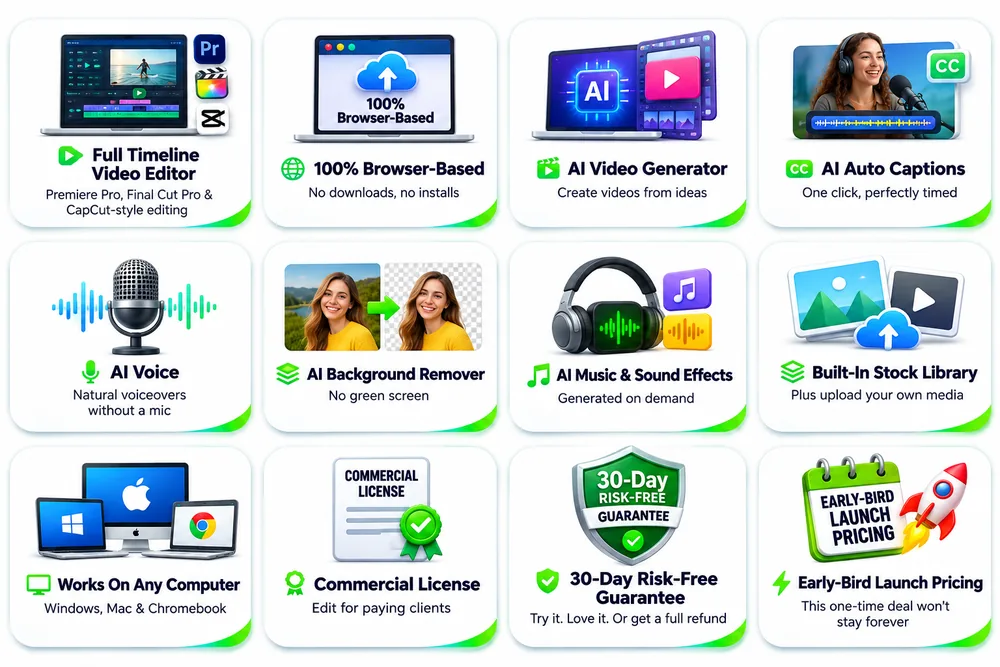
✅ Full timeline video editor in your browser: multi-track video, audio, text and image layers; cut, trim, split, arrange and layer with precision.
✅ Nothing to download or install: log in from any computer and pick up where you left off.
✅ AI video generator: turn an idea or prompt into a ready-to-edit video and drop it straight on the timeline.
✅ AI auto captions: speech turned into timed captions in one click, no typing or manual syncing.
✅ AI voice: type a script and get a natural, human-like voiceover, no microphone or voice actor.
✅ AI background remover: remove a video background without a green screen and put yourself or your product in any scene.
✅ AI music generator: background music that fits the mood of your video.
✅ AI sound effects: whooshes, hits and ambience generated on demand.
✅ Built-in stock library: ready-to-use stock video, images and audio inside the dashboard.
✅ Upload your own media: your clips, images, logos and audio files.
✅ Text, titles and transitions: titles, lower-thirds, text overlays and smooth transitions.
✅ Every platform, every size: landscape, vertical and square for YouTube, Shorts, Reels, TikTok and Facebook.
✅ Works on Windows, Mac and Chromebook: no high-end editing PC or graphics card upgrade needed.
✅ Commercial use: edit videos for your own business or for paying clients, and sell editing, captioning and video ad services.
✅ Beginner friendly: drag, drop, edit, export, with step-by-step video training.
✅ One-time price during the launch: no monthly fee for the front-end edition, per the vendor’s FAQ.
Things to know before you buy: the front end comes with usage limits. The vendor’s Unlimited upgrade page says front-end accounts keep “their usage limits” and sells unlimited projects, exports, video length and AI generations, while the sales page marks every item “unlimited”.
The exact front-end limits are not published, so if you plan to edit every day or for clients, budget for the Unlimited upgrade or test the front end inside the 30-day refund window. Commercial use is also worded two ways: “included” in the feature list, and “activated free for the first 50 buyers” in the top banner.
AI Video Editing Studio review takeaway: a full timeline editor plus 6 AI tools in your browser, $14.44 one time, 30-day refund.
The 6 AI Tools Inside AI Video Editing Studio
This is what makes AI Video Editing Studio different from a plain online editor. The vendor calls it your caption writer, voice artist, music composer and sound designer in one dashboard. Here is each AI tool:
AI Video Generator
Turn a simple idea or prompt into a ready-to-edit video, then customise it on the timeline.
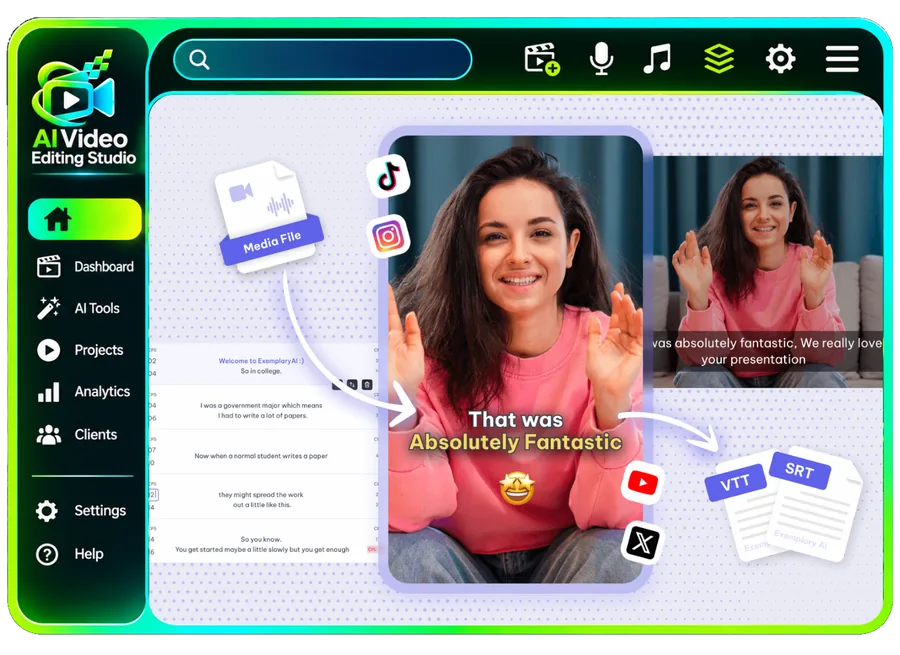
AI Auto Captions
Automatic, timed captions in one click, to lift watch time without typing a word.
AI Voice
Type your script and get a natural voiceover. No mic, no voice actor, no re-recording.
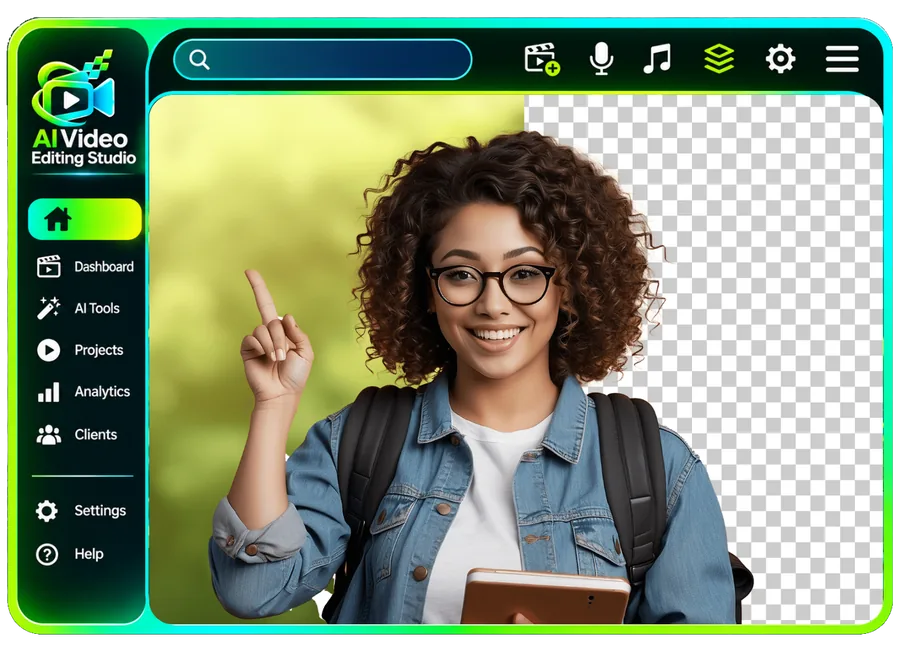
AI Background Remover
Remove the background from your videos without a green screen and swap in any scene.
AI Music Generator
Create background music that fits the mood, instead of digging through music sites.
AI Sound Effects
Generate whooshes, hits, ambience and effects on demand to make every cut feel cinematic.
All six sit next to the timeline, so a typical video goes like this: clips on the timeline, one click for captions, one for the voiceover, one for music and effects, background removed where you need it, export. That is the whole pitch, and it is a good one for anyone who edits short-form video every week.
What You Can Create With AI Video Editing Studio
From the sales page and the vendor’s swipes, these are the kinds of videos AI Video Editing Studio is built for:
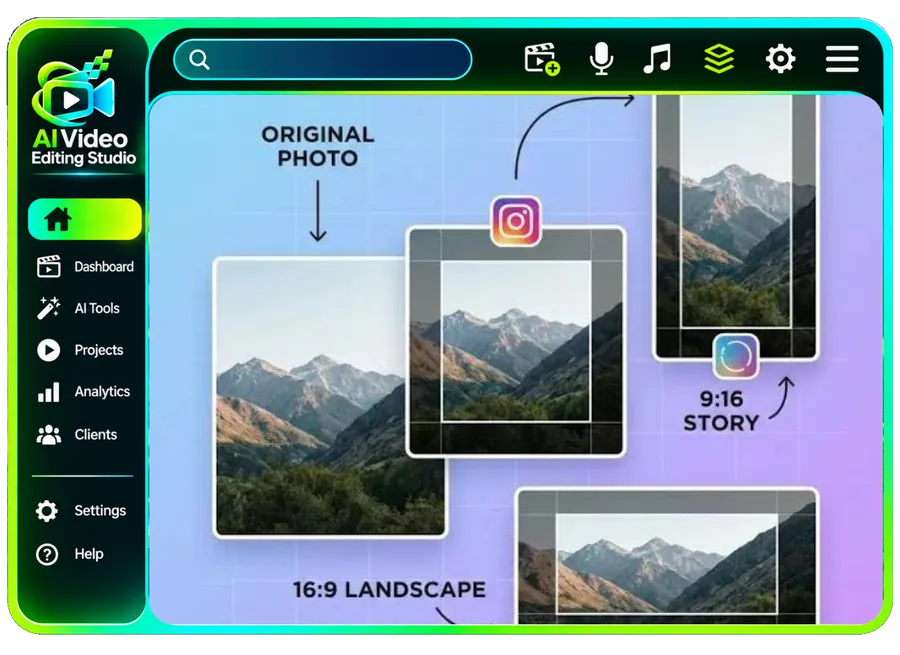
Shorts, Reels and TikToks
Vertical videos with captions and a voiceover, plus landscape YouTube videos and square posts from the same editor.
Edits of your own footage
Talking-head videos, tutorials and vlogs from your own clips, images, logos and audio.
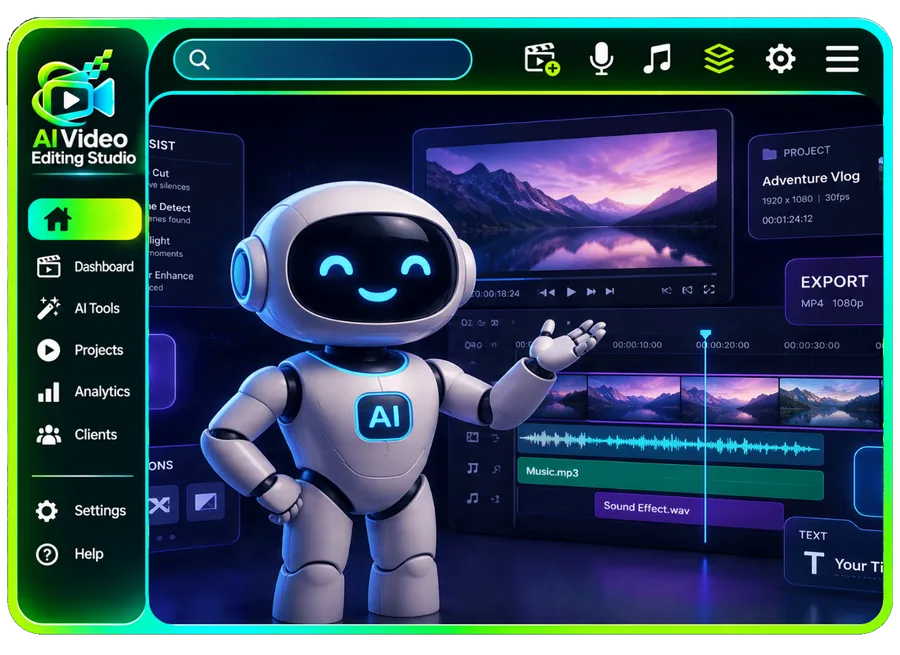
Faceless videos
Stock footage or AI-generated scenes with an AI voiceover and captions, without showing your face.
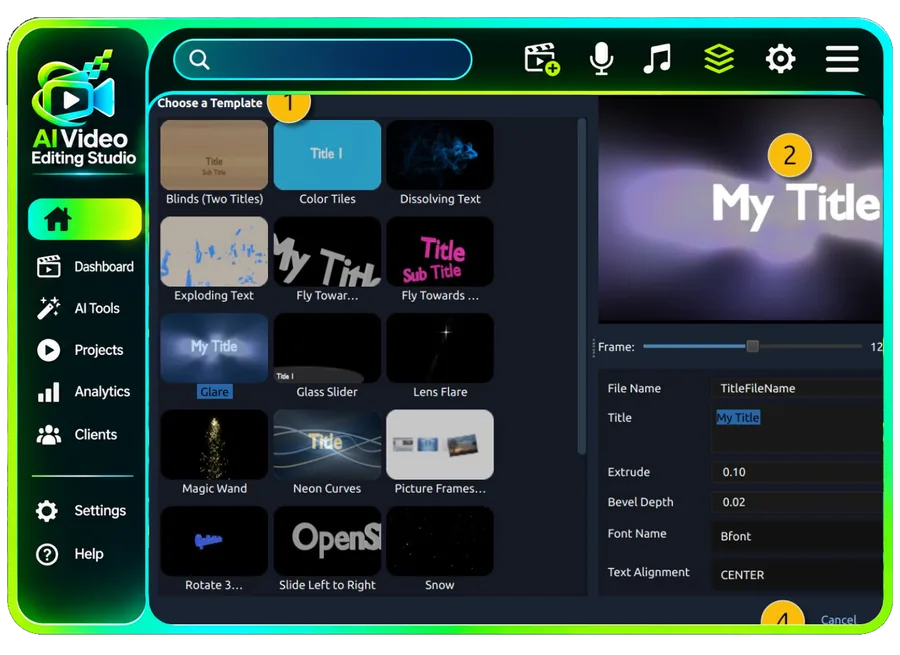
Promo and ad videos
Titles, lower-thirds and transitions for product promos and video ads for local businesses.
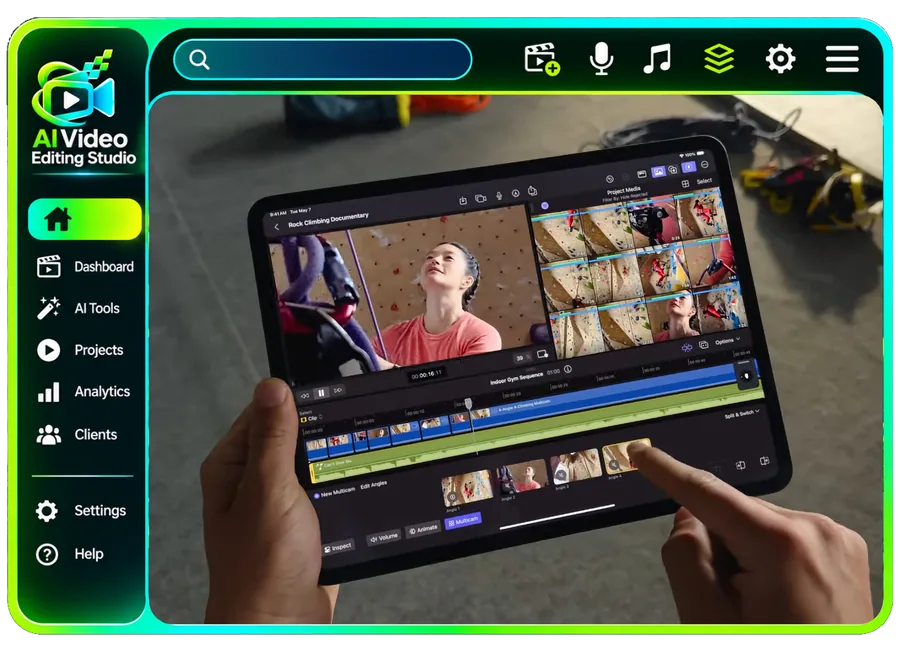
Video on any laptop
Editing on Windows, Mac or a Chromebook, with no heavy install and no editing PC.
Client work
With commercial use, edits, captions and voiceovers you sell to creators, agencies and local businesses.
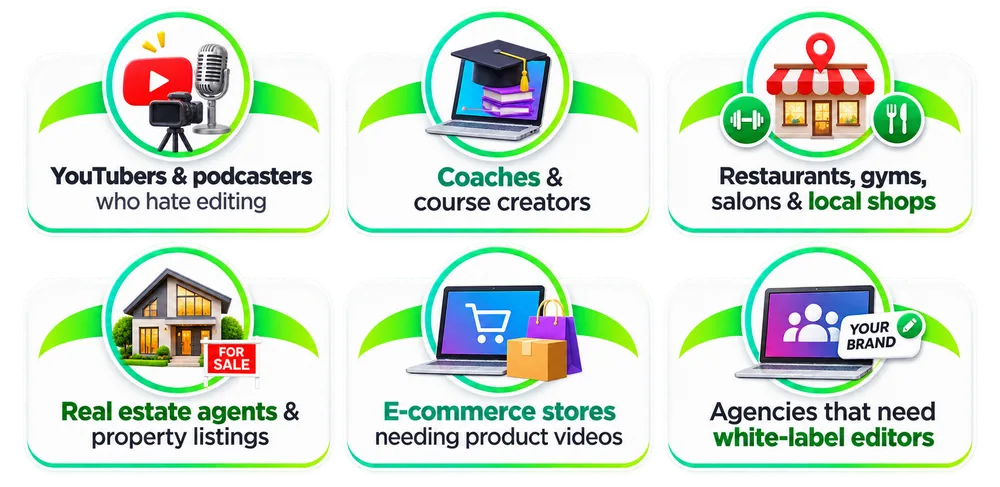
The vendor’s swipes list who needs this most: restaurants that need Reels, real estate agents who need property tours, gyms, salons and clinics that need promo videos, and coaches who need Shorts every week. Start with your own channel, then decide if you want to sell it as a service.
AI Video Editing Studio Bonuses: Vendor Bonuses And Free Bonuses From MMO Maker
You get two layers of extras when you buy AI Video Editing Studio through this page. First, the bonuses the vendor supplies: a gameplay-to-Shorts bonus on the sales page and ten premium bonuses listed in the vendor’s bonus document. Second, MMO Maker adds free bonuses of its own. How to claim the MMO Maker bonuses: buy through any button on this page, then email your receipt to info@mmomakerr.com and we will send you the details.

Bonus #1: Gameplay To Viral Shorts (vendor, sales page)
Turn gameplay recordings into several short-form videos, shown as a bonus on the sales page.
Benefit: an easy first project for gaming creators, and practice with vertical edits.

Bonus #2: AI Viral Video Hook Generator (vendor)
Hooks and attention-grabbing opening lines for the first 3 seconds of a video.
Benefit: stronger openings, so more viewers stay past the first swipe.

Bonus #3: 1000+ Viral Video Templates Vault (vendor)
Ready-to-use video templates for YouTube, Instagram Reels, TikTok, Facebook and more.
Benefit: start from a template instead of a blank timeline.

Bonus #4: AI Script And Storyboard Creator (vendor)
Turn simple ideas into video scripts, storyboards and scene-by-scene concepts.
Benefit: plan the video before you edit, and feed the script straight into the AI voice.

Bonus #5: Professional AI Voiceover Studio (vendor)
Voiceovers in multiple languages, accents and tones.
Benefit: more voice options for different channels and clients.

Bonus #6: Auto Subtitle And Caption Mastery (vendor)
Accurate subtitles, animated captions and stylish text overlays.
Benefit: captions that look good as well as being accurate.

Bonus #7: Cinematic Video Effects Library (vendor)
Transitions, visual effects, overlays, motion graphics and cinematic elements.
Benefit: a more polished look without buying an effects pack.

Bonus #8: YouTube Shorts And Reels Growth Kit (vendor)
Content ideas, trending formats and strategies for short-form video.
Benefit: know what to post, not just how to edit it.

Bonus #9: AI Background Music And Sound Effects Studio (vendor)
Find or generate background music, sound effects and audio elements.
Benefit: extra audio choices on top of the built-in generators.

Bonus #10: Faceless YouTube Automation Blueprint (vendor)
How to create, edit and publish faceless YouTube videos with AI.
Benefit: a plan for a channel where you never appear on camera.

Bonus #11: Video Marketing And Monetization Mastery (vendor)
Promote videos, grow an audience, build a brand and monetise across platforms.
Benefit: turn the videos you make into traffic and income streams.
The sales page gives its features dollar values (“$6,500+”). We leave those out, because they are the vendor’s own figures. The bonus list comes from the vendor’s bonus document; check what is delivered in your members area. MMO Maker’s free bonus pack is explained in the bonus section at the end of this page.
AI Video Editing Studio review bonus: buy through this page and claim the MMO Maker bonus pack on top of the vendor’s bonuses.
Who AI Video Editing Studio Works For
From the sales page, JV page and the vendor’s email swipes, AI Video Editing Studio is aimed at these people:
YouTubers and Shorts creators
You want to post more often without spending your evenings on captions and voiceovers.
Faceless channel builders
You want videos built from stock or AI scenes with an AI voice, without filming yourself.
Freelancers and side hustlers
You want to sell editing, captioning and short-form video services to clients.
Local business marketers
You need Reels, promos and video ads for a shop, a gym, a salon or a property listing.
Affiliate and digital marketers
You need review videos, promos and social clips for your offers, fast.
Anyone on an older laptop
You cannot run heavy editors, or you work on a Chromebook.
What they have in common: you need a steady flow of decent-looking videos, you are not a professional editor, and you are tired of paying for a pile of separate apps.
AI Video Editing Studio Tutorial: From Purchase To Your First Video
- Buy and log in. Buy on the LaunchPad checkout (try coupon VIDEDIT35), then log in from your browser. Nothing to download.
- Watch the training. Go through the step-by-step training once, so you know where the timeline and the AI tools are.
- Pick a format. Choose landscape, vertical or square for the platform you are posting to.
- Add your footage. Upload your own clips and images, use the stock library, or generate a video from a prompt.
- Edit on the timeline. Trim, cut and arrange the clips, then add titles, text and transitions.
- Let the AI finish it. Add AI captions, an AI voiceover, music and sound effects, and remove the background where you need to.
- Export and publish. Export the finished video and post it, or deliver it to your client.
- Check your limits early. Make several videos in week one, so you know whether the front-end limits suit you while the 30-day refund window is open.
AI Video Editing Studio review tip: make your first few videos this week, while the one-time launch price is on.
Why Start Now With AI Video Editing Studio
AI Video Editing Studio launched on Friday, November 20, 2026, and right now it is a one-time payment. The sales page says that once the launch ends, the price switches to a monthly subscription.
The vendor’s JV page runs its launch contests until Thursday, November 26, 2026 at 11:59 PM EST; the JV doc does not publish a separate close date, so treat the one-time price as a launch offer that can end soon. (The sales page also shows ticking timers and “this page closes” lines; we do not go by those.)
There is a practical reason too. Holiday promos, year-end recaps and New Year content are coming, and short-form video is how most of that gets seen. Learning the editor now means you are ready for that rush instead of fighting software during it.
AI Video Editing Studio Review: Pricing Breakdown (Front End And Every Upgrade)

How much does AI Video Editing Studio cost?
AI Video Editing Studio costs $14.44 in total at the LaunchPad checkout (checked November 23, 2026); the sales page lists $14.95. It is a one-time payment for the front end during the launch, with no monthly fee. Nine optional upgrades run from $47 to $497, and a 30-day money-back guarantee covers the purchase.
| Item | Price | Source Note |
|---|---|---|
| AI Video Editing Studio (front end) | $14.44 one time | LaunchPad checkout total, November 23, 2026 |
| Price on the sales page | $14.95 one time | Sales page; the JV doc lists $17 rising $0.01 an hour |
| OTO1 Unlimited | $67 Silver / $147 Gold | Upgrade page |
| OTO2 PRO | $47 Silver / $67 Gold | Upgrade page |
| OTO3 DFY | $67 Silver / $97 Gold | Upgrade page |
| OTO4 Automation | $47 Silver / $67 Gold | Upgrade page |
| OTO5 Traffic | $47 Silver / $67 Gold | Upgrade page |
| OTO6 Agency | $97 Silver / $197 Gold | Upgrade page |
| OTO7 White Label | $97 Silver / $197 Gold | Upgrade page |
| OTO8 Enterprise | Not shown in the page text | Check the price on the upgrade page |
| OTO9 VIP Edition (all 8 upgrades) | $297 Silver / $497 Gold | Upgrade page |
What this means: the front end is the full browser editor with all six AI tools, the stock library, commercial use and training. None of the upgrades is needed to start.
Which upgrade matters most? For most buyers, OTO1 Unlimited: it removes the front-end usage limits on projects, exports, video length and AI generations. Make a few videos on the front end first, and upgrade only once a limit actually gets in your way. If you want several upgrades, the VIP Edition bundles all eight. Most upgrade pages also show a lower exit pop-up price, so read each page before you click.
AI Video Editing Studio Coupon Codes
These two codes are listed in the vendor’s JV doc. Enter VIDEDIT35 at the LaunchPad checkout first and check the total before you pay; we have not confirmed which steps of the funnel each code applies to.
Is there an AI Video Editing Studio coupon code?
Yes. The vendor’s JV doc lists VIDEDIT35 for 35% off and VIDEDIT5 for $5 off. Use one code per order, and try it on the upgrades too if you buy any.
Get AI Video Editing Studio for $14.44 one time and try coupon VIDEDIT35 at checkout.
AI Video Editing Studio OTO Breakdown: All 9 Upgrades In Detail
After checkout the vendor offers nine upgrades, one page at a time, each in a Silver and a Gold version at a one-time price. Here is what each upgrade page says it adds and when it is worth it. We do not link the upgrades: they are offered after you buy the front end.
OTO1: Unlimited ($67 Silver / $147 Gold)
Removes the front-end limits: unlimited projects, HD exports, video length, uploads, stock library access, AI captions and background removal, plus unlimited client projects. Gold adds unlimited AI video generation, AI voiceovers, AI music, AI sound effects and priority rendering.
Worth it if: you edit every day or for clients and do not want to watch a usage counter.
OTO2: PRO ($47 Silver / $67 Gold)
4K export, keyframe animation, green screen, color grading with LUTs, speed ramping, premium transitions, animated titles and 100+ premium AI voices. Gold adds AI avatars, AI voice cloning, AI video translation and dubbing and 4K 60 FPS export.
Worth it if: you want a more cinematic finish or sell higher-priced edits.
OTO3: DFY ($67 Silver / $97 Gold)
Done-for-you templates that load onto your timeline: Shorts, Reels and TikTok templates, YouTube intros and outros, ad and promo templates, caption styles, transitions, and music, SFX and stock vaults. Gold adds 1,000+ templates in 50+ niches, a Video Agency Client Kit and monthly template drops.
Worth it if: a blank timeline slows you down and you want to swap in your text and footage instead.
OTO4: Automation ($47 Silver / $67 Gold)
AI auto-edit from raw footage, silence and filler-word remover, bad-take detection, 1-click long-to-short repurposing, best-moment finder, auto-reframe to vertical, batch editing and bulk captions. Gold adds auto-publish to social platforms, a content scheduler, AI titles and hashtags, and bulk video creation from a spreadsheet.
Worth it if: you turn long videos into many Shorts every week.
OTO5: Traffic ($47 Silver / $67 Gold)
Video traffic masterclass, YouTube, Shorts, Reels and TikTok growth blueprints, AI hook generator, AI video SEO optimizer, trending topic finder and checklists. Gold adds an AI thumbnail generator, video lead pages with email capture, ad campaign templates, a paid ads playbook and a 30-day traffic plan.
Worth it if: you can make videos but they are not getting views.
OTO6: Agency ($97 Silver / $197 Gold)
Client accounts, team member seats, a client review and approval portal with timestamped comments, a project dashboard, secure client upload links, an agency website template, service packages and pricing guide, contracts and agency training. Note: the comparison table on this upgrade page repeats the PRO feature list, so check what each tier includes before you buy.
Worth it if: you already have, or are actively finding, editing clients.
OTO7: White Label ($97 Silver / $197 Gold)
Rebrand the studio as your own software on your own domain, with your logo, colors and login page, your own prices and payment gateway, and a customer dashboard. Silver covers up to 100 customer accounts and Gold up to 500, with a DFY sales page and marketing kit; the vendor handles hosting and updates.
Worth it if: you want to sell video editing software under your own brand.
OTO8: Enterprise (price not shown in the page text when we checked)
Brand kits to keep every video on-brand, large cloud storage, fast-lane rendering, team roles and permissions and shared assets, aimed at producing video at scale.
Worth it if: you run video for several brands or a team.
OTO9: VIP Edition ($297 Silver / $497 Gold)
All eight upgrades in one bundle (Gold versions in VIP Gold), plus all future upgrades and early access. Gold adds a private VIP community, monthly live coaching calls and a 1-on-1 strategy session.
Worth it if: you already know you want most of the upgrades; it costs less than buying them one by one.
Is AI Video Editing Studio Legit? Our Review Verdict
Short answer from this AI Video Editing Studio review: yes, it is a real product from a named vendor, sold on LaunchPad with a 30-day refund and a public demo, and our team checked it before rating it. That does not mean every marketing line holds, so here is what to keep in mind.
Where the sales page oversells: ticking timers and “this page closes” lines; a “normal price” shown as $597 a month in one place, $497 a month in others and $97 a month on a banner; every feature marked “unlimited” while the Unlimited upgrade says the front end has usage limits; and commercial use described both as included and as free for the first 50 buyers.
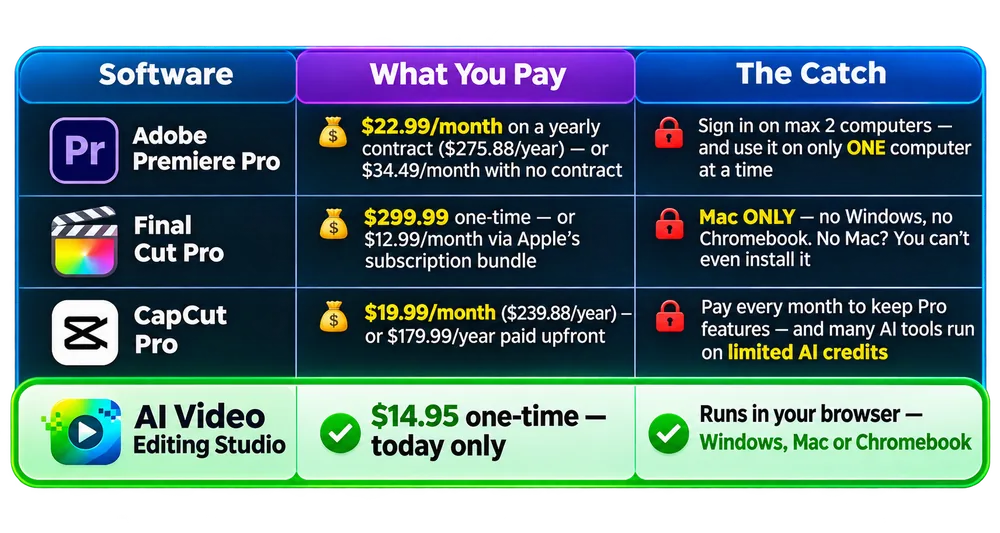
The price comparison with big-name editors and the $200 to $500 per video client fees are the vendor’s figures. None of this changes what the front end does, but you should know it.
Is AI Video Editing Studio worth it?
At $14.44 with a 30-day refund, yes, if you want a browser editor with captions, voiceovers, music and background removal built in and you are not a professional editor. If you edit every day, plan for the Unlimited upgrade. Make several videos in your first week, then decide on the upgrades.
AI Video Editing Studio review note: 30-day money-back guarantee, named vendor, public demo, LaunchPad checkout.
Can You Actually Earn With AI Video Editing Studio?

Nobody can promise you a number, and this review will not. The sales page talks about charging $200 to $500 per video or $500 to $1,500 a month for a content package; those are the vendor’s examples, and what you earn depends on your skills, your clients, your market and how much you sell.
What AI Video Editing Studio does give you is the toolkit for a video service, with commercial use, for a one-time price. Captions, voiceovers, music and background removal are exactly the jobs small businesses and creators pay for, and the AI makes them faster.
Where the money could come from:
- Editing, captioning and voiceover services for creators and coaches.
- Reels, promos and video ads for local businesses such as restaurants, gyms, salons and real estate agents.
- Your own channel: more Shorts, Reels and YouTube videos for ad revenue or affiliate offers.
- Faceless videos for niche channels, built from stock or AI scenes and an AI voice.
- Savings: no separate editor, caption, voice, music or stock subscriptions.
What it depends on: finding clients, delivering on time, a portfolio of good samples, and staying within the front-end limits or upgrading.
Who AI Video Editing Studio Is Best For
Here is who we think should buy, and who should skip it:
It is a strong fit if:
- You make short-form or YouTube videos and captions, voiceovers and music take most of your time.
- You pay for several editing and AI apps and want one dashboard for one payment.
- You work on a laptop or Chromebook that cannot run heavy editing software.
- You want to start offering video editing to local businesses or creators.
- You want faceless videos with an AI voice and captions.
Skip it if:
- You are a professional editor who needs a desktop editor’s full depth for long-form work.
- You need unlimited daily use but do not want to pay for the Unlimited upgrade.
- You expect guaranteed client income from the software alone.
AI Video Editing Studio Guarantee And Refund Terms

Does AI Video Editing Studio have a refund?
Yes, 30 days. The sales page promises a full, hassle-free refund if you let the team know within 30 days, and the LaunchPad checkout says the same: request a refund within 30 days if it is not a fit.
How it works: the sales page calls it a 100% risk-free guarantee: if AI Video Editing Studio does not save you time, does not make editing easier, or you simply decide it is not for you, let them know within 30 days for a full, hassle-free refund. The checkout page repeats the 30-day refund.
Our advice: make several real videos in week one, test the AI tools and the front-end limits, keep your LaunchPad receipt, and if it is not for you, contact support well inside the 30 days.
AI Video Editing Studio review advice: test the AI tools and the front-end limits in week one, inside the 30-day window.
Our AI Video Editing Studio Review Rating Breakdown
This is MMO Maker’s own editorial score, based on our team’s check of AI Video Editing Studio and the vendor’s own materials. It is not a customer-review aggregate.
The overall score in this AI Video Editing Studio review is the average of the four scores above, rounded to one decimal, using the same four criteria as every MMO Maker review. Ease of Use scores highest: it runs in a browser on any computer, the timeline is drag and drop, the AI tools are one click away and training is included. Feature Depth is strong: a real multi-track editor plus six AI tools, a stock library, every aspect ratio and commercial use in one dashboard.
Value for Price is strong too: $14.44 one time at launch with a 30-day refund and listed coupons, held back by front-end usage limits and a nine-step upgrade funnel up to $497. Trust and Transparency is the lowest: ticking timers, three different “normal” prices, “unlimited” claims that the Unlimited upgrade contradicts, and two versions of the commercial-use promise. A named vendor, a public demo, the LaunchPad checkout and a clear 30-day refund keep it from going lower. We will update this rating if anything changes.
AI Video Editing Studio Alternatives: How It Compares To Tools We Reviewed
If you are weighing AI Video Editing Studio against other AI video tools we have reviewed, here is how our own reviews compare. Ratings are MMO Maker’s own editorial scores from each review page, not customer reviews.
AI Video Editing Studio (4.3 out of 5, MMO Maker rating)
$14.44 one time at launch, a 30-day refund, and the only tool in this group built around a full timeline editor, with AI captions, voice, background removal, music and sound effects next to it.
TalkGen AI (4.2 out of 5, MMO Maker rating)
An AI talking-video creator. It generates presenter-style videos, where AI Video Editing Studio gives you a timeline to edit any footage.
LimitlessAI (4.1 out of 5, MMO Maker rating)
A bundle of AI studios. It covers many content types, where AI Video Editing Studio goes deeper on editing video.
ViralToon AI (4.0 out of 5, MMO Maker rating)
An AI cartoon video maker. It focuses on one animated style, where AI Video Editing Studio edits real footage, stock and AI clips.
Honest Take: AI Video Editing Studio Review Pros and Cons
Pros
- A full timeline editor in your browser. Multi-track editing on Windows, Mac or Chromebook, nothing to install.
- Six AI tools next to the timeline. Video generation, captions, voice, background removal, music and sound effects.
- Very low launch price. $14.44 one time at the checkout, with coupon codes listed by the vendor.
- Replaces a stack of subscriptions. Editor, captions, voice, music, effects and stock in one dashboard.
- Every format. Landscape, vertical and square for YouTube, Shorts, Reels, TikTok and Facebook.
- Beginner friendly. Drag-and-drop editing with step-by-step training.
- Commercial use. Edit and sell videos for clients and local businesses.
- 30-day money-back guarantee. Plus vendor bonuses and MMO Maker’s own bonus pack.
Things To Know
- Front-end usage limits. The exact limits are not published; the Unlimited upgrade ($67 or $147) removes them.
- Marketing urgency. Ticking timers and three different “normal” prices; go by the launch, not the timers.
- Long upgrade funnel. Nine upgrades from $47 to $497; none is needed to start.
- Mixed wording on commercial use. “Included” in the feature list, “free for the first 50 buyers” in the banner.
- Internet required. It is a browser app, so you edit online.
AI Video Editing Studio review verdict: edit, caption, voice and score your videos from one browser tab for one small payment.
Final Thoughts On This AI Video Editing Studio Review
The short version of this AI Video Editing Studio review: it is a browser-based timeline editor with six AI tools built in, video generation, auto captions, voiceovers, background removal, music and sound effects, plus a stock library, every aspect ratio, commercial use and a 30-day refund, for $14.44 one time at launch. We rate it 4.3 out of 5. For creators and freelancers who are tired of paying for five apps to finish one video, that is a lot of value for the price.
Go in with the right expectations: the front end has usage limits, the timers are marketing and client income is up to you. Make your first few videos this week, see how the AI tools fit your workflow, and use the 30-day window to decide.
Thanks for reading. We hope this helps you make the call for yourself.
How We Review AI Video Editing Studio
Written by the MMO Maker Review Team. Our team checked AI Video Editing Studio before rating it. The product facts in this AI Video Editing Studio review, every price, feature, upgrade, bonus and refund term, come from the vendor’s sales page, JV page, JV doc, upgrade pages and the LaunchPad checkout, and where those disagree we say so.
Sources: the vendor’s sales page, JV page and JV doc. Last updated November 23, 2026. Our rating is MMO Maker’s own assessment, not a customer aggregate. Every buy button on this page is an affiliate link marked rel="sponsored", as Google’s guidance on qualifying outbound links recommends.
AI Video Editing Studio FAQ: Frequently Asked Questions
AI Video Editing Studio is a browser-based video editor with a multi-track timeline and built-in AI tools: a video generator, auto captions, AI voice, background remover, music generator and sound effects, plus a stock library. It runs on Windows, Mac and Chromebook with nothing to install.
$14.44 in total at the LaunchPad checkout (checked November 23, 2026); the sales page lists $14.95. It is a one-time payment for the front end during the launch, with no monthly fee.
Yes. The vendor’s JV doc lists VIDEDIT35 for 35% off and VIDEDIT5 for $5 off. Enter the code at checkout and check the total before you pay.
It launched on November 20, 2026 at 11:00 AM EST. The vendor’s JV page runs its launch contests until November 26, 2026 at 11:59 PM EST, and the sales page says the price switches to a monthly subscription after the launch. No other close date is published.
Nine upgrades, each with a Silver and a Gold tier: Unlimited, PRO, DFY, Automation, Traffic, Agency, White Label, Enterprise and a VIP Edition that bundles all eight. Prices run from $47 to $497. None is needed to start.
Yes. The vendor’s Unlimited upgrade page says front-end accounts keep their usage limits, and the upgrade unlocks unlimited projects, exports, video length and AI generations. The exact front-end limits are not published.
No. It runs in your web browser. You need a modern browser and an internet connection.
The vendor says it works on Windows, Mac and Chromebook, on any modern computer with an up-to-date browser, with no expensive editing PC needed.
Yes. You can upload your own clips, images, logos and audio, or use the built-in stock library.
No. The timeline is drag and drop, the AI handles captions, voiceovers, music and sound effects, and step-by-step training is included.
Yes. Commercial use is included per the vendor’s FAQ, so you can edit videos for clients and local businesses. The top banner also mentions the commercial licence being free for the first 50 buyers, so check your access after purchase.
Per the vendor, those focus on editing and you often need extra apps for captions, voiceovers, music and background removal, while AI Video Editing Studio puts a timeline editor and those AI tools in one browser dashboard for a one-time price. It is not a like-for-like replacement for a professional desktop editor.
30 days. The sales page promises a full, hassle-free refund within 30 days, and the LaunchPad checkout repeats the 30-day refund.
Yes. It is a real product from a named vendor, Uddhab Pramanik of InSource Apps, sold on LaunchPad with a public demo and a 30-day refund, and our team checked it before rating it. Its sales page uses ticking timers and inconsistent price claims, so go by the facts on this page.
Uddhab Pramanik and his company InSource Apps, named on the sales page and the JV page.
Who's Behind AI Video Editing Studio?
Uddhab Pramanik
InSource AppsAI Video Editing Studio comes from Uddhab Pramanik and his company InSource Apps, both named on the sales page, with support run through the vendor’s help desk. On the JV page he describes himself as a top affiliate on WarriorPlus with a strong track record in his launches.
That is the vendor’s own story. We do not claim any partnership beyond being an affiliate.

Should You Get AI Video Editing Studio?
If captions, voiceovers, music and background removal are what stand between you and posting more videos, AI Video Editing Studio puts all of them next to a full timeline editor, in your browser, on any computer. It is $14.44 one time during the launch, with the vendor’s bonuses, MMO Maker’s bonus pack and a 30-day money-back guarantee behind you. The sales page says the price moves to a monthly subscription after the launch.
Get AI Video Editing Studio Now →More AI tools vetted the same honest way: see our full guide to the best AI tools for affiliate marketing in 2026, our guide to the best AI tools for making money online, every review in our AI Video, Music & Image Tools category, and our LimitlessAI review, AzonFlow review, BookBloom AI review.
AI Video Editing Studio Exclusive Bonuses
AI Video Editing Studio Bonus Offer >> You will receive a bunch of high-quality bonuses from me when you purchase “AI Video Editing Studio” from this AI Video Editing Studio Review. Please see the bonus package details below…


Claim The MMO Maker Bonus Pack Below
How To Claim The MMO Maker Bonus Pack
- After you buy through a button on this page, email your receipt to info@mmomakerr.com and we will send you the details of the MMO Maker bonuses.
- If you do not receive the bonus or face any issue accessing it, please contact us and we will assist you promptly.
- Support Email: info@mmomakerr.com