

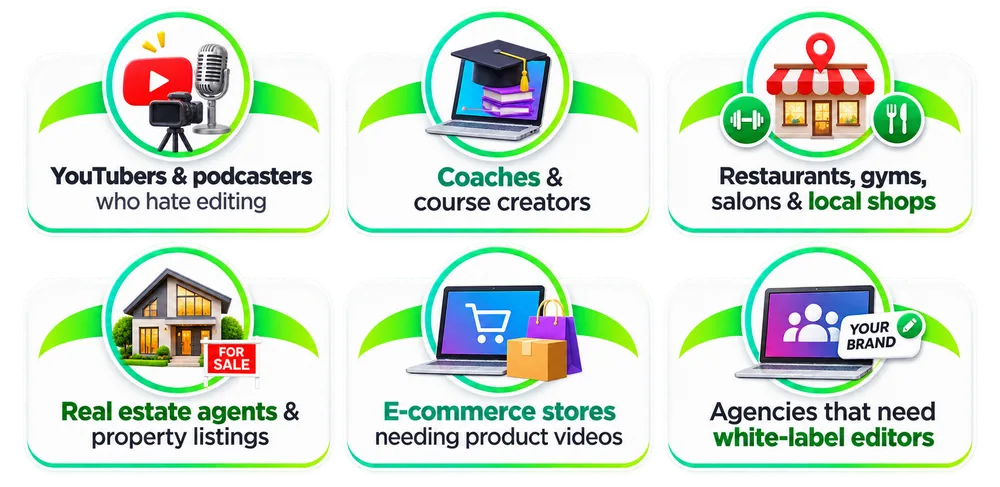
A video editing side hustle is one of the most practical ways to earn online without building an audience first. Almost every business now needs short videos for social media, and most owners have neither the time nor the skills to edit them. Restaurants need Reels, real estate agents need property tours, gyms, salons and clinics need promos, and coaches need Shorts every week.
This guide walks you through starting a video editing side hustle in seven steps, from picking a niche to landing your first paying client, with honest notes on what it takes. No income promises: what you earn depends on your skills, your market and your effort.
A browser video editor with AI tools and commercial use, $14.44 one time at launch.
Check Today’s AI Video Editing Studio Price →
Not sure yet? Read our honest AI Video Editing Studio review first.
Why a video editing side hustle works in 2026
Two things changed. First, demand: short-form video on YouTube Shorts, Instagram Reels, TikTok and Facebook rewards people who post often, and businesses feel that pressure. Second, tools: AI now handles the slow parts of video editing, such as captions, voiceovers, background removal and music, so one person can deliver in an afternoon what used to take a small team a week.
That combination is why a video editing side hustle suits beginners. You do not need to be a film editor; you need to deliver clean, captioned, on-brand short videos reliably and on time. Most small businesses care far more about consistency and speed than about Hollywood effects.
What a video editing side hustle pays (and what it does not)
Prices vary widely by country, niche and experience, so treat any figure you see online, including the vendor examples below, as an example rather than a promise. The AI Video Editing Studio sales page talks about charging $200 to $500 per video, or $500 to $1,500 a month for a content package. Those are the vendor’s marketing examples, not a forecast of what you will earn. Many beginners start lower to build a portfolio, then raise prices as they get results and referrals.
The honest truth: the first client is the hardest. After that, a video editing side hustle grows mainly through repeat work and referrals, so reliability matters more than talent.
Start a video editing side hustle in 7 steps
Step 1: Pick one niche
Choose a type of client you understand: local restaurants, real estate agents, fitness coaches, e-commerce stores or YouTubers. A clear niche makes your samples, your pitch and your pricing easier.
Step 2: Set up a simple toolkit
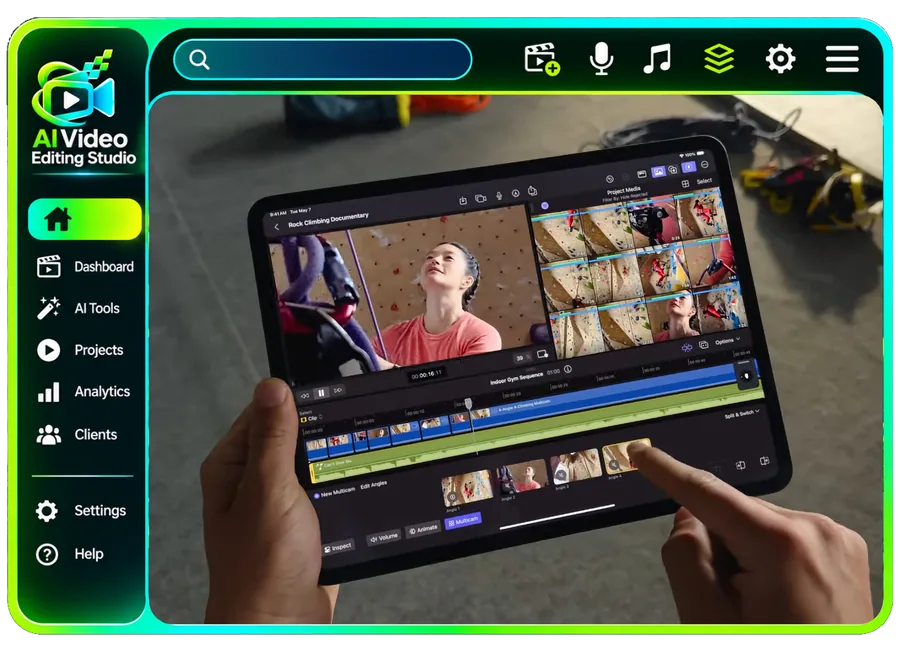
You need an editor with a timeline, captions, voiceover, music and the main aspect ratios. An all-in-one browser editor keeps your costs low and works on the laptop you already have.
Step 3: Make three sample videos
Create three short videos for your chosen niche, for example a restaurant menu Reel, a property tour and a coach’s tip Short. Use stock footage or your own clips, add captions, music and a clear call to action.
Step 4: Package your offer
Turn your work into simple packages, such as a single promo video, a pack of four Reels a month, or a weekly Shorts package. Fixed packages are easier to sell than hourly rates.
Step 5: Reach out to ten businesses
Message ten businesses in your niche with a short, specific offer and one relevant sample. Local businesses you already buy from are a good place to start.
Step 6: Deliver fast and ask for feedback
Hit your deadline, keep revisions simple, and ask the client what they would change. Speed and reliability turn one job into a monthly retainer.
Step 7: Turn results into referrals
Ask happy clients for a short written review and an introduction to one other business. Add every finished video to your portfolio.

The tools a video editing side hustle needs
Clients mostly ask for the same jobs, so make sure your toolkit covers them:
- Timeline editing: cut, trim, layer and arrange clips, add titles and transitions.
- Captions: fast, accurate, styled captions for silent viewers.
- Voiceover: for faceless promos and explainers.
- Music and sound effects: royalty-free tracks so clients do not get copyright strikes.
- Background removal: to place a person or product in a clean scene.
- Every format: vertical, landscape and square from the same project.
- Commercial use: permission to use the tool for paid client work.
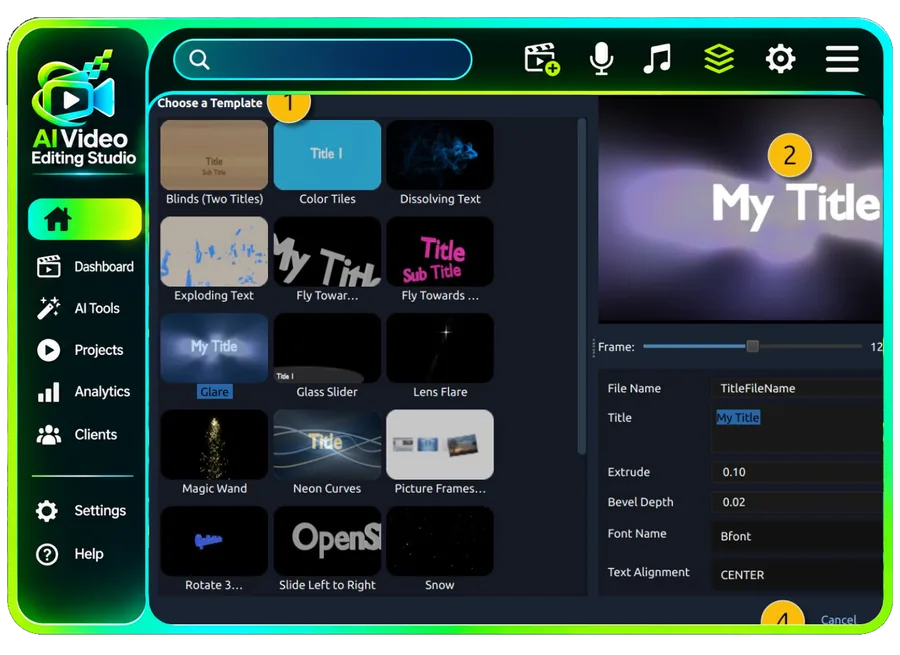
AI Video Editing Studio is built around exactly that list: a browser timeline editor with AI video generation, auto captions, AI voice, background removal, AI music and sound effects, a stock library, every aspect ratio and commercial use, for $14.44 one time at launch on the LaunchPad checkout (November 23, 2026), with a 30-day refund.
For client work, know two things from our review: the front end has usage limits that the Unlimited upgrade removes, and the sales page describes commercial use both as included and as free for the first 50 buyers, so check your access after purchase. Our AI Video Editing Studio review covers both, plus the Agency upgrade for client accounts and team seats.
Common video editing side hustle mistakes
- Underpricing forever. A low first price is fine; staying there is not. Raise prices as your portfolio grows.
- Unlimited revisions. Put two rounds of revisions in your package and charge for more.
- No contract. Even a one-page agreement on deliverables, deadlines and payment avoids most disputes.
- Copyright shortcuts. Use licensed or generated music and stock, never tracks you do not have rights to.
- Too many niches. A specialist is easier to hire than a generalist.
Is a video editing side hustle right for you?
It is a good fit if you like making things, can keep deadlines and are comfortable messaging business owners. It is a poor fit if you want income without client contact or expect the software to find clients for you. The tools make the editing fast; you still have to sell, deliver and follow up.
If you prefer building your own content instead, the same toolkit runs a faceless channel. For a wider view of tools that can help you earn online, see our LimitlessAI review and our category page of AI video tools.
A sample week for a video editing side hustle
Here is what a realistic week can look like when you run a video editing side hustle next to a day job. This is our own suggested routine, not a vendor claim.
- Monday evening: reach out to five businesses in your niche with one tailored sample each.
- Tuesday and Wednesday evenings: edit client work: trim, captions, music, branding, export in the right formats.
- Thursday evening: send drafts, collect feedback and make one round of revisions.
- Saturday morning: deliver final files, invoice, and make one new portfolio sample.
- Sunday: rest, and plan the outreach for the week ahead.
Five to eight focused hours a week is enough to test a video editing side hustle properly. Track three numbers: how many businesses you contacted, how many replied, and how many paid. Those numbers tell you whether to change your niche, your offer or your samples. Most people who give up on a video editing side hustle stop after a handful of messages; the ones who keep a steady weekly rhythm are the ones who land repeat clients.
video editing side hustle FAQ
Do I need experience to start?
No, but you need samples. Make three good ones in your niche before you pitch anyone.
Do I need an expensive computer?
Not with a browser-based editor. Heavy desktop editors need a strong machine; browser tools run the processing online.
How do I find my first client?
Start with local businesses you know, offer a specific package, and show one sample that matches their business.
How much should I charge?
There is no single answer. Look at what editors in your country and niche charge, start where you can win work, and raise prices with results.
Ready when you are
Get AI Video Editing Studio and start your video editing service
- ✅ A full multi-track timeline editor in your browser, on Windows, Mac or Chromebook
- ✅ AI video generator, auto captions, AI voice, background remover, AI music and sound effects
- ✅ Built-in stock library, every aspect ratio and commercial use for client work
- ✅ Vendor bonuses plus MMO Maker’s own bonus pack when you buy through our links
- ✅ Coupon codes VIDEDIT35 and VIDEDIT5 listed in the vendor’s JV doc
$14.44 one time at launch (LaunchPad checkout, November 23, 2026) · 30-day money-back guarantee
The sales page says the price switches to a monthly subscription after the launch.
Get AI Video Editing Studio Now →
Read our full AI Video Editing Studio review: pros, cons, limits and every upgrade
Affiliate link: MMO Maker earns a commission if you buy, at no extra cost to you.
Read our full AI Video Editing Studio review
Browse more tools in our AI Video, Music & Image Tools category, see our guide to the best AI tools for making money online, or our guide to the best AI tools for affiliate marketing in 2026.
Disclosure: MMO Maker earns a commission if you buy AI Video Editing Studio through our links, at no extra cost to you.