
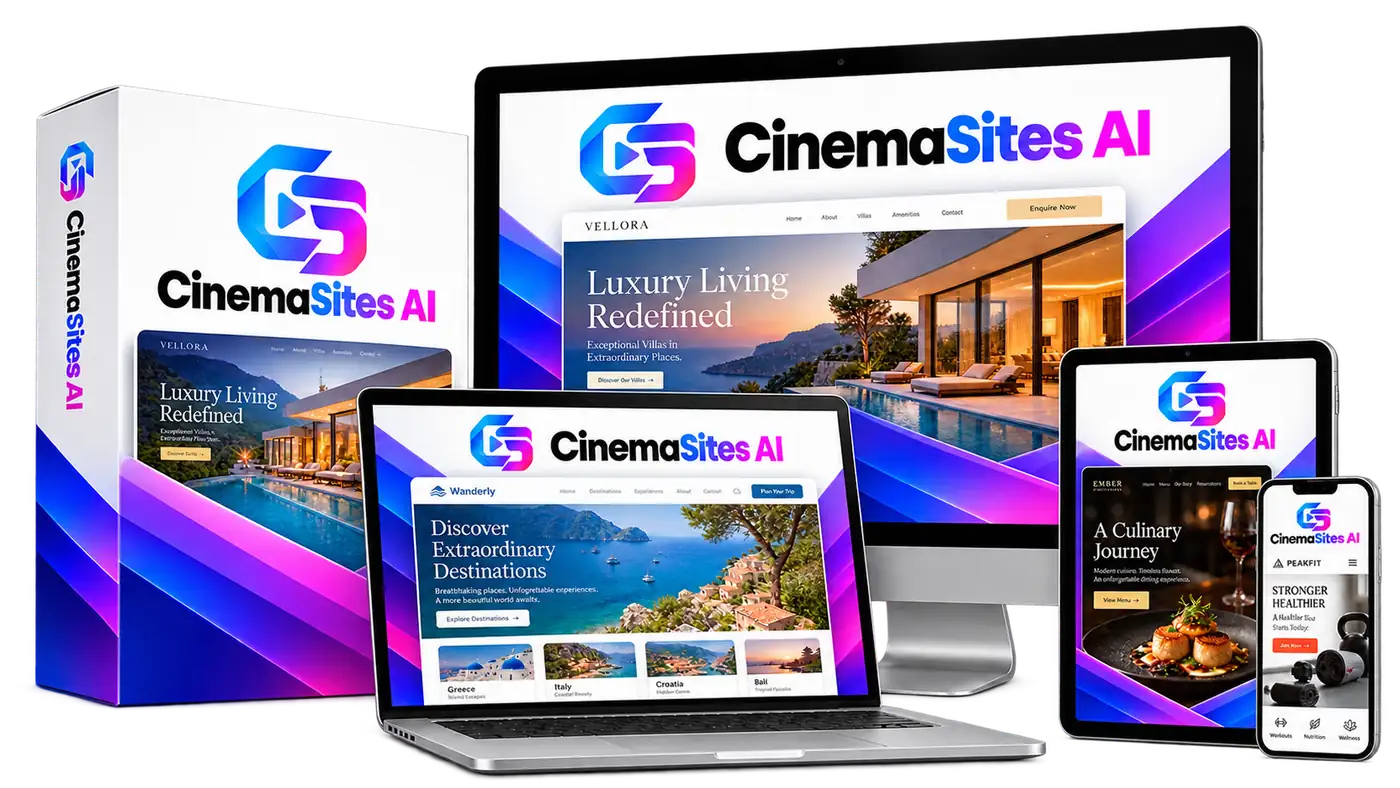
If you want to sell websites with CinemaSites AI, the tool itself is only half the job. CinemaSites AI is a cloud app from vendor Akshat Gupta that builds a website from one sentence, redesigns an outdated site from its URL, writes the copy and SEO, and publishes the result on a custom domain with free SSL and hosting, with commercial rights to sell what you make. The other half is finding businesses, pitching them and delivering well.
This guide walks through that whole process using only what the vendor actually provides, and it makes no promise about what you will earn. For a plain-English starting point on the SEO side of client sites, Google’s own SEO Starter Guide is worth a read.

Websites from one sentence, for a low one-time price with a 30-day refund.
Check Today’s CinemaSites AI Price →
Not sure yet? Read our honest CinemaSites AI review first.
Why you can sell websites with CinemaSites AI at all: what the license allows
The front end includes commercial usage rights, which the vendor describes as the right to create and sell websites to businesses, agencies and clients. It also includes Website Export, so you can hand the files to a client, and custom domain connection, so a site can live on the client’s own domain. Those three things together are what make a web service possible, rather than just building sites for yourself.
Two things are not in the front end and matter for a service business. Giving each client their own login needs the Agency upgrade, and selling the software itself under your brand needs the White Label upgrade. Our CinemaSites AI OTO guide covers both, and most people starting out need neither.
The three ways the vendor says you can sell websites with CinemaSites AI
- Sell to local businesses. Restaurants, dentists, gyms, salons, realtors and law firms. The vendor’s pitch is that many have no website, an outdated one, or one that breaks on mobile.
- Sell on Fiverr, Upwork and social media. List website and redesign gigs and deliver faster than doing it by hand.
- Build for your own offers. Landing pages, affiliate review pages, bonus pages and niche sites, where the saving is the designer and host you no longer pay.
The third way is the best place to learn the tool, because nothing is at stake. The first two need sales work, and that is what the rest of this guide is about.
Six services you can offer when you sell websites with CinemaSites AI
The vendor’s sales page lists six gig ideas. Each one maps to a specific tool inside the app:
- Modern business website built from scratch. The AI Website Builder from one sentence.
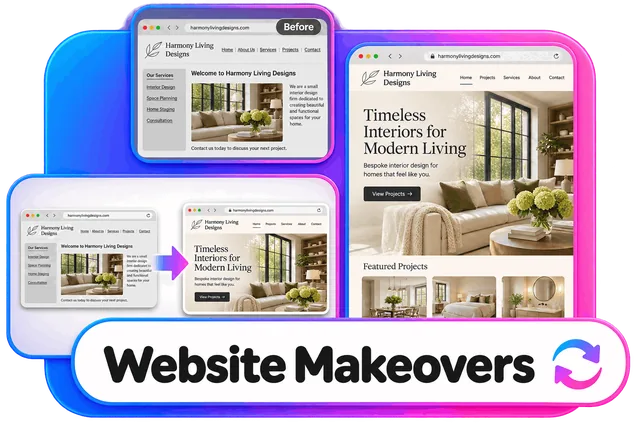
- Outdated website redesign, before and after. AI Website Redesign from the old URL.
- High-converting landing page. The builder or a cinematic template, plus the AI Copywriter.
- Make your website mobile-friendly. One-Click Mobile Optimization.
- SEO makeover: titles, meta descriptions and keywords. The AI SEO Assistant.
- Complete website plus domain plus hosting package. Custom domain with free SSL and hosting.
Which niches to pick first when you sell websites with CinemaSites AI
The vendor’s cinematic templates are grouped by niche: restaurant, dental, gym, real estate, law firm, salon, eCommerce and coaching, among others. Starting in one or two of those niches makes it easier to sell websites with CinemaSites AI, because the template already fits and every sample you build doubles as a portfolio piece for the next prospect in the same trade. Pick niches that are common where you live, where owners clearly care how they look online, and where a weak website is easy to spot from the street or a phone search.
Step 1 to sell websites with CinemaSites AI: build a small portfolio first
Before you contact anyone, build three or four sample sites in the niches you want to serve, using the vendor’s own prompt style: name the business, the type, the location and what visitors should do. The vendor’s example is a modern website for a family-owned wood-fired pizzeria in Austin, Texas. Read every line of the AI copy and fix anything that would not be true for a real business. A portfolio of edited, accurate samples is worth more than a dozen untouched generations.
Step 2 to sell websites with CinemaSites AI: find businesses that need you
The vendor includes a Local Client Finder Blueprint as a bonus, aimed at finding businesses with no website or an outdated one. The simple version: search your area by business type, open each website on your phone, and note the ones that are missing, slow, broken on mobile or clearly old. Those are your prospects. Keep a short list with the business name, the problem you saw and how to contact them.

Step 3 to sell websites with CinemaSites AI: pitch with a redesign, not a promise
The strongest pitch this tool allows is visual: paste the prospect’s current URL into AI Website Redesign, edit the result, and show them their own business looking modern. The vendor’s Before and After Pitch Pack bonus gives mockup frames and presentation templates for exactly this, and the Cold Outreach Scripts bonus gives email and DM templates. Keep the pitch honest: say what you will deliver and by when, and never promise more customers, rankings or sales. No website tool can guarantee those.
What to say in your first message when you sell websites with CinemaSites AI
Keep it short and specific: one line on what you noticed (for example, the site does not work well on a phone), one line on what you made (a redesign of their own homepage), and one simple question (would they like to see it). Attach or link the redesign. Do not send a price list in the first message; the goal is a reply, and a real picture of their own business is what gets one. Most people who try to sell websites with CinemaSites AI send too much too soon.
Step 4 to sell websites with CinemaSites AI: price the job clearly
The vendor’s Website Client Kit bonus includes a proposal, a pricing sheet and delivery templates. The sales page also gives example service prices of $300 for a starter site, $700 for a redesign with copy and SEO, and $1,500 and up for a package with domain, hosting and updates, and the vendor itself labels these “example service prices only, not guaranteed earnings”.
What you can charge depends on your local market, your portfolio and how you deliver. Start with a clear scope: number of pages, rounds of changes, who owns the domain, and whether hosting and updates are monthly.

Step 5 to sell websites with CinemaSites AI: deliver and hand over
- Build the site, then edit the AI headlines and copy until every detail is right for the business.
- Run the AI SEO Assistant and check that the SEO title and meta description describe the real business and location.
- Use one-click mobile optimization and test the site on a real phone.
- Connect the client’s domain, with free SSL and hosting included per the vendor.
- If the client wants their files, use Website Export.
Check the front-end limits early. The first upgrade page says the front end caps how many sites and projects you can create, without giving the number, and the sales page still shows a “[CONFIRM PLAN LIMITS]” note next to hosting. If you plan to host many client sites, find that limit during your first weeks, inside the 30-day refund window.
Keeping clients after you sell websites with CinemaSites AI
A one-off website is a single sale. Because sites can stay on the client’s domain with SSL and hosting included per the vendor, you can offer a simple monthly plan for hosting and small updates: new opening hours, a seasonal offer, a fresh photo, an SEO refresh. The vendor’s own top example package includes “monthly updates” for that reason.
Agree what a month includes, keep a short change log, and send a quick note when you make an update. Clients who see small, regular care are the ones who stay, and that steady base is what lets you sell websites with CinemaSites AI as a real service rather than chasing a new sale every week.
Mistakes that stop people who try to sell websites with CinemaSites AI
- Sending untouched AI copy. A wrong address, service or claim on a client site costs you the client.
- Pitching a promise instead of a sample. Show the redesign; do not promise results.
- Buying every upgrade first. Start on the front end and upgrade only when a real client job needs it.
- Vague scope. Agree pages, changes, domain and hosting in writing before you start.
- Ignoring the limits. Know your hosting and project caps before you promise monthly hosting to ten clients.

Is it worth trying?
For $14.94 one-time with commercial rights and a 30-day no-questions-asked refund, it is a low-cost way to test whether you can sell websites with CinemaSites AI in your area. Build a portfolio, contact ten real businesses, and judge the tool by the sites you can deliver, not by the vendor’s example prices. If you also want to know the real checkout price and the coupon, read our CinemaSites AI coupon code and price guide.
Ready when you are
Ready to try CinemaSites AI?
- ✅ Websites from one sentence
- ✅ Redesign any outdated site
- ✅ Hosting, SSL and custom domain included
Launch price in our review: $14.94 one-time · 30-day money-back guarantee
Prices can change after a launch, so the button takes you to the official page with today’s price.
Read our full CinemaSites AI review: pros, cons, limits and every upgrade
Affiliate link: MMO Maker earns a commission if you buy, at no extra cost to you.
Read our full CinemaSites AI review
See our guide to the best AI tools for making money online
Disclosure: MMO Maker earns a commission if you buy CinemaSites AI through our links, at no extra cost to you.