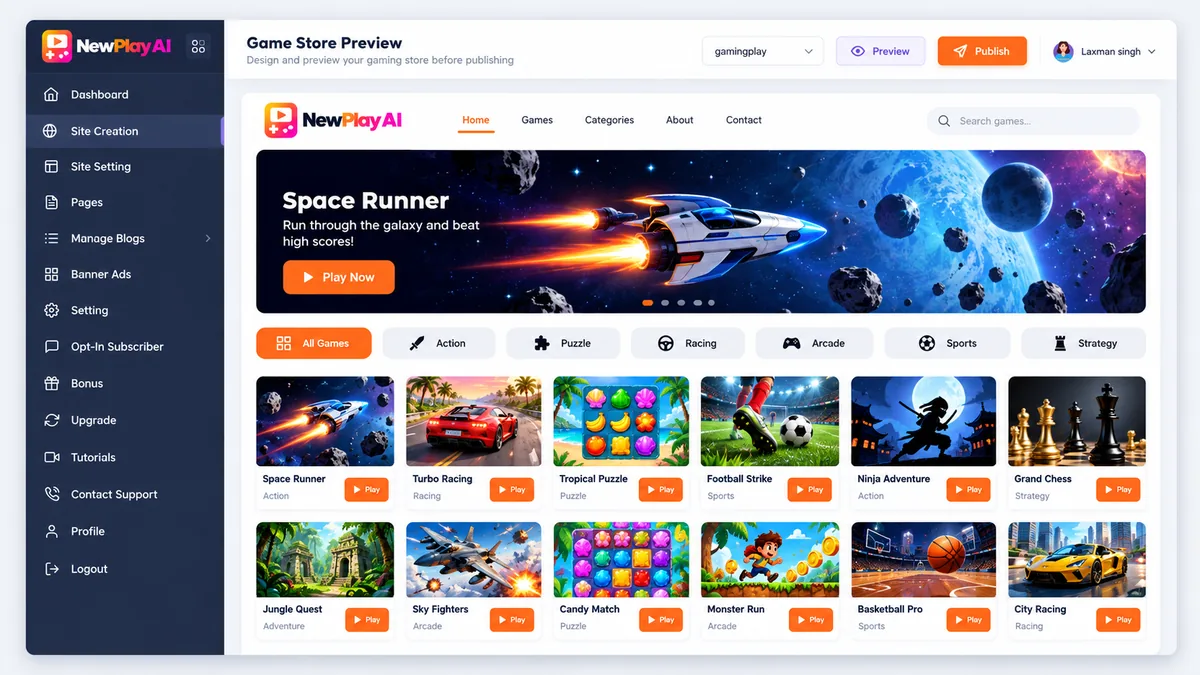
Every NewPlay AI OTO is optional, and with nine of them the funnel deserves a careful read before you reach the payment page. NewPlay AI is a web app that, per its vendor Laxman Singh, gives you a ready-made gaming website you can brand as your own, already stocked with thousands of playable games across 100+ niches and hosted for you, with spots for banner ads, text links, affiliate offers and Google ads.
The front end costs under $15 at checkout with a 30-day refund. After that come a Business Edition add-on and nine upgrades. This guide explains each NewPlay AI OTO in plain English, using only what the vendor’s own pages say, and tells you who each one is for. We have not tested the product hands-on.
What the NewPlay AI front end already includes
Before you judge any NewPlay AI OTO, know what the front end gives you: a finished web gaming store with preloaded games, a niche picker, a dashboard and the ad spots. The headline talks about Google Play and App Store users, but the product is a web store you own, not app-store listings. Traffic is still your job, and a gaming store nobody visits earns nothing. Several of the upgrades below are about more stores, more games or more promotion, so the first question to ask is whether one store is already enough for you.
The price at checkout is the one that counts. The JV page lists $17 for the front end, the checkout showed $14.97 on October 8, and the Business Edition checkout showed $24.44 in total that day. None of that is a red flag alone, but together it says: read the checkout page closely.
The NewPlay AI OTOs at a glance
- Business Edition (checkout add-on): $9.97 on the sales page.
- OTO 1, Unlimited: $47.
- OTO 2, DFY Gaming Store: $97.
- OTO 3, Automation: $37.
- OTO 4, Game Library: $47.
- OTO 5, Traffic + Monetization: $47.
- OTO 6, Agency License: $37.
- OTO 7, Reseller License: $97.
- OTO 8, Mobile + Business Edition: $197.
- OTO 9, Whitelabel: $397.
Prices come from the JV page. You do not need any of them to start. For the full funnel, the coupon codes and our pros and cons, see the NewPlay AI review.
Business Edition: the checkout add-on
The sales page describes the Business Edition as unlimited gaming stores, multiple platforms, 200+ store distribution, all the monetization options, the right to create and sell stores for clients and VIP priority support. It makes sense if you already know you want more than one store or plan to sell stores to clients, because it is the cheapest way into that. If you want to build one store and see how it goes, skip it for now.
OTO 1: Unlimited (NewPlay AI)
Per the JV documentation, Unlimited gives unlimited gaming stores, unlimited store launches and management, unlimited niches, the 5,000+ preloaded games and a central dashboard, with no monthly subscription. It suits you if you want several niche stores instead of one. This NewPlay AI OTO overlaps with the Business Edition add-on, so ask support exactly how the two differ before you pay for both.
OTO 2: DFY Gaming Store (NewPlay AI)
A done-for-you store: preloaded games installed, a premium template, complete branding, cloud hosting, games and categories configured, and a store ready to launch with zero setup. It is for people who want a finished store handed over and do not want to touch the setup. Since the front end already includes a ready-made store, the honest question is what this adds beyond it.
OTO 3: Automation (NewPlay AI)
The vendor lists fully automated game distribution and promotion: the AI Viral Traffic System, auto game promotion, automatic distribution across 200+ stores and a hands-free traffic workflow. It suits you if you want promotion to run in the background. You should still plan to drive your own traffic, because no automation replaces knowing who your visitors are and where they come from.
OTO 4: Game Library (NewPlay AI)
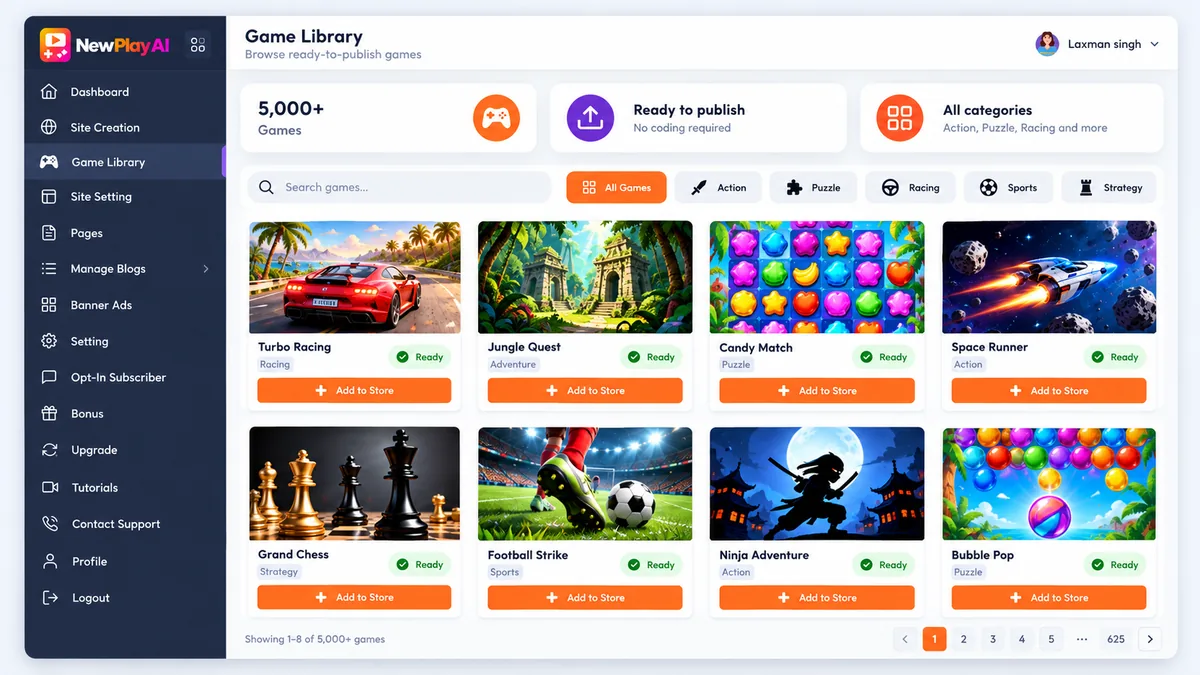
The full content library: 5,000+ done-for-you games, 1.2 million+ playable games, 100+ niches, trending formats and unlimited store content. It is aimed at people who want the widest choice of games for many niche stores. If you are running one store in one niche, you probably do not need the extra volume yet.
OTO 5: Traffic + Monetization (NewPlay AI)
Traffic and revenue tools: AI viral traffic, 200+ store distribution, banner, text link, affiliate and Google ads monetization, a store revenue system and a player traffic strategy. It is the one to look at if you want a clearer plan for turning visitors into ad and affiliate income. The vendor says you can monetize with Google ads from day one, but Google’s ad programs have their own approval and content rules, so read the AdSense program policies before you count on that.
OTO 6: Agency License (NewPlay AI)
The agency license lets you build gaming stores for clients, sell them to local businesses, brands and creators, charge setup fees and keep 100% of the profit, per the vendor. It only makes sense if you want to offer gaming stores as a paid service and already have people to offer them to.
OTO 7: Reseller License (NewPlay AI)
Commercial resale rights to sell ready-to-launch gaming stores to businesses and creators, with no coding or game development, keeping 100% of the profit. It suits you if you have an audience or client list you can sell stores to. Without one, it is a license you will not use.
OTO 8: Mobile + Business Edition (NewPlay AI)
This upgrade lets you manage your stores from Android, iPhone or tablet with cloud access, and adds training videos, gaming business training and support. At $197 it is for people who run their business from their phone and want the extra training. Check whether the Business Edition add-on already covers part of it.
OTO 9: Whitelabel (NewPlay AI)
The last upgrade is 100% white label rights: rebrand NewPlay AI as your own SaaS with your logo, domain, login panel and dashboard. The vendor says it sets everything up for you. At $397 it is the most expensive step and is only for people who want to sell their own branded version and are ready to support their own customers. The JV page also reuses some OTO names from the vendor’s earlier launch, so ask support to confirm what you get.

How to decide on each NewPlay AI OTO
- Buy the front end only and set up one real store inside the 30-day refund window.
- Write down what actually blocked you: a limit on stores, too few games, no plan for visitors. Only look at upgrades that name that exact problem.
- Message support before paying and ask, in writing, what the upgrade adds beyond the front end and the Business Edition.
- Check the refund terms for the upgrade itself, not just the front end.
- Skip Agency, Reseller and Whitelabel unless you already have customers waiting.
Questions to ask NewPlay AI support before any upgrade
- What can I not do on the front end that this upgrade lets me do?
- How does this upgrade differ from the Business Edition add-on?
- Does it add to the front end or replace part of it?
- Is it a one-time payment, and does it include updates?
- What are the refund terms for this upgrade?
Who needs which NewPlay AI OTO
If you want to try one games website in one niche, the front end is likely all you need. If you want several niche stores, compare Unlimited and the Business Edition. If your main worry is visitors, look at Traffic + Monetization after a real test, and remember that traffic is still your job. The agency, reseller and white label upgrades are separate bets, and each one needs customers before it needs a license.
Frequently asked questions about NewPlay AI OTOs
How many OTOs does NewPlay AI have?
Nine upgrades after the front end, plus a Business Edition checkout add-on. The vendor’s JV page lists the prices from $37 to $397 and the JV documentation lists the features of each one.
Do I need any NewPlay AI upgrade to start?
No. The front end gives you a ready-made web gaming store you can brand as your own, with a 30-day refund. Treat every OTO as a decision for later, after you have used the store and seen where the limits are.
Is NewPlay AI in the Google Play or App Store?
No. The headline mentions Google Play and App Store users, but what the vendor sells is a web gaming store you own, not app-store listings.
Are the NewPlay AI OTO prices consistent?
Not entirely. The JV page lists the front end at $17 while the checkout showed $14.97 on October 8, and the Business Edition checkout total was $24.44 that day. Read the total on the checkout page before you tick a box.
Can a NewPlay AI store earn money?
Nobody can promise that. The vendor lists banner ads, text links, affiliate offers and Google ads as the ways to monetize a store, but all of them depend on visitors, and traffic is still your job.
Final word on NewPlay AI OTOs
NewPlay AI sells a clear idea at a low entry price, and the funnel is published openly in the JV documentation. The honest way to handle it is to test the front end on one real store first and treat every NewPlay AI OTO as a decision you can make later. For more AI tools reviewed the same way, see our guides to the best AI tools for affiliate marketing and the best AI tools for making money online, and read the full NewPlay AI review before you decide.
MMO Maker is an affiliate for NewPlay AI and earns a commission on purchases through our links, at no extra cost to you, in line with the FTC’s endorsement guidelines. That does not change what we write here. Everything about the product comes from the vendor’s own sales page, JV page, JV documentation and checkout pages, and we have not tested it hands-on.