You probably already have the raw material for a course: an old PDF guide, a webinar recording, a client training doc or a YouTube video you made. The hard part is turning it into structured lessons with slides and a voiceover. This guide shows how to turn a PDF or a YouTube video into a video course with AI, step by step, using CreatorClaw AI as the worked example, and what to check before you put your name on the result.
Why turn a PDF into a video course?
Many people sit on a PDF that took weeks to write and gets read by few. When you turn a PDF into a video course, the same material reaches people who prefer to watch and listen, and it becomes a product with a price, a listing and a way to build an email list. It also saves the slowest part of making a course, which is deciding what to teach, because the PDF already holds your structure. You can also turn a PDF into a video course in several formats later, such as a mini course or a short challenge.
What “turn a PDF into a video course” actually means
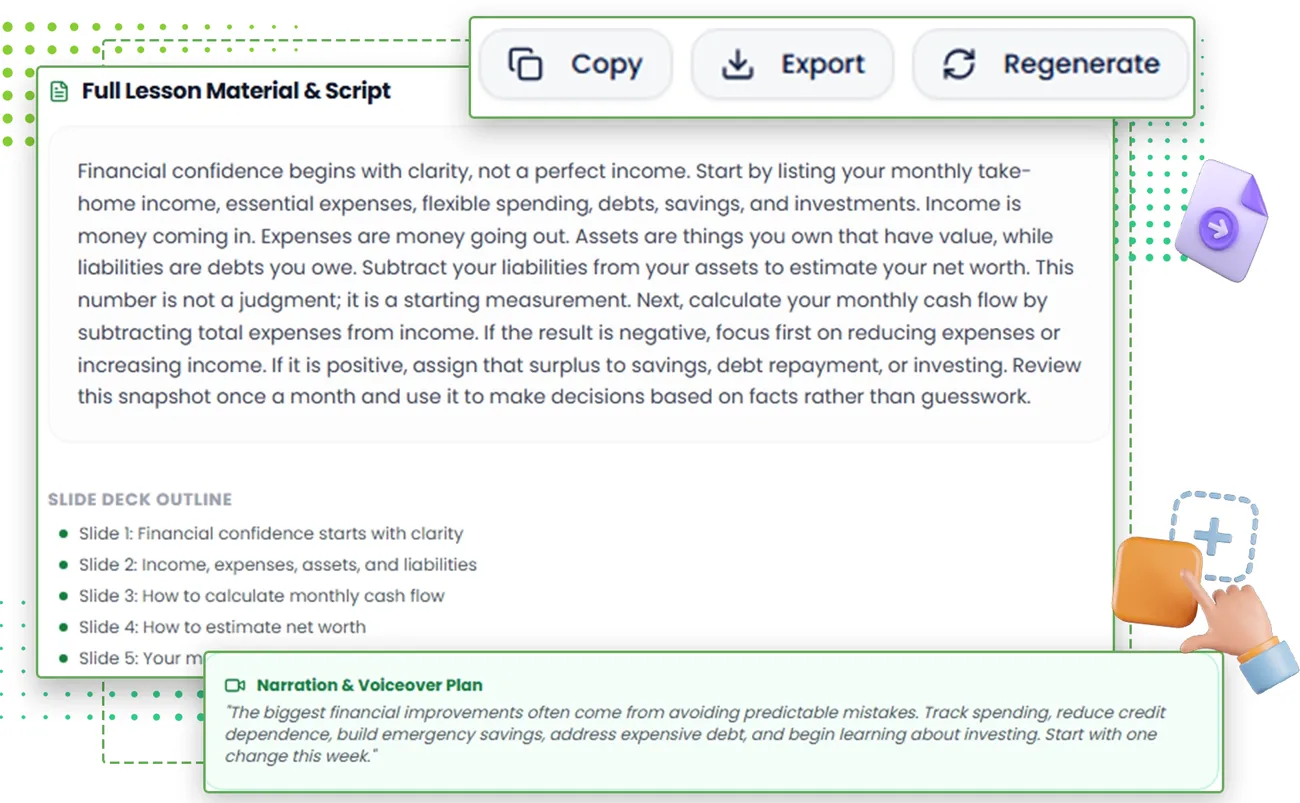
A video course is not a PDF read aloud. It is a set of short lessons, each with a clear goal, a script written for the ear, slides that support the words, and usually a quiz or a workbook. When you turn a PDF into a video course with AI, the tool has to do four jobs: decide the order of the material, rewrite it as spoken lessons, build visuals, and generate a voice track and the video files.
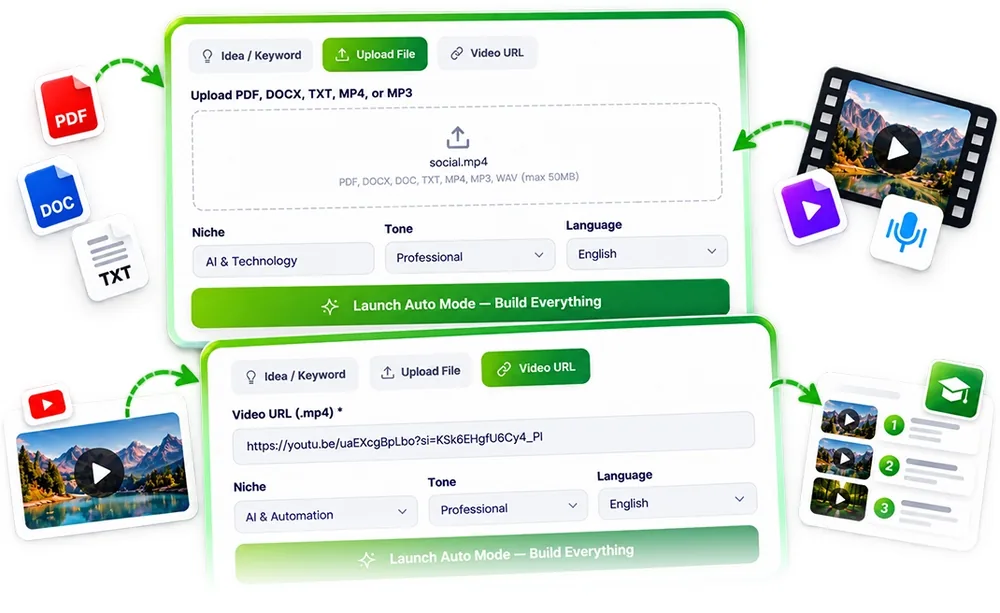
Per the vendor, CreatorClaw AI takes a PDF, a DOCX or a TXT file, or a pasted YouTube link, and its agents then build the outline, the lesson scripts, the slides, an AI voiceover with captions, and rendered MP4 lessons. It also writes a marketplace listing and promo clips. Our CreatorClaw AI review covers the full feature list and the price.
Step 1: Pick the source that deserves to be a course
Not every document makes a good course. The best sources are material you already trust, written by you or that you have the right to reuse, with a clear problem and a clear outcome. A 40-page how-to guide with numbered steps converts far better than a loose collection of notes. A YouTube video of yours with a tight structure also works, because the structure carries across.
- Use only content you own or are licensed to reuse. A PDF or video made by someone else is not yours to turn into a product.
- Pick one outcome. “How to set up a budget in a week” is a course. “Everything about money” is not.
- Check the facts first. AI will repeat mistakes in your source, with confidence.
Step 2: Clean the file before you upload it
Garbage in, garbage out. Before you upload, remove cover pages and ads, fix obvious typos, and make sure the headings are consistent. If the PDF is a scan, make sure it is readable text and not a flat image. A clean outline in the source gives the AI a clean outline in the course.
Step 3: Let the agents build the first draft, then read all of it
The vendor says its 7 agents research, write, build slides, record the voiceover and render the videos on one screen. Treat the result as a first draft. Read every script, not just the first lesson. You are looking for four things: facts that are wrong, wording that does not sound like you, lessons that repeat each other, and gaps where a learner would be lost.
The vendor also says you can edit or regenerate any output as many times as you like. Use that. Fix the weakest lesson first, because learners judge a course by its worst lesson, not its best.
Step 4: Check the voice and the video, not only the text
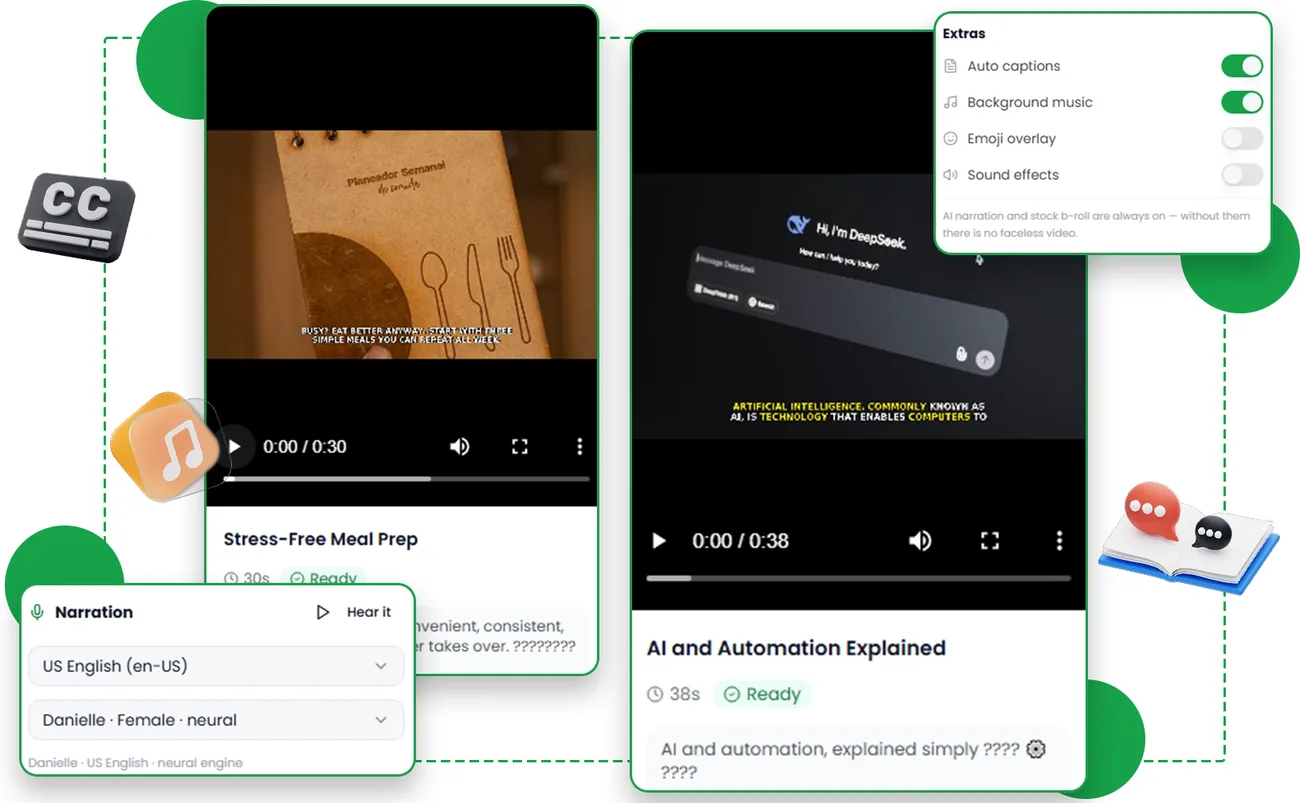
A good script can be ruined by a flat voice or a messy slide. Watch at least three lessons from start to finish with sound on. Check pronunciation of names and terms, the pace, the captions, and whether the slides match the words. Per the vendor, the front end offers standard AI voices, and premium voices and AI avatars are listed under the Pro upgrade in the JV doc. If voice quality matters for your niche, test before you decide you need an upgrade. Our CreatorClaw AI OTO guide explains what each upgrade adds.
Step 5: Add a quiz and a workbook
Quizzes and a workbook make a course feel finished and give learners something to do. Per the vendor, the Course Agent writes quizzes for each module and a downloadable workbook and PDF guide. Check that the quiz answers are correct, that the questions test the lesson and not trivia, and that the workbook tasks can really be done in the time you promise.
Step 6: Write an honest listing
The listing is the page that makes people click buy. Per the vendor, the Marketplace Agent writes a listing pack for Udemy, Skillshare, Gumroad and Teachable, with an SEO title, keywords, description, learning objectives and cover image. Rewrite anything that overpromises. Do not promise income, jobs or results you cannot back up, and do not copy claims from the AI draft that you have not checked.
Step 7: Check the platform’s rules before you upload
Every marketplace makes its own approval decision, and policies change. The vendor’s own FAQ says exactly that. Before you submit, read the platform’s current rules on course quality, AI-generated content, voiceovers and disclosure. If a rule is unclear, ask the platform’s support. This is also true for the copyright of anything in your source material. For a side-by-side look at where a first course can fit, see our guide to Udemy vs Skillshare vs Gumroad vs Teachable.
Common mistakes when you turn a PDF into a video course with AI
- Uploading a messy source and expecting a clean course.
- Publishing the first draft without watching the lessons.
- Making the course too broad, so no lesson is deep enough to help.
- Copying AI-written claims into the listing without checking them.
- Assuming the course will sell itself. A listing helps, but promotion and demand still decide results.
What does it cost to try this with CreatorClaw AI?
The front end costs $17 at the LaunchPad checkout, with a 30-day money-back guarantee, per the vendor and the checkout page. The vendor’s JV doc says the front end is limited to 10 courses a month, 30 minutes of video render, standard AI voices and 1 marketplace format. The vendor’s cart is scheduled to close on October 17, 2026, and the vendor’s pages disagree on some details, so confirm the price and terms on the checkout page. We have not hands-on tested the output, so use the refund window as your test.
Frequently asked questions
Can AI turn a PDF into a video course?
Per the vendor, CreatorClaw AI can take a PDF, DOCX or TXT file, or a YouTube link, and build lessons, slides, an AI voiceover and rendered videos from it. The quality is unproven until you test it on your own material.
Can I turn a YouTube video into a course?
The vendor says you can paste a YouTube link and turn that video into a course. Only do this with a video you own or have the right to reuse.
Do I need to record my own voice or face?
No, per the vendor. The Video Agent makes the lesson videos with an AI voiceover, so you do not need a camera, a microphone or editing software.
How long does it take?
The vendor shows a course built from a topic in about a minute on its sales page, and says the agents handle up to 40 hours of work. Treat that as the vendor’s example, and plan time to read, check and edit.
Will a marketplace accept an AI-made course?
Every marketplace makes its own approval decision and policies change. Check the current rules before you submit.
Final word
If you want to turn a PDF into a video course, start with one short course and one clean source. The idea of turning a PDF or a video into a finished course is sound: you start from knowledge that already exists, and the tool takes over the production grind. The result is only as good as your source and your checking. Build one short course, watch every lesson, fix what is weak, and keep the refund window in mind while you test.
MMO Maker is an affiliate for CreatorClaw AI and earns a commission on purchases through our links, at no extra cost to you, in line with the FTC’s endorsement guidelines. That does not change what we have written here. For more AI tools reviewed the same way, see our guides to the best AI tools for affiliate marketing and the best AI tools for making money online.