CreatorClaw AI OTOs Explained: Which Of The 5 Upgrades And The $267 Bundle Are Worth It?


The CreatorClaw AI front end costs $17 at checkout. After that come an add-on and 5 optional upgrades, called OTOs, priced from $47 to $197 on the vendor’s JV page, plus a $267 complete bundle. If you are wondering whether any CreatorClaw AI OTO is worth your money, this guide goes through each one, what the vendor says it adds, and who actually needs it.
The short answer on CreatorClaw AI OTOs
Start with the front end only. Use it to build one real course inside the 30-day refund window. Then buy a CreatorClaw AI OTO only if you hit a specific wall that the upgrade clearly removes. The one most likely to matter is Pro, because the front end has caps that Pro lifts. The rest are for people who already know they want a storefront, an agency or a reseller business.
For the full picture, including the price table, the coupon codes and every place the vendor’s own pages disagree, read our CreatorClaw AI review.
What the $17 CreatorClaw AI front end already includes
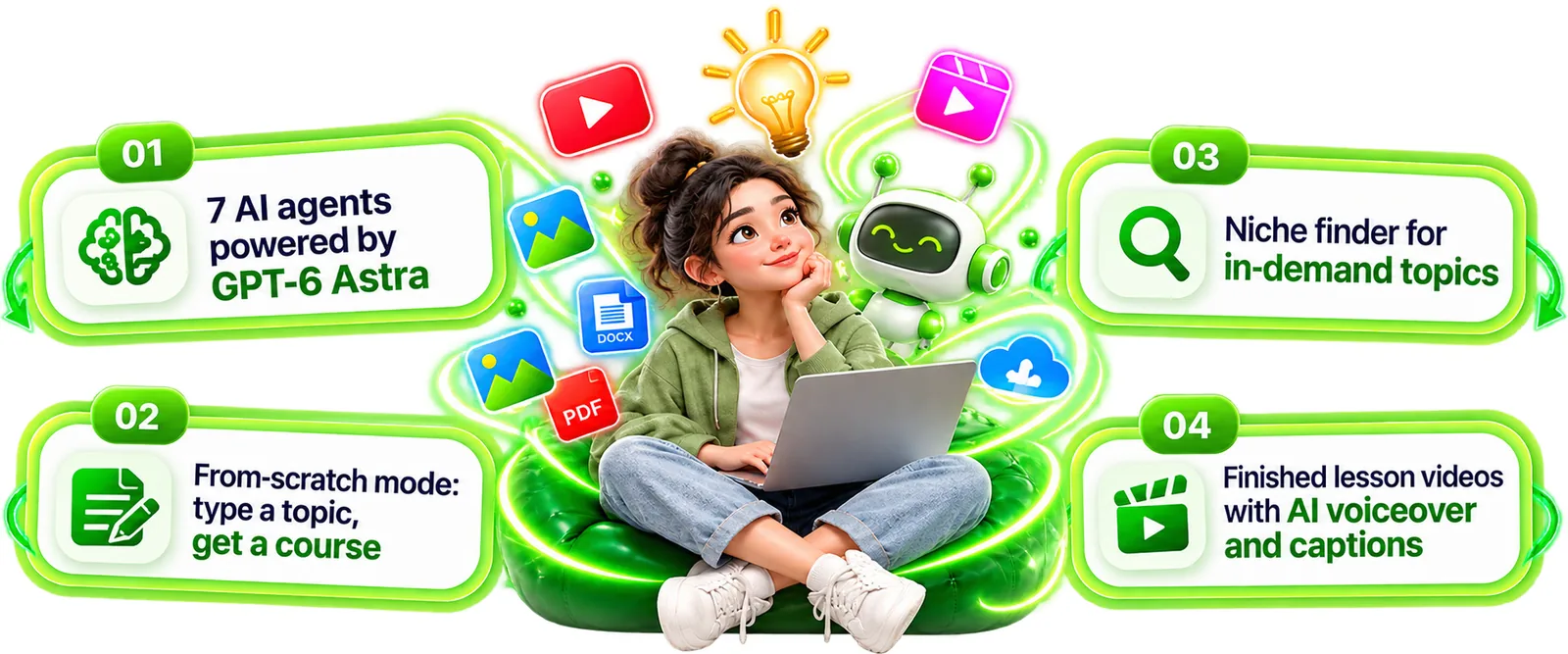
Per the vendor, the front end gives you all 7 AI agents: Knowledge, Course, Video, Offer, Sales Page, Marketplace and Update, plus a Promotion Agent as a bonus. You type a topic, or upload a PDF, a DOCX, a text file or a YouTube link, and the agents research it, write the course, build slides, record an AI voiceover, render lesson videos with captions and write a marketplace listing and promo clips. A commercial license is included, so you can sell what you make.
The catch is the limits. The vendor’s JV doc says the front end is capped at 10 courses a month, 30 minutes of video render, standard AI voices and 1 marketplace format. That is the single most useful fact for judging every upgrade below, because several upgrades exist to remove those limits.
The checkout add-on: Creator Power Pack ($9.97)
Before the upgrades, the LaunchPad checkout offers an add-on. It is listed at $9.97 one time, with 15,000 bonus credits every month, 100 ready-to-post motivation reels in 10+ languages, 25 editable course covers, 20 animated intro and outro stingers, and 100 B-roll clips plus 50 music tracks. The checkout says it is normally $27 a month. The sales page, though, names a different add-on, “Premium AI Features”, at $9.98, so check the exact name and price on the checkout before you tick the box.
Every CreatorClaw AI OTO, one by one
Names, prices and contents below come from the vendor’s JV page and JV doc. We could not confirm them on real OTO checkout pages, because those pages are not publicly linked.
OTO 1: Pro / Unlimited ($47)
Per the vendor’s JV doc and JV page, this lifts the front-end limits. It unlocks unlimited courses and video minutes, the Update Agent, premium voices and AI avatars, all marketplace formats, HD export and priority rendering. The JV doc calls it the natural “I want more” upgrade.
Worth it if you hit the front end’s cap of 10 courses a month or 30 minutes of video render, or you need all four marketplace formats (Udemy, Skillshare, Gumroad and Teachable) instead of one. This is the upgrade most directly tied to the front-end limits, so it is the one to judge first, after a real test.
OTO 2: DFY Course Pack ($67)
Per the vendor: 50 ready-made courses with videos and marketplace listings, in top-selling niches, ready to upload. The vendor’s pitch is instant gratification.
Worth it if you want finished material on day one and the pack page shows niches you could really sell in. Check the licensing terms and watch a sample before paying, because a ready-made course is only useful if it is good enough to put your name on.
OTO 3: Storefront ($67)
Per the vendor: a personal storefront, a custom domain, Stripe or PayPal checkout, a members area and a buyer list.
Worth it if you want to sell direct on your own domain and own the buyer list, not only on marketplaces. If you plan to stay on Udemy or Gumroad, you can skip it.
OTO 4: Agency ($127)
Per the vendor: client accounts, white-label, a custom domain per client store, client contracts and proposals. The angle is selling course creation as a service.
Worth it only if you already have clients, or a clear plan to find them. The software does not bring you clients.
OTO 5: Reseller ($197)
Per the vendor: sell CreatorClaw AI as your own, keep 100%, sales materials included. The JV doc calls it the highest-ticket upgrade.
Worth it only if you want to build a reseller business and are ready to support your own customers. It is a different business from making courses.
Complete Access Bundle ($267)
Per the vendor: the front end plus Pro, DFY, Storefront, Agency and Reseller in one purchase.
Worth comparing if you already know you want most of the upgrades. Bought one by one, the five upgrades add up to $505 at the listed prices, so the bundle is cheaper than that. If you only want one or two, buying those alone costs less.

How much do all the CreatorClaw AI OTOs cost?
At the listed prices the five upgrades add up to $505, or $522 with the $17 front end. The vendor lists a complete bundle at $267 that covers the whole funnel. Our advice is simple: if you really want everything, compare the bundle with the individual prices. If you only want one or two upgrades, buy those and skip the rest.
It is also worth knowing how the funnel is built. The vendor pays affiliates, including us, on every level, so a long funnel is good for sellers. That is one reason we say plainly that you should not buy upgrades just because they are offered.
Where the vendor’s pages disagree about the funnel
- The JV page funnel graphic shows the front end at $37, while the sales page, the JV doc and the checkout all show $17.
- The JV page prints the Pro downsell as $317, while the JV doc says $37.
- The JV page’s feature list mentions an AI course website builder, an AI tutor, 450+ done-for-you courses and payment integration. The sales page does not list those as front-end features, and the funnel sells a 50-course pack and a storefront as separate upgrades.
- The sales page offers 200 reseller licenses as a bonus, while a Reseller upgrade is also sold at $197.
None of this is proof of a problem, but it is a reason to ask support before you pay for anything beyond the front end.

How to decide which CreatorClaw AI OTO to buy, if any
- Buy the front end only and build one real course inside the 30-day refund window.
- Write down what actually blocked you. The 10-course cap, the 30-minute render limit, the single marketplace format, or a missing feature. Only look at upgrades that name that exact problem.
- Message support before paying and ask, in writing, what the upgrade adds beyond the front end. The support desk is listed on the sales page and the JV page.
- Check the refund terms for the upgrade itself, not just the front end.
- Skip the Agency and Reseller tiers unless you already have clients or customers waiting.
Questions to ask CreatorClaw AI support before any upgrade
- What can I not do on the $17 front end that this upgrade lets me do?
- Which marketplace listing formats does the front end include?
- Does this upgrade replace a front-end feature or add to it?
- Is this a one-time payment, and does it include updates?
- What are the refund terms for this upgrade?
Who needs which CreatorClaw AI OTO
If you want to make a few courses to test a niche, the front end is likely all you need. If you plan to make many courses, or you want all four marketplace formats and the Update Agent, Pro is the upgrade to look at after a real test.
If you want to own your buyers, check the Storefront only after you have a course ready to sell. If you want to serve clients, ask what the Agency upgrade adds, and make sure you have a plan to find clients. The Reseller upgrade is for a different business, and is best left alone unless you already know you want it. The DFY pack is only worth it if the sample courses are good enough to put your name on.
Frequently asked questions about CreatorClaw AI OTOs
How many OTOs does CreatorClaw AI have?
The vendor’s JV page and JV doc list 5 OTOs (Pro / Unlimited, DFY Course Pack, Storefront, Agency and Reseller) and a $267 complete bundle. The checkout also offers an add-on, the Creator Power Pack at $9.97.
Do I need any CreatorClaw AI OTO to use it?
No. The $17 front end is the product, with all 7 agents. Every upgrade is optional.
How much do all the CreatorClaw AI OTOs cost?
At the listed prices the 5 upgrades add up to $505, or $522 with the $17 front end. That is our arithmetic. The vendor lists a complete bundle at $267, and we could not confirm any OTO price on a real checkout page.
Is there a coupon for CreatorClaw AI?
Four codes appear in the vendor’s materials: EARLYCLAW (10% off, sales page), LAUNCH35 (35% off, email swipes), CREATOR ($4 off, JV doc) and CLAWVIP ($3 off, exit pop-up). We could not confirm how any of them apply at checkout.
Can I get a refund on an upgrade?
The vendor and the checkout page state a 30-day money-back guarantee. Ask support whether each upgrade has its own refund terms before you buy it.
Final word on CreatorClaw AI OTOs
CreatorClaw AI sells a clear idea at a low entry price, and the upgrade path is long. The honest way to handle that is to test the $17 product on a real course first and treat every CreatorClaw AI OTO as a decision you can make later. The vendor’s cart is scheduled to close on October 17, 2026 at 11:59 PM EST, so confirm the current price and terms on the checkout page before you buy anything.
MMO Maker is an affiliate for this product and earns a commission on purchases through our links, at no extra cost to you, in line with the FTC’s endorsement guidelines. That does not change what we have written here. For more AI tools reviewed the same way, see our guides to the best AI tools for affiliate marketing and the best AI tools for making money online.