

A one-time fee for an all-in-one AI suite is attractive, and it is also the easiest kind of offer to get wrong. Before you buy a one-time-fee AI suite, there are a handful of questions worth asking, and a few answers worth waiting for. We wrote this list while reviewing GeminAI 4.0, a pre-launch suite whose vendor says one payment unlocks a stack of AI tools, but the questions apply to any similar offer.
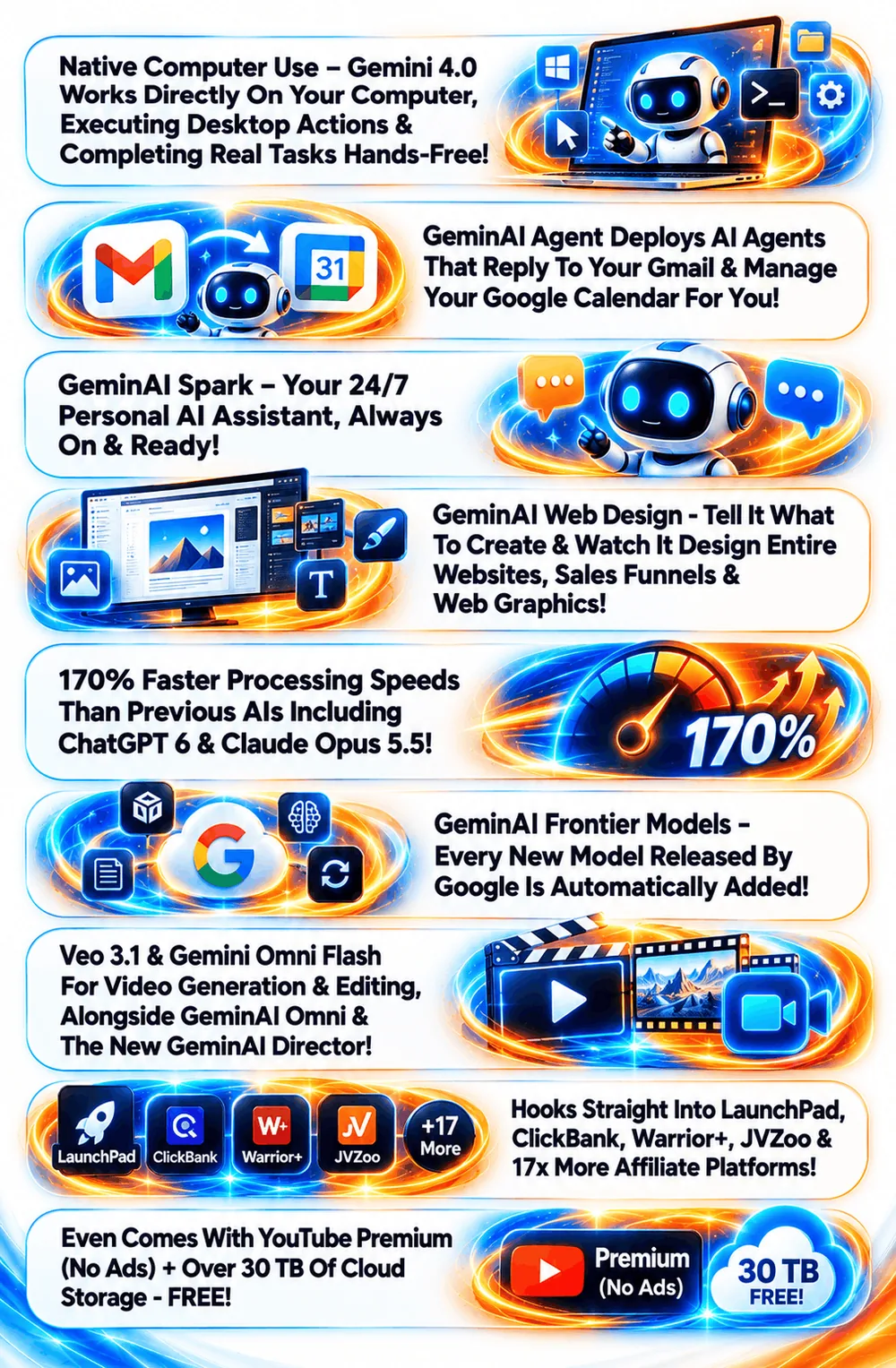
A very wide toolset for a low price, for a low one-time price with a 30-day refund.
Check Today’s GeminAI 4.0 Price →
Not sure yet? Read our honest GeminAI 4.0 review first.
Why a one-time-fee AI suite needs extra questions
AI tools cost money to run. A seller who offers a one-time fee has to cover that cost somehow: usage limits, a small number of included credits, older models, resold access or a business model that depends on upgrades. None of these is automatically bad. They are just things you should know before you pay.
Question 1: what exactly do I receive?
Ask this of every one-time-fee AI suite you consider. Ask for a plain list: which tools, which models, which features. Compare it with the sales page, the checkout and any demo. If the vendor’s own documents describe different models, as the GeminAI 4.0 JV doc and JV page do, ask which one is true.
Question 2: how is access delivered?
With a one-time-fee AI suite, this matters more than usual. Is it the seller’s own software, an interface over other companies’ services, or an account on a third-party plan? The answer changes your risk. If your access depends on another company’s service, the seller may not control how long it lasts.
Question 3: what does “unlimited” mean?
Most “unlimited” offers have fair-use limits, rate limits or queue times. Ask for the specific numbers. If there are none, ask what happens when you use it heavily.
Question 4: how long does access last?
For a one-time-fee AI suite, lifetime access is the whole point, so test the claim. A lifetime promise is only as good as the company behind it and the services it relies on. Ask what happens if a provider changes its terms or prices.
Question 5: what does the commercial license cover?
If you plan to sell what you make, ask whether the license covers client work and resale, and whether the underlying providers’ terms also apply. Get the answer in writing.
Question 6: what is the refund process?
Look for a clear refund window, who to contact and how long it takes. Keep your receipt. GeminAI 4.0’s graphic states a 30-day risk-free guarantee, but its sales page and checkout were not live when we checked, so we could not read the terms.

Question 7: is the funnel clear?
Many suites add upgrades after the front end. Ask what you cannot do without them. If the vendor’s documents show different upgrade lists, as GeminAI 4.0’s do (six tiers in one place, eight prices in another), wait for the live checkout. We cover that in GeminAI 4.0 OTOs explained.
A short checklist for any one-time-fee AI suite
- Write down what you want the suite to do for you in the next 30 days.
- Send support the seven questions above and wait for written answers.
- Read the live sales page and checkout, not only the promo material.
- Buy the front end only, with the refund window noted in your calendar.
- Test on real tasks in week one, and request the refund if it falls short.
Our full verdict on one such suite, including what we could not verify, is in our GeminAI 4.0 review.
Frequently asked questions about one-time-fee AI suites
Is a one-time fee for AI tools realistic?
It can be, for a tool the seller builds and runs itself. It deserves more questions when a seller says a one-time fee unlocks plans that other companies sell as monthly subscriptions.
What should I ask support?
Ask what exactly you receive, how access is delivered, which providers power it, what limits apply to “unlimited”, how long access lasts and what the refund process is.
What if support does not answer clearly?
Treat that as an answer. Wait, or buy only inside a clear refund window and test immediately.
Does a commercial license mean I can sell anything I make?
Not necessarily. Ask what it covers, whether it depends on the underlying providers’ terms, and in writing.
Can I rely on the vendor’s comparison to monthly plans?
Treat the comparison as marketing. Check the actual plans on the providers’ own sites at the time you buy.
Final word on buying a one-time-fee AI suite
A good one-time-fee AI suite answers all seven questions without drama.
Used well, these questions make any one-time-fee AI suite easier to judge. The right posture is curious, not cynical. A good suite will answer these questions easily. If you want a way to run the test itself, see how to test an AI suite in 30 days, and to spot warning signs before you even ask, read red flags in AI tool launch pages. For more tools, see our best AI tools for affiliate marketing and our guide to the best AI tools for making money online.
MMO Maker is an affiliate for GeminAI 4.0 and earns a commission on purchases through our links, at no extra cost to you, in line with the FTC’s endorsement guidelines. That does not change what we write here. We have not hands-on tested the software, and everything about it comes from the vendor’s own JV page, graphics and JV doc, because its sales page was not live when we checked.
Ready when you are
Ready to try GeminAI 4.0?
- ✅ A very wide toolset for a low price
- ✅ No monthly fee, per the vendor
- ✅ Commercial license included
Launch price in our review: $17 one-time · 30-day money-back guarantee
Prices can change after a launch, so the button takes you to the official page with today’s price.
Read our full GeminAI 4.0 review: pros, cons, limits and every upgrade
Affiliate link: MMO Maker earns a commission if you buy, at no extra cost to you.


