
You can now publish a Kindle book with AI in a fraction of the time it used to take: AI can draft the chapters, suggest a title, help with the description and even produce a cover. What it cannot do is take responsibility for the book. That part is still yours. This beginner guide covers how to publish a Kindle book with AI the right way, step by step, with our own advice, and where an all-in-one tool like AzonFlow fits.
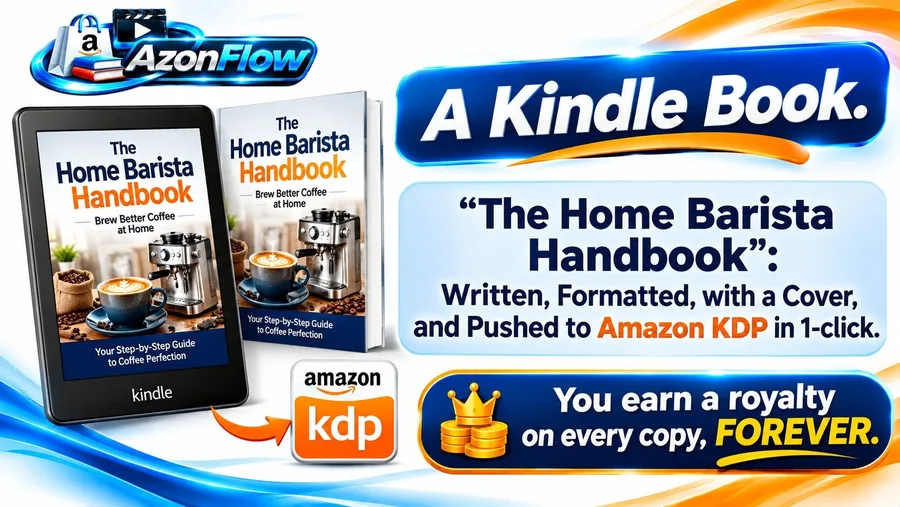
AzonFlow writes, formats and publishes Kindle books to your KDP account, $12 one time.
Check Today’s AzonFlow Price →
Not sure yet? Read our honest AzonFlow review first.
Can you really publish a Kindle book with AI?
Yes. Amazon’s Kindle Direct Publishing (KDP) lets anyone publish an ebook for free and earn a royalty on every sale. AI-assisted books are allowed, but KDP asks you, when you publish, whether your content is AI-generated, and you are responsible for the book meeting its content guidelines. Read the current KDP content guidelines before you start, because the rules apply to you whichever tool writes the draft.
Step 1: Choose a topic people already buy
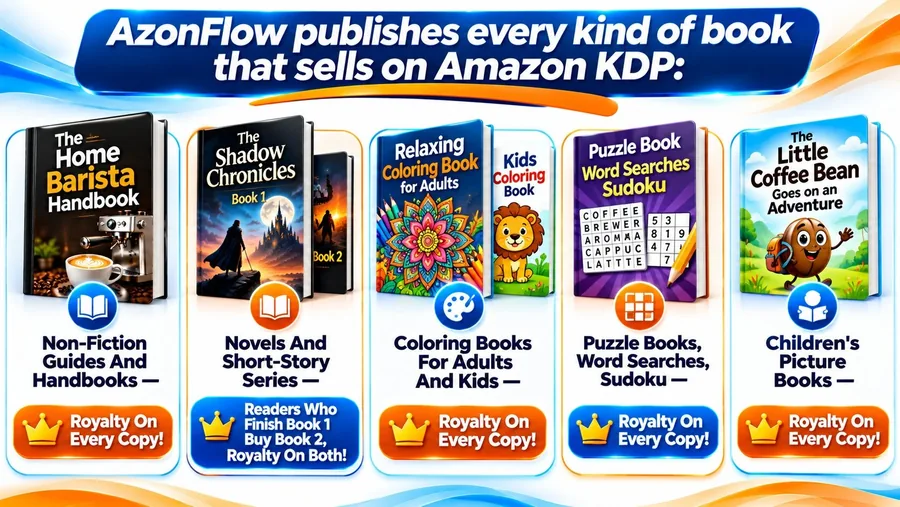
The best first book answers a practical question for a clear reader. Non-fiction guides and handbooks are the easiest start: “home espresso for beginners”, “keto for busy parents”, “training a rescue dog”. Low-content books such as coloring and puzzle books are another route, and so are series, where book one can sell book two.
Our test for a topic: can you name the reader, the problem and the result in one sentence? If not, narrow it down.
Step 2: Outline before you let AI write
The biggest mistake people make when they publish a Kindle book with AI is asking for a whole book in one go. Start with an outline: the chapters, what each chapter answers, and the order a reader needs them in. Edit the outline yourself. A good outline is what makes an AI-assisted book read like a book instead of a list of loosely connected paragraphs.
Step 3: Draft, then edit like an editor
Let the AI draft chapter by chapter from your outline. Then edit, and expect to change a lot. Check every fact, remove repetition, add your own examples and voice, and cut anything that sounds generic. Read it aloud. If you would not pay for it, your readers will not either, and poor reviews hurt the next book too.
Step 4: Format the book and make a cover
KDP accepts several file formats and has its own free tools for formatting. The cover matters more than most beginners expect: it is the first thing a shopper sees, at thumbnail size. Keep the title readable when the cover is small, match the style of best-selling books in your category, and make sure you have the rights to every image you use.
This is a stage where all-in-one tools save time. AzonFlow, per the vendor, writes the book, formats it and gives it a cover, and its PRO upgrade adds a full Book Creation Studio.
Step 5: Write the description and pick keywords
Your book description is your sales page on Amazon. Open with the reader’s problem, say what the book helps them do, list what is inside, and end with who it is for. KDP also lets you choose keywords and categories. Pick the words your reader would type into Amazon’s search bar, not clever phrases.
AzonFlow, per the vendor, writes the book description and does the Amazon SEO for you, aimed at ranking on the Kindle Store. We would still read and adjust both before publishing.
Step 6: Publish to KDP
To publish a Kindle book with AI, you need a free KDP account. You upload the manuscript and cover, set the price and royalty option, answer the AI-content question honestly, and submit. Amazon reviews the book before it goes live. With AzonFlow, the vendor says you connect your own free KDP account and it publishes your books to it in 1 click, so the royalties are paid to you by Amazon. You can read how it works on the vendor’s sales page.

Step 7: Give your book a way to be found
Most new books sell nothing because nobody sees them. Plan the first readers before you publish: your email list if you have one, social posts in your niche, and a page on your own website. This is where linking assets together helps. A review site about the same topic can recommend your book, and a video about the topic can mention it.
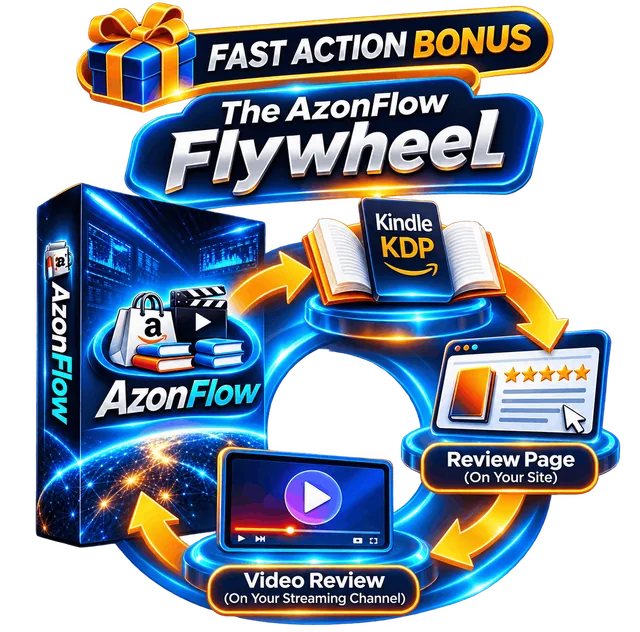
That linking is the idea behind AzonFlow’s Flywheel bonus: the vendor says every book you publish automatically gets its own review page on your site and its own video review on your streaming channel. If you want all three from one keyword, our AzonFlow review explains what you get for the $12 launch price and what to watch for. If your goal is promoting books rather than writing them, our BookBloom AI review covers a tool that turns one Amazon book link into Pinterest pins and a landing page.
How long does it take to publish a Kindle book with AI?
The drafting is fast. The rest is not, and that is a good thing. Here is a realistic first-book timeline, based on our own view of the process:
- Day 1: pick the topic, check what already sells, and write the outline.
- Days 2 to 3: draft the chapters with AI and edit them properly.
- Day 4: format the book, make the cover, write the description, choose keywords and categories.
- Day 5: publish on KDP and plan how the first readers will find it.
Tools that do the formatting, cover and description for you shrink days 4 and 5. The editing on days 2 and 3 is the part we would never skip, whichever tool you use to publish a Kindle book with AI.
Checklist before you publish a Kindle book with AI
Run through this list before you press publish. It is ours, and it catches most of the problems we see in rushed books:
- Every fact checked, especially health, money and legal points.
- No repeated paragraphs or filler phrases.
- Your own examples or angle added, so the book is not the same as every other AI draft.
- Cover readable at thumbnail size, with rights to every image.
- Description that names the reader, the problem and the result.
- AI-content question answered honestly in KDP.
- A plan for the first ten readers.
Common mistakes when you publish a Kindle book with AI
- Publishing the first AI draft without editing it.
- Not checking facts, especially in health, money or legal topics.
- Ignoring KDP’s content guidelines and the AI-content question.
- A cover that is unreadable at thumbnail size.
- Publishing one book and stopping. Series and related titles help each other sell.
For background on the platform itself, the Wikipedia article on Kindle Direct Publishing gives a neutral overview of how it started and how it works.
FAQ: how to publish a Kindle book with AI
Is it allowed to publish a Kindle book with AI?
Yes. KDP allows AI-assisted books, asks you to disclose AI-generated content when you publish, and holds you responsible for following its content guidelines.
How much does it cost to publish on KDP?
Publishing on KDP is free. You pay only for any tools or services you use to write, format or design the book.
How much can a Kindle book earn?
There is no typical number. It depends on the topic, the quality, the price and how many readers find it. Treat any big earnings claim with care.
Ready when you are
Get AzonFlow and publish your first Kindle book faster
- ✅ An Amazon review site with domain and hosting included, per the vendor
- ✅ Kindle books written, formatted, covered and published to your KDP account
- ✅ Your own streaming channel with Prime Video titles and AI product videos
- ✅ Five bonus guides plus the Flywheel fast action bonus
- ✅ Coupon codes AFLOW30 and AFLOW6 listed in the vendor’s JV doc
$12 one time at launch (plus $2.44 checkout fees) · 30-day money-back guarantee
The vendor says the AzonFlow launch closes Wednesday, November 25, 2026 at 11:59 PM EST, after which it moves to a monthly or yearly fee.
Read our full AzonFlow review: pros, cons, limits and every upgrade
Affiliate link: MMO Maker earns a commission if you buy, at no extra cost to you.
Browse more tools in our Affiliate & Marketing Automation category, or see our guide to the best AI tools for affiliate marketing in 2026.
Disclosure: MMO Maker earns a commission if you buy AzonFlow through our links, at no extra cost to you.